
STILL CANNOT CHANGE CLIP SPEED TO WHAT I WANT!!!
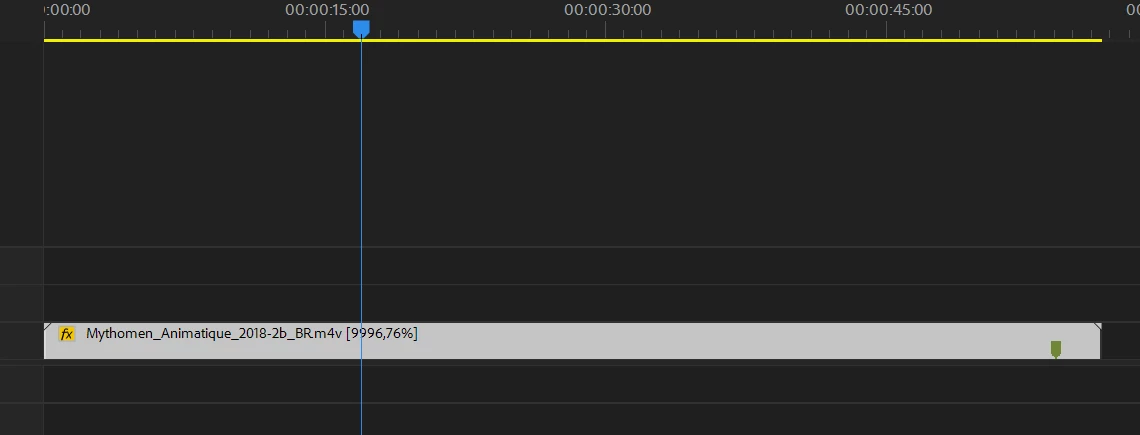
So, it does not surprise me at all that when I want to change the speed of a clip to 10,000 perfect Premiere bricks... can't even attempt to play the clip, can't even render the file... just one more feature Adobe offers that doesn't work like countless others.
What is inexcusable however is that I cannot type "100%" back into the speed change dialog box... typing to type the number 1 does not appear... the speed automatically becomes 2.11% and the two zeros I type following the one in one hundred go before the 2, so I get 002.11%.
Posted this before and embarrassed the low-rent support so much they locked the forum....
DOES ANYONE KNOW HOW TO FIX THIS PROBLEM....
ACPs, keep in mind fixing a problem is not the same thing as telling me you do not have that problem. A first grader would know that and so should you.
SO CAN I HAVE THIS FIXED FOR MY $70 THIS MONTH ALONE NOW???????
can't speed up a clip to 10,000% ... premiere stops working
cannot type 100% into the dialog box, very clear BUG premiere has!
while I'm here I'll give you a bonus one...
After duplicating a sequence and exporting it the Audio only, I found that the duplicated sequence wasn't an exact match; one of the audio tracks was missing the effects I put on it, it was clear that the track was way too low in the mix after only duplicating a sequence where the track was correctly missed.
I know the support team here probably hasn't had that happen to them, but people who actually spend time editing have these problems every single day.
 AdChoices