
Micah van Praag
Participant
January 28, 2017
Answered

Still image duration 1 frame doesn't work.

  • January 28, 2017
  • 2 replies
  • 10637 views

So i want to edit a timelapse out of the pictures I shot.

I have set the still image duration on 1 frame (I'm 100 % sure that the duration is set on 1 frame)

but the images in the timeline are 5 seconds long!, they can never be 1 frame each.

I've done this many times before and never had any trouble.

What could this be?
This topic has been closed for replies.
Correct answer R Neil Haugen

Progressive (I believe...unless I'm being dumb).


Hmmm ... Have you tried creating a small new test project, making sure this is set to 1 frame, then importing a few stills and seeing what happens?

Also, as noted above, if the images are named sequentially, you can click on the first in a folder, right-click, and import as image sequence which should bring all images in as a video sequence.

Neil

2 replies

Participant
September 11, 2017

Hi,

I actually have a similar issue and can't seem to resolve it.

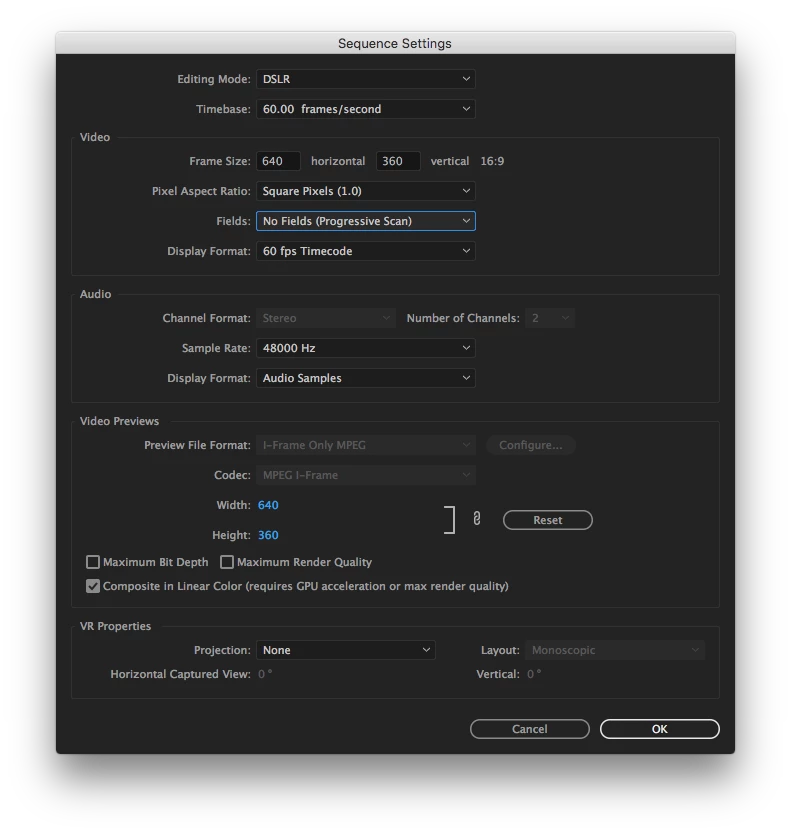
I have a 60 fps sequence and I'm trying to sequence images at 1 frame per image, but no matter how many times I try, the images are defaulting to 2 frames. I have changed the setting before importing the images into the project, so I'm a bit stumped. Any help would be appreciated!

R Neil Haugen
Legend
September 11, 2017

60fps ... is that progressive or interlaced?

Neil

Everyone's mileage always varies ...
Participant
September 11, 2017

Progressive (I believe...unless I'm being dumb).

Ann Bens
Community Expert
Community Expert
January 28, 2017

Post a screenshot of the Preferences.

You need to set the still image duration before you bring in the images into Pr.

It already imported; You can change the duration by selecting all the images in the Project Window, right click, Speed/Duration and set to 1 frame.

On a side note if your images are consecutive you can bring them in as an image sequence (kind of movie). Less strain on the computer.

Select first image, check the box down below that says Image Sequence and hit Open.

Micah van Praag
Participant
January 28, 2017

I've changed the preferences before dragging the bin with the images in the sequence

Ann Bens
Community Expert
Community Expert
January 28, 2017

Micah van Praag wrote:

I've changed the preferences before dragging the bin with the images in the sequence

You need to change them before importing into Premiere.