Answered
Stop Footage from auto importing/ingesting into Media Encoder
When importing footage into Premiere Pro, the footage is also auto importing/ingesting into Media Encoder and it tries to automatically encode.
How can I stop this?
Thx
When importing footage into Premiere Pro, the footage is also auto importing/ingesting into Media Encoder and it tries to automatically encode.
How can I stop this?
Thx
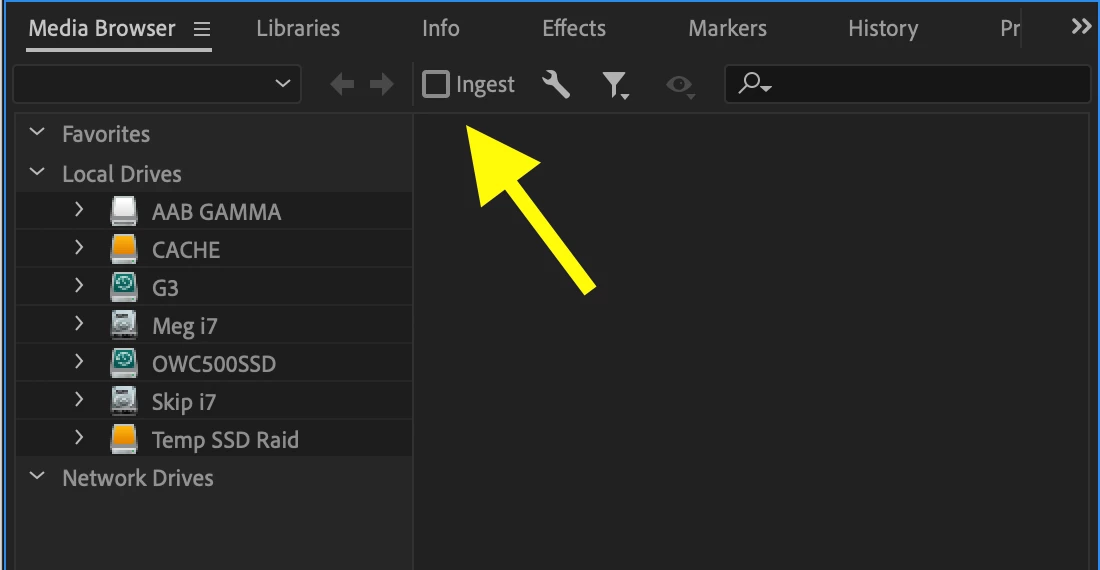
Uncheck this box:
MtD
Already have an account? Login
Enter your E-mail address. We'll send you an e-mail with instructions to reset your password.
 AdChoices