



Answered
Stop Snapping to end of Cross Dissolve
Hey,
When I'm dragging a clip around the timeline, it will snap to the beginning/end of a cross dissolve rather than to the beginning/end of a clip.
Does anyone know how to stop the clip snapping to the cross dissolve? I don't know why anyone would want this, and when my timeline is zoomed out, I often can't tell this has happened.
Small thing, but would save me a lot of time, and add more of a sense of safety that everything is lined up nicely.
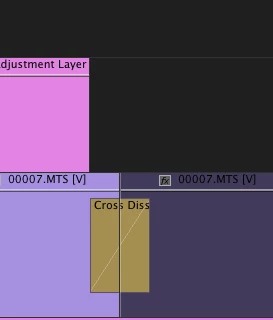
(latest versions of Mac OS and Premiere)
Thanks!
 AdChoices