
ShailavMalik
Participant
April 3, 2022
Answered

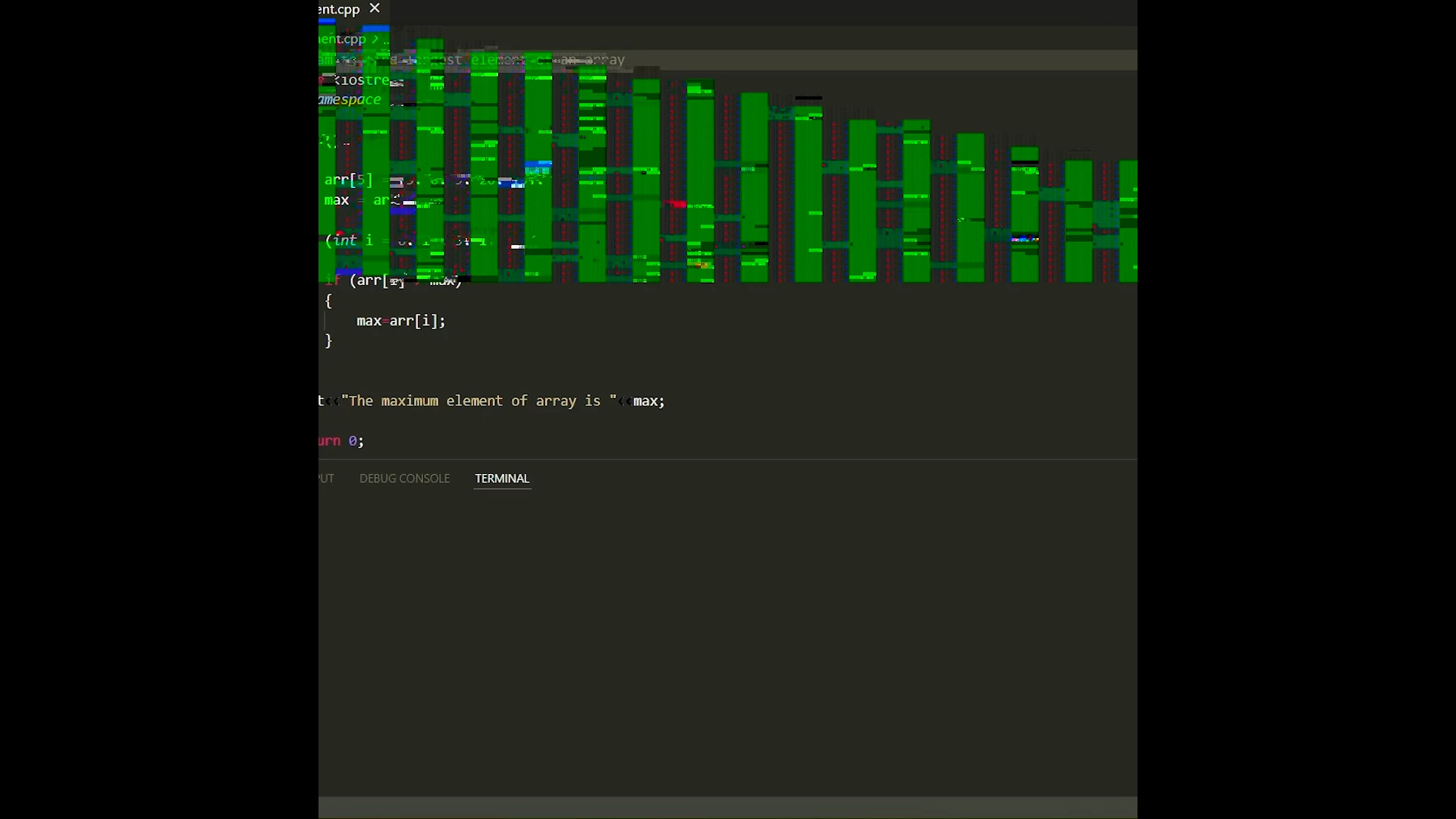
Strange green bars come in the exported video in premiere pro
  • April 3, 2022
  • 4 replies
  • 1037 views

Can anyone tell the reason and to how to fix it?


Is it due to low-end graphic card or something else?
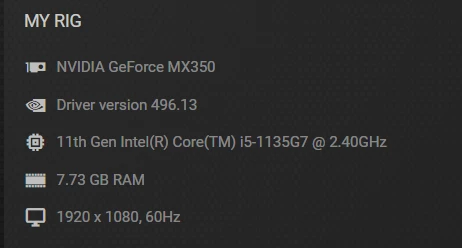
Above is the details about the system and graphic card.

My laptop has 2 GB dedicated Nvidia GeForce MX350 graphic card and I am using windows 11 on laptop.

This topic has been closed for replies.
Correct answer ShailavMalik

I was using Adobe premiere pro-2021.

When I updated to Adobe premiere pro-2022 problem got solved (and no green bars come in the exported video)


Thanks, everyone for their quick support.

4 replies

Participating Frequently
April 8, 2022

Hi @ShailavMalik 


Sorry for this problem. We have done some export improvements in the latest beta builds. You can download the latest Premiere Pro Beta build from Creative Cloud --> Beta apps --> Premiere Pro (Beta).

https://helpx.adobe.com/x-productkb/global/creative-cloud-public-beta.html

Please try and let us know how it goes in the beta build. If you still see this issue in beta builds, please share your original footage. We will check it at our end and take quick action.


Thanks,
Mayjain

ShailavMalik
ShailavMalikAuthorCorrect answer
Participant
April 11, 2022

I was using Adobe premiere pro-2021.

When I updated to Adobe premiere pro-2022 problem got solved (and no green bars come in the exported video)


Thanks, everyone for their quick support.

Legend
April 11, 2022

thanks for posting your solution.  Not enough people do this...  


Sometimes updates can cause new problems, so always a good idea to keep previous versions on your system.  

Legend
April 3, 2022

by any chance are any of your sources from a smartphone or a screen recording?  If so, the problem may be caused by variable frame rate sources.    Here's how to confirm the diagnosis and fix it


use mediainfo to determine whether your source is variable or constant frame rate
https://mediaarea.net/en/MediaInfo/Download
if it's variable use handbrake to convert to constant frame rate setting the quality slider in the video panel to maximum
https://handbrake.fr
and here's a tutorial on how to use handbrake
https://www.youtube.com/watch?time_continue=34&v=xlvxgVREX-Y

Community Expert
April 3, 2022

What if you try setting the program to Software Only? In File > Project Settings > General you'll find the render settings.  


You may also want to try transcoding the media to a different format with something like Shutter Encoder. Sometimes even a Remux/Rewrap can help if it's a metadata issue, which I've seen before from some recording softwares.

Ann Bens
Community Expert
Community Expert
April 3, 2022

Graphics card driver needs updating. Long overdue.

https://www.nvidia.com/Download/driverResults.aspx/187305/en-us

ShailavMalik
Participant
April 3, 2022

Updated the driver but the problem still persist