


Known Participant
June 14, 2026
Question

Strange Perspective in new install of PPro

  • June 14, 2026
  • 3 replies
  • 20 views

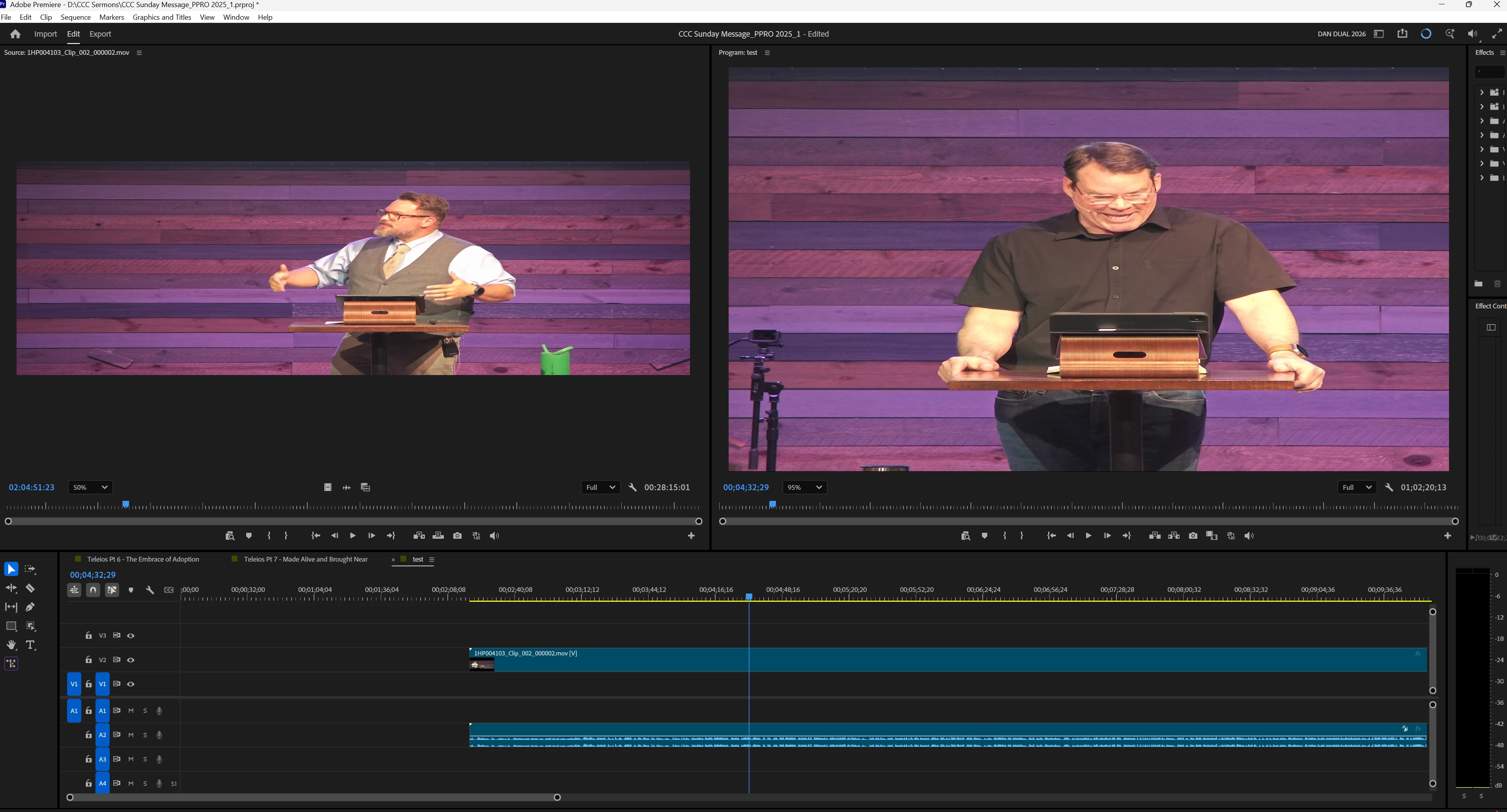
I am perplexed on the view of my edit. I had to reinstall windows and of course PPro and just loading up a current project the view is streched? i am attaching an image but the comp is 16x9 (HD 1920 x 1080) but eveything is looking distorted? not sure how to fix this and have never had this issue before. It also exports this way also and is just really strecthed in the sequence and export? 
 

    3 replies

    Community Expert
    June 15, 2026

    Two things that will help diagnose this:

    1. Do you know what camera was used to film the footage?
    2. Right-click one of the stretched clips in your Project panel → Modify → Interpret Footage. What does it show for Pixel Aspect Ratio?
    Peru Bob
    Community Expert
    Community Expert
    June 14, 2026

    Use Create a new sequence from clip:

    To create a sequence, drag a clip from the Project panel to the New Item  icon in the Project panel.

    from here:

    https://helpx.adobe.com/premiere/desktop/edit-projects/change-clip-sequence/create-a-sequence.html


    kglad
    Community Expert
    Community Expert
    June 14, 2026

    post this in the premiere forum, https://community.adobe.com/p/premiere 


    and change your title slightly to avoid a duplicate post error.