Lorenzo Miglio
Participant
March 10, 2022
Question

Strange pixelation randomly appears on clips

  • March 10, 2022
  • 1 reply
  • 219 views

Hello everyone.

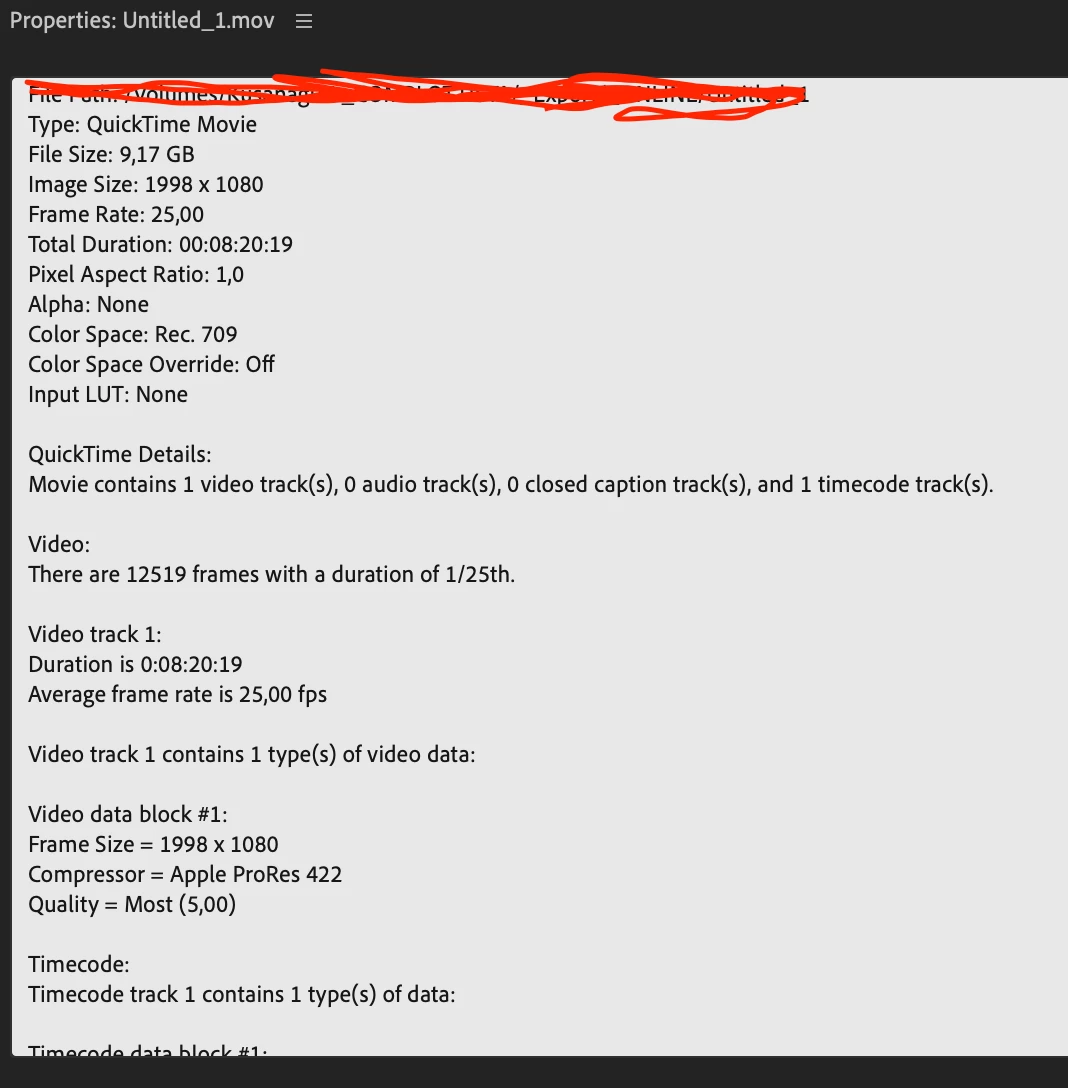
I've shot a sequence in BRAW in 4k, I've colored it in Davinci and then exported in 1920x1080 ProRes 422. This is the sequence in VLC, everything looks fine. In the projects there are some clips who got the same treatment, shot in 4k, colored & exported into premiere, and everything seems to work there.
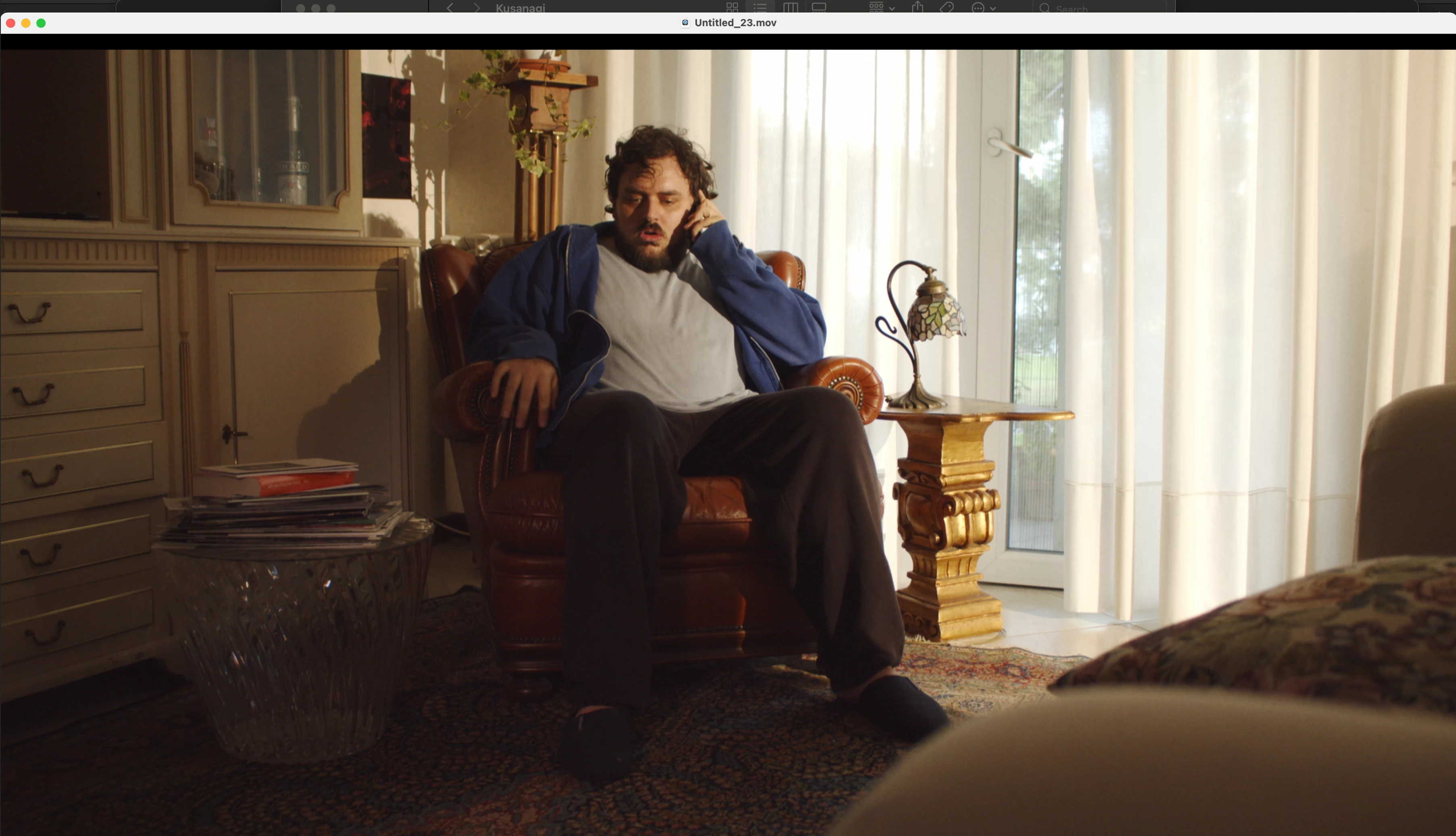


When the sequence is uploaded in Premiere this happens. 

This happens in preview. 
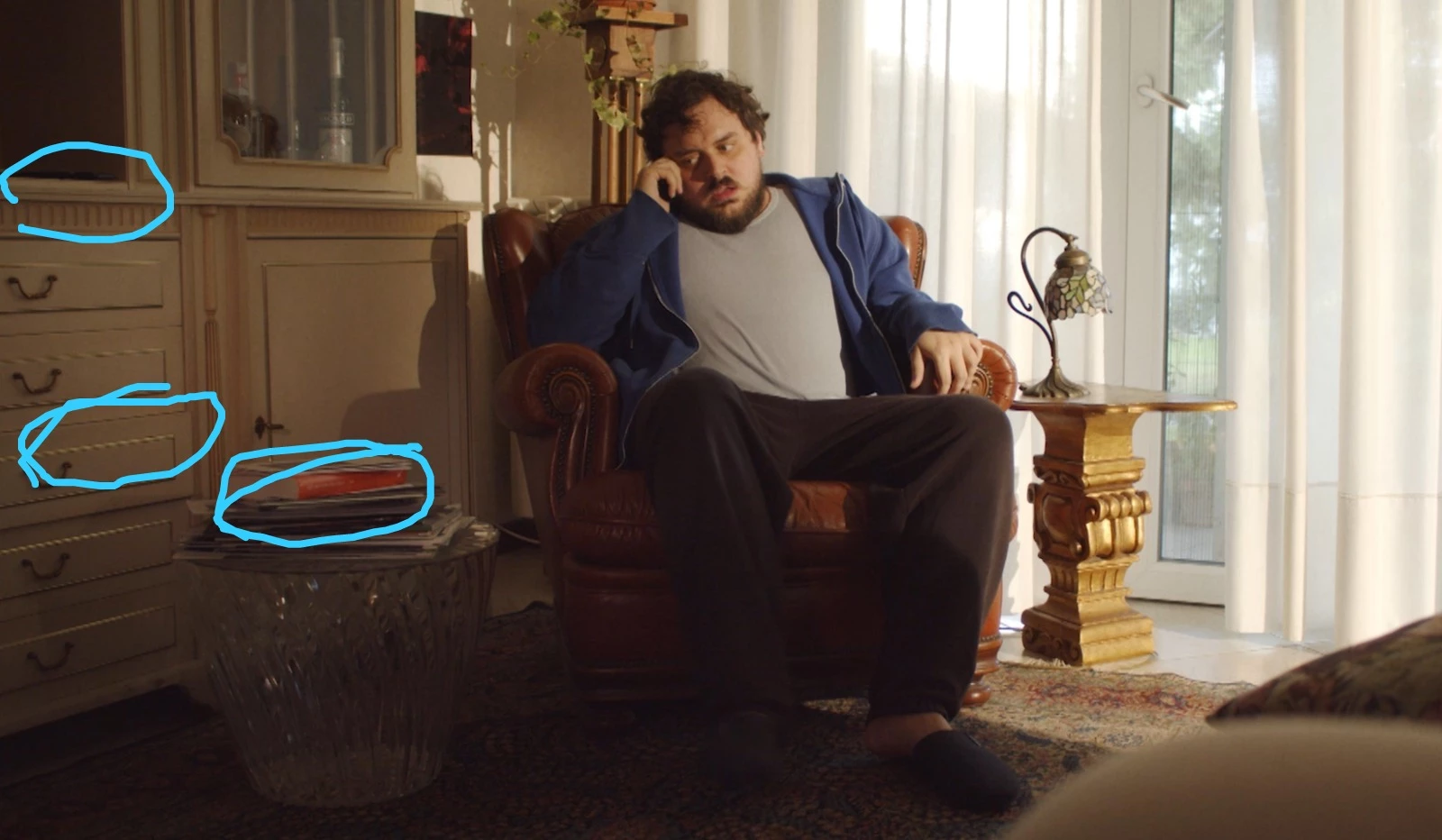


this happens in the timeline
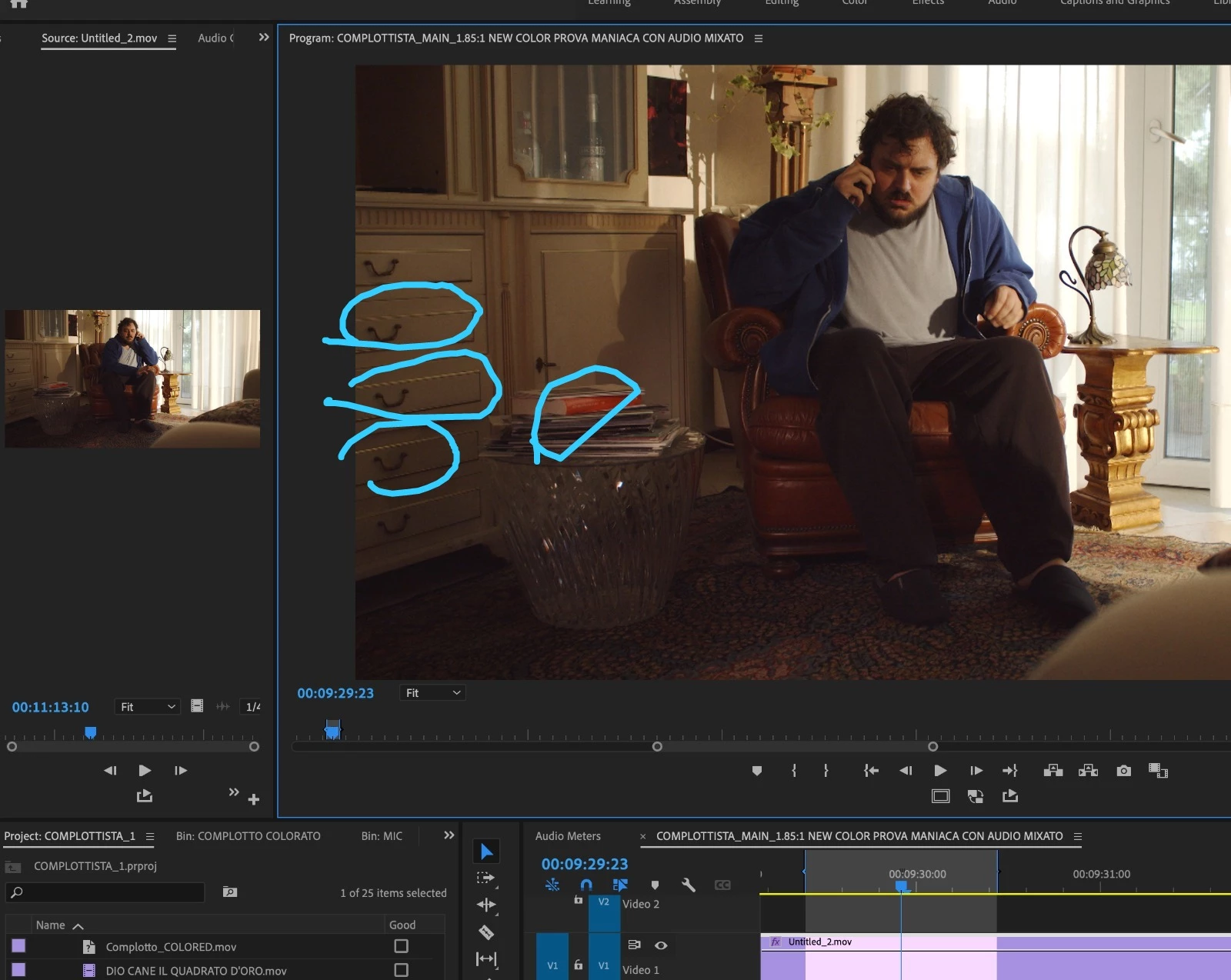


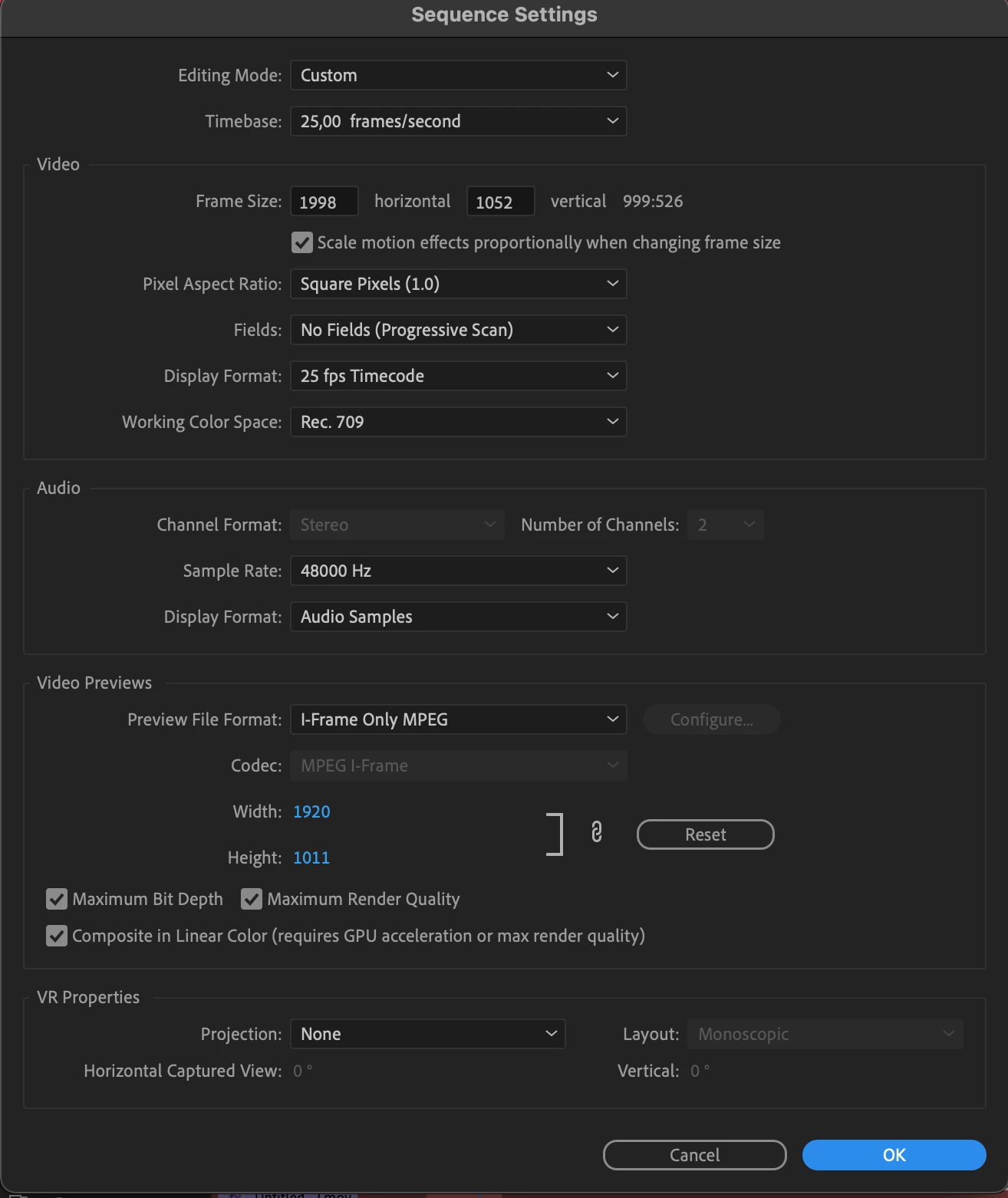
and the export comes out all chopped like that. I'm really behind schedule with this project, I hope someone can help me. Here are some project & file settings.


This topic has been closed for replies.

1 reply

Richard van den Boogaard
Community Expert
Community Expert
March 10, 2022

The Frame size (1998x1052) seems a bit odd, although that may be a deliberate choice... is it?


The Video Preview size 1920x1011, however, does not match with the frame size.


This means that Adobe has to re-render each pixel and may be the cause of seeing the pixelation in some of your straight lines.


Does the problem still manifest itself when you match the frame size to the video preview size?


Please let us know.

Lorenzo Miglio
Participant
March 10, 2022

Yes, the Frame size is a choice, I've now tried changing the video preview size but nothing changes. When I go back and check that the preview size has actually changed, it hasn't. Even if I type in the correct size. It's strange. It resets and remains 1920x1011.