
Answered
Struggle with Rendering - Horizontal Lines appearing for no reason
I just imported the footage (without any error or similar) and exported and mp4 file as .h264.
Turned off all the grade layers but this effect keeps rendering 😞

I just imported the footage (without any error or similar) and exported and mp4 file as .h264.
Turned off all the grade layers but this effect keeps rendering 😞
It depends on if you want to deliver a final project that is interlaced or not.
If you don't want to deliver interlaced, click any where on the timeline to select it, then go to the menu
Sequence > Sequence Settings and change the Fields to Progressive:
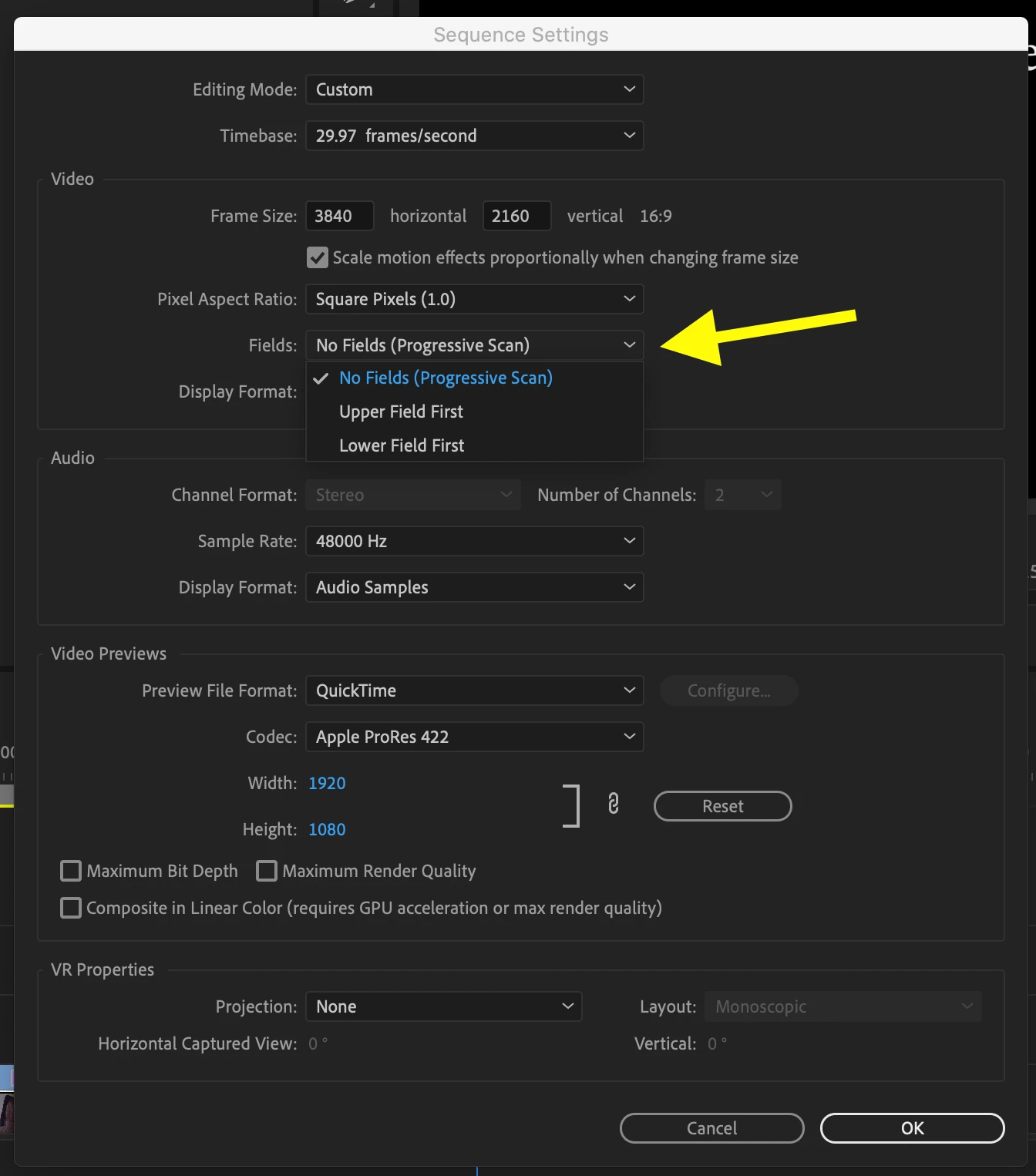
Click OK and then export.
MtD
Already have an account? Login
Enter your E-mail address. We'll send you an e-mail with instructions to reset your password.
 AdChoices