



kbell33
Inspiring
July 24, 2026
Answered

Stuck on "Creating Captions"

  • July 24, 2026
  • 16 replies
  • 63 views

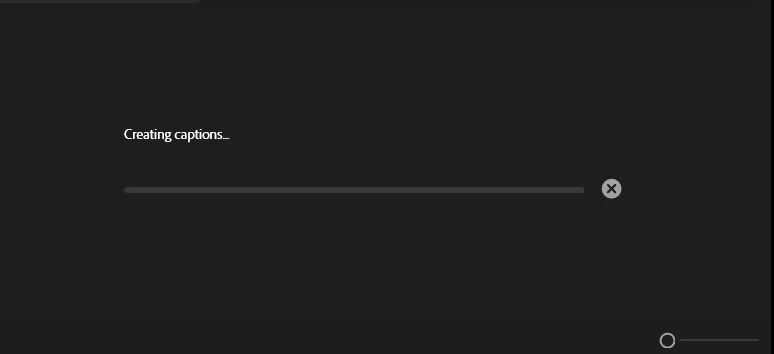
I cannot escape the Creating Captions screen that never seems to load. I’ve cleared my cache, changed the cache locations, used older and the most up to date versions of Premiere Pro. I’ve reset scratch disks. I’ve created new projects and new sequences. Nothing is working. The transcript is there. It just will not generate captions for me at all. No matter what preset I use, it will not generate. This started out of nowhere and didn’t have any issues on previous clips from the same source.
 

    Correct answer kbell33

    I reinstalled the 26.0 version instead of 26.3 and it seems to be working fine for now. I shouldn’t have to revert to older versions for bugs to resolve.

    16 replies

    kbell33
    kbell33Author
    Inspiring
    August 10, 2026

    I’m back again with the same issue, and now, premiere is fully shutting down my laptop when trying to transcribe or even import files now. I’ve uninstalled and reinstalled premiere and done several steps of troubleshooting and still having issues.

    Stan Jones
    Community Expert
    Community Expert
    August 11, 2026

    @kbell33,

    Are you still on 26.0.1 or what version?

    Stan


    kbell33
    kbell33Author
    Inspiring
    August 11, 2026

    I’m on 26.2. This happens regardless of the version I’m using.

    Stan Jones
    Community Expert
    Community Expert
    July 28, 2026

    @kbell33,


    The sample you provided works fine for me on Win11 PR 26.3.0. I right-clicked in the project panel and transcribed. Dragged to the new icon to create a sequence. The source media transcript showed, and I clicked CC in the the transcript tab and took the subtitle defaults. Created captions as expected. 


    Stan


    caroline_edits
    Community Manager
    Community Manager
    July 27, 2026

    Sorry for this issue, KBell! I have a few ideas that might knock this error loose.

    • Generate a static transcript before creating captions. In the Text panel, select the ... menu in the top right to select Generate Static Transcript... The default settings should be fine. Then switch to the captions tab and see if it will successfully create captions out of a static transcript.

    • Go to your timeline, right-click near the top, and select Add New Caption Track. Once the C1 Caption track is created, go back to the Text panel and try to generate your captions based off of the transcript.

    • I'm wondering if your source footage is screen-recorded or something you downloaded from online. Have you tried transcoding your clip before you import it? This is just a test. You can transcode using a free service like https://adobe.ly/3THrEpY


    Keep us posted,

    Caroline

    kbell33
    kbell33Author
    Inspiring
    July 28, 2026

    When I try to generate a static transcript, I just get this screen forever. No transcript populates. All of this is raw footage that I have with nothing screen-recorded or downloaded. I’ve tried the transcode as my first troubleshoot and nothing changes. 


    kbell33
    kbell33Author
    Inspiring
    July 28, 2026

    I just uninstalled and reinstalled Premiere - including removing all my preferences - and it still will not generate captions. 

    Stan Jones
    Community Expert
    Community Expert
    July 26, 2026

    @kbell33,


    I don’t recall anyone reporting this problem. 


    Try resetting the workspace; very little downside. If your setup is not heavily customized, I would also reset preferences.


    You have tried multiple file types? What type of captions are you generating? Subtitle default? Any custom presets?


    A screenrecording might help.


    Stan


    kbell33
    kbell33Author
    Inspiring
    July 26, 2026

    Hey Stan, 

    I’ve reset my workspace and preferences and am now getting this error. The transcript is there but it will not generate it into captions. Just trying to generate subtitle default. 


    Stan Jones
    Community Expert
    Community Expert
    July 26, 2026

    That is a transcription issue. Restart premier. Create a new test projected Add a different clip than the one you were using. Right click on it in the project panel and pick transcribe. Then add it to a sequence. Go to the transcript tab and create captions. What happens?


    Stan


    Community Manager
    July 24, 2026

    Hi kbell,

    Thanks for the report. Since the transcript has already been generated, it sounds like the issue is occurring specifically during caption generation.


    Could you let us know:

    • Your Premiere Pro version.

    • Your operating system.

    • Whether this happens in every project or only this one.

    • Whether you're able to generate captions from a short test sequence in a new project.


    Also, if this started suddenly without any workflow changes, let us know what (if anything) changed on your system before the issue began. That information will help us narrow down whether this is project-specific or a broader issue.

    Thanks,

    Kevin

    kbell33
    kbell33Author
    Inspiring
    July 25, 2026

    Premiere Pro Version is 26.3
    Operating System is Windows 11 Enterprise
    This happens in all projects
    I cannot generate captions in a new project or sequence

    This did start suddenly. Nothing changed in my OS or workflow.