
Stuck with multichannel setup, need help
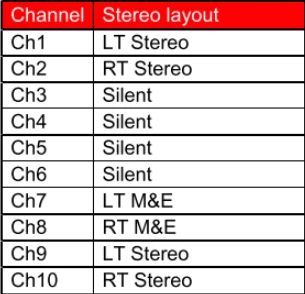
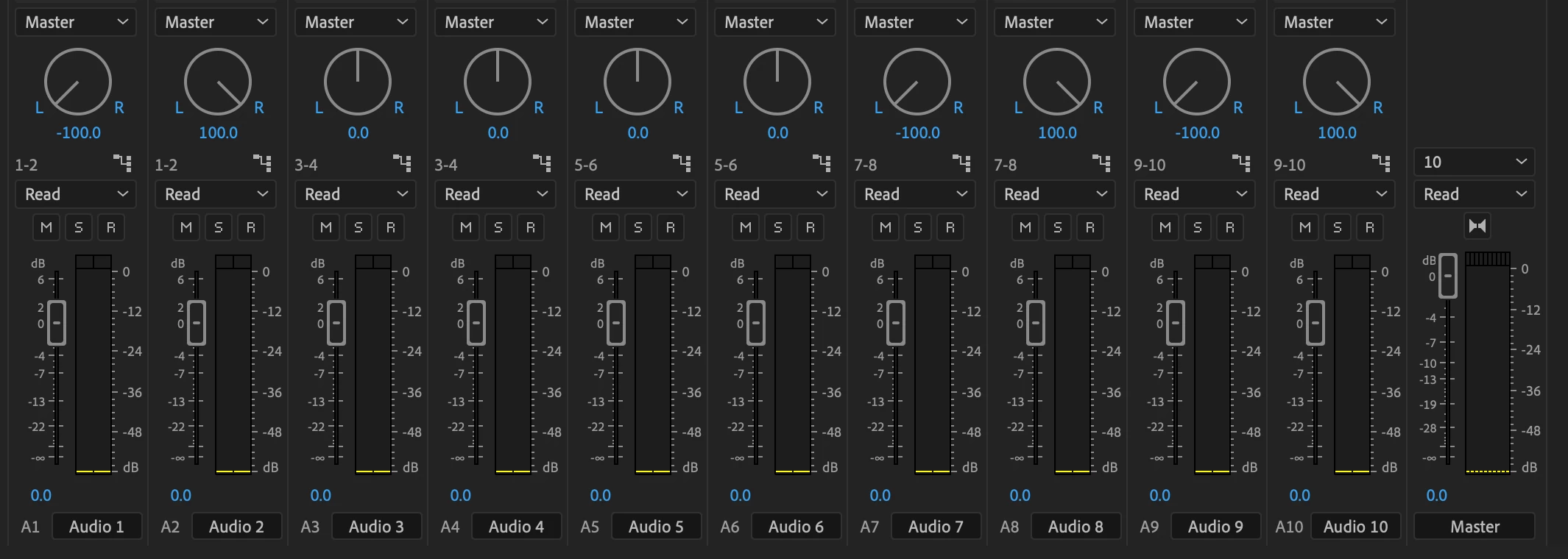
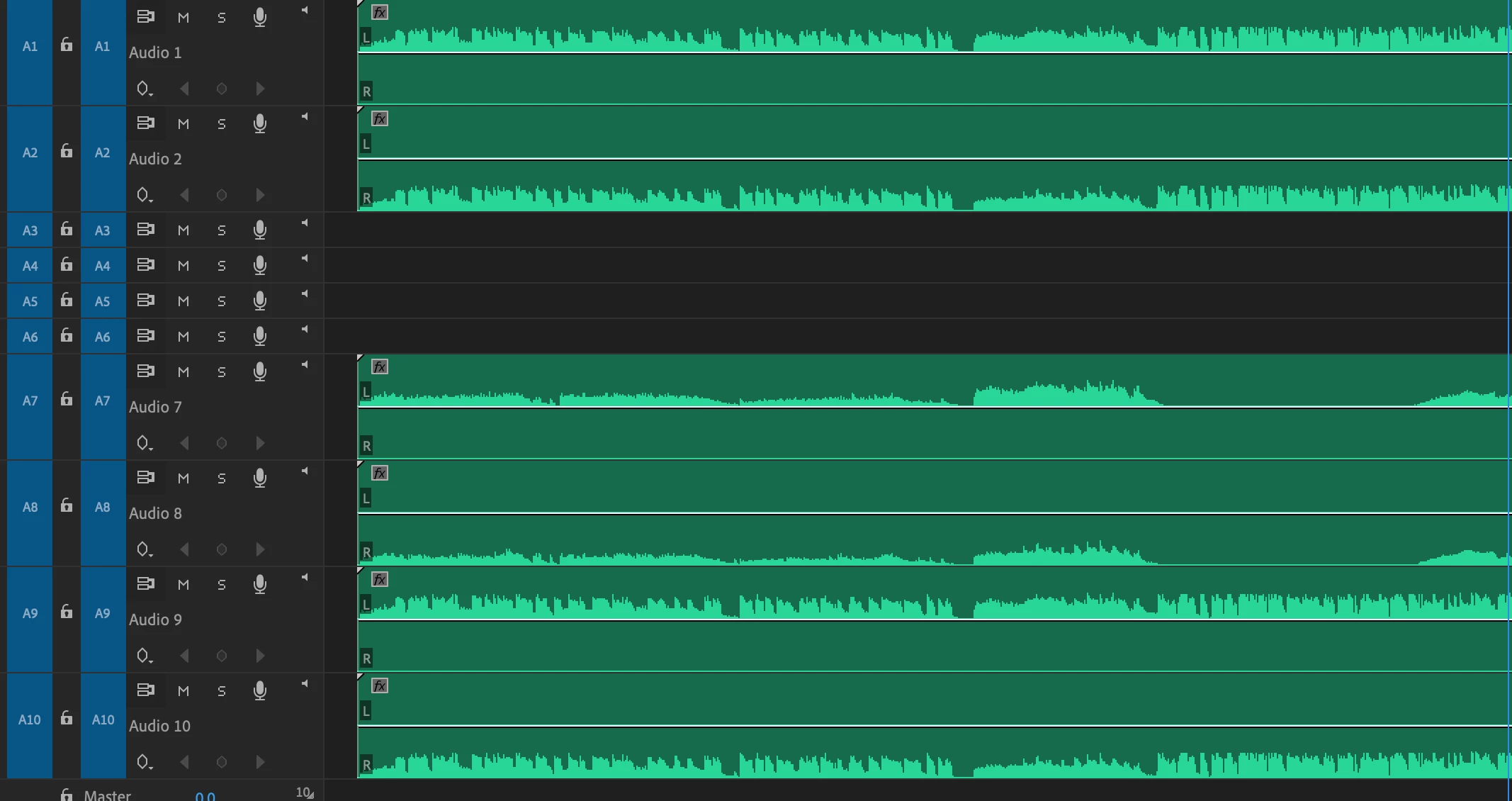
I'm putting together a test sequence to send to a broadcaster. I've attached screengrabs of their audio requirements as well as my track and sequence setup in premiere. I was able to make all of the audio to their spec, but when I test each track in the sequence, only tracks 1 and 2 produce any sound. The rest of the tracks don't, even though I am seeing their active signal in the track mixer. Some additional info: It's a multichannel sequence and the track type is set to mono (I've tried standard as well). I've tried playing each individual file in the source monitor and they play fine. Also, when I render the file out and play it in VLC, all of the tracks produce sound, but none of them are LT/RT like how I have it set up in Premiere. I know this is a ton of info, but any help would be really appreciated. Happy to answer any questions.
 AdChoices