Participant
April 14, 2020
Question

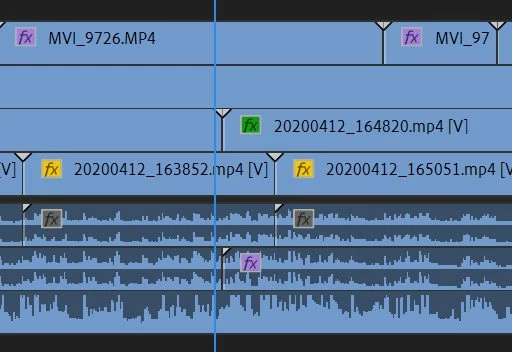
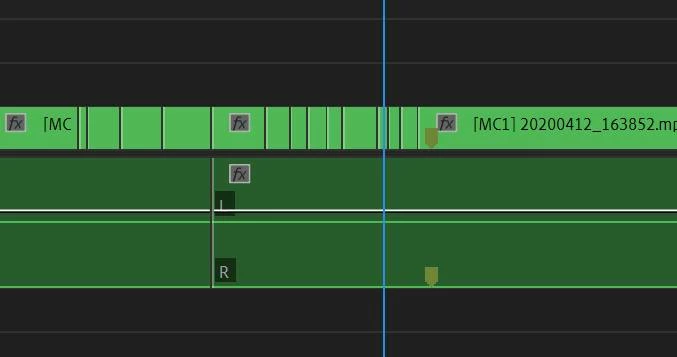
suddenly the integrated clip doesn't show the waveform / multi-camera source sequence

  • April 14, 2020
  • 3 replies
  • 311 views

Hi.
I am editing a multi-camera source sequence at premiere.
(Obviously I might have done something wrong in the middle), but suddenly the integrated clip doesn't show the waveform in the integrated sequence.


I tried the following method, but to no avail.
1. Delete media cache
2. Ac3 filter installed
3. check "automatic audio wafevorm generation" in audio preference


I am having a hard time working.

Please help me...
 

This topic has been closed for replies.

3 replies

Mike Dziennik
Community Expert
Community Expert
April 14, 2020

Might be worth toggling this option, combined with a restart.

Mike Dziennik
Community Expert
Community Expert
April 14, 2020

I presume you can hear the audio? Which tracks are active in your sequence?


Participant
April 14, 2020

yes~ I can hear the audio.


Audio 1 Track is active.

Mike Dziennik
Community Expert
Community Expert
April 14, 2020

Have you tried trashing your .pek peak files? Located in "Adobe Premiere Pro Audio Previews" next to your project. Try toggling the Show Audio Waveform option in the timeline wrench menu.

Participant
April 14, 2020

As your tip I trashed my .pek peak files.

And also my wrench menu option is below.


But clip doesn't show the waveform yet...