Correct answer Paul_Gringo

The problem is solved, I made Render in beta version. This proves - the problem is not in hardware, the problem is in software. Thanks for the attempt to help

6 replies

Inspiring
September 8, 2025

Kevin J. Monahan Jr.
Community Manager
Community Manager
September 8, 2025

Hey Paul,

Have you tried transcoding that particular clip? Let me know if that helps. Sorry for the frustration.


Thanks,
Kevin


Kevin Monahan - Sr. Community and Engagement Strategist – Adobe Pro Video and Audio
Inspiring
September 9, 2025

Media Encoder did not help me,  other converters solved the problem. Media Encoder -  useless program

Inspiring
September 8, 2025

Nothing happens. The installation is clean. There are no processes in the task manager. CC also. Windows 11, 25.4.1 and beta

Inspiring
September 8, 2025

jamieclarke
Community Manager
Community Manager
September 8, 2025

HI @Paul_Gringo - Can you navigate to the help menu and click on system compatibility report then in the bottom left hand corner select export and email the two files to jamiec@adobe.com 

Inspiring
September 8, 2025

Done!

Inspiring
September 5, 2025

New ERROR!

jamieclarke
Community Manager
Community Manager
September 5, 2025

It sounds like you are using graphics on top of your footage is that correct?  Can you try nesting your graphics then apply your effect.  Let us know if that helps your issue?  Please see this article: order of effects

Inspiring
September 5, 2025

I do not use graphics, only stabilization and text

Inspiring
September 5, 2025

Peru Bob
Community Expert
Community Expert
September 5, 2025

What are the complete computer specs, including hard drives (how many, what kind, what is on each, what capacity, and how full)?

Inspiring
September 5, 2025

20tb hdd/  64 ddr5 ram / 8gb ddr6x

jamieclarke
Community Manager
Community Manager
September 5, 2025

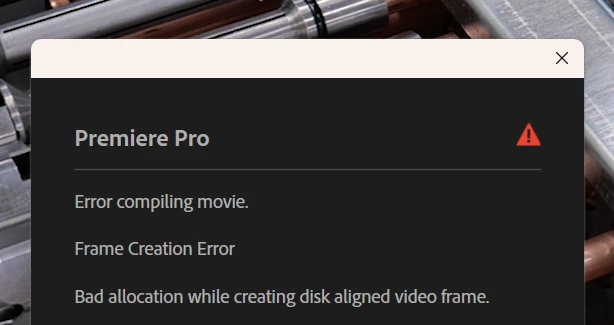
Hi @Paul_Gringo - Can you show the entire error dialog box?  Do you have any effects you are using in your sequence?


Inspiring
September 5, 2025

Lumetri Color and warp stabilization

jamieclarke
Community Manager
Community Manager
September 5, 2025

Hi @Paul_Gringo -  Can you let us know the driver version for your iGPU?  you can find it in device manager > displays > UHD Graphics 770 > Driver. 


Also,  If you disable your iGPU do you still have issues?