
onscreenl8787203
Known Participant
January 20, 2020
Question

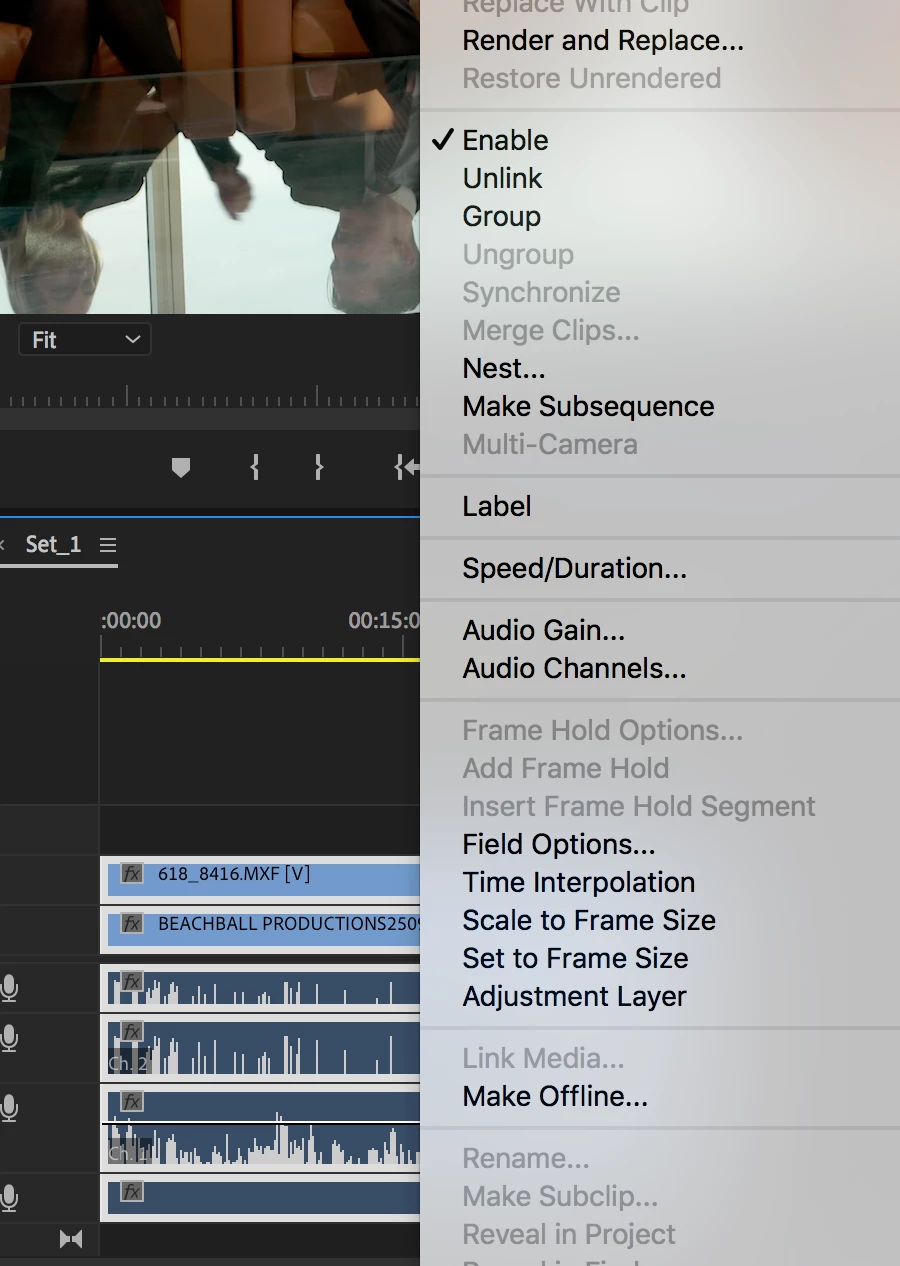
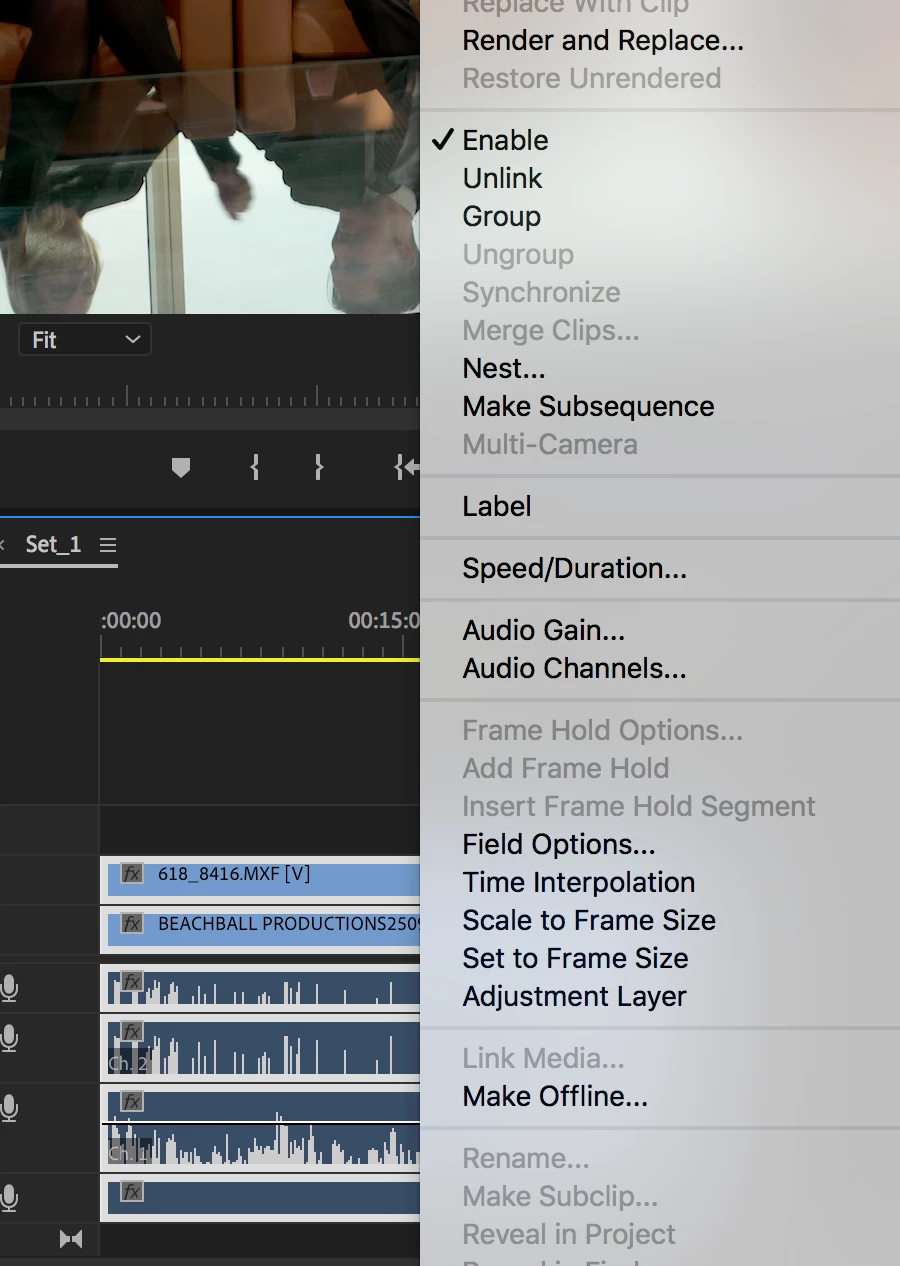
Sychronize audio greyed out

  • January 20, 2020
  • 3 replies
  • 8320 views

Hi 

Im trying to sync a load of video to audio. When I select the clips in the timeline and right-click, the Synchronize option is "greyed" out. I have two camera angles. Cam one audio source is a lav mic, and cam two is using the internal mic as a reference, its also quite room. Im running version mac OS High Sierra 10.13.6 and PP pro-2020.
 

I usually use Pluraleyes but im having issues with the latest update with compatibility but, that's a whole other issue.


Link to a tutorial below.


https://www.youtube.com/watch?v=MBb5MUXPUPU


Any ideas?


Kind Regards


Philip
This topic has been closed for replies.

3 replies

Participant
August 28, 2022

having a same issue.
in old version of adobe premiere, you can select all clips on v1/a1 and v2/a2 then syncronize it. 
now when you select all clips, syncronize button is greyout or cant select, you can just syncronize 2clips at a time. even you select those right trageted on timeline.

ian_gray
Participant
June 23, 2021

I had a similar problem and found this page through an internet search.


WHAT WORKED FOR ME:

I toggled the track targeting "on" for at least one of the tracks that had the audio I needed to synchronize.

Community Manager
January 20, 2020

Hi Philip,


Do you have multiple clips selected from the same track? This can cause the Synchronize option to get greyed out. Please ensure that all the clips which are selected are placed on separate tracks.


Thanks,

Sumeet

Participant
July 5, 2022

But if I have material of about 1 hour with multiple clips from 2 cameras it´s hard to place each clip on seperate tracks! Isn´t there an other method? I targeted all tracks in the sequence but it didn´t work....

Thanks!!!