Participant
April 17, 2020
Question

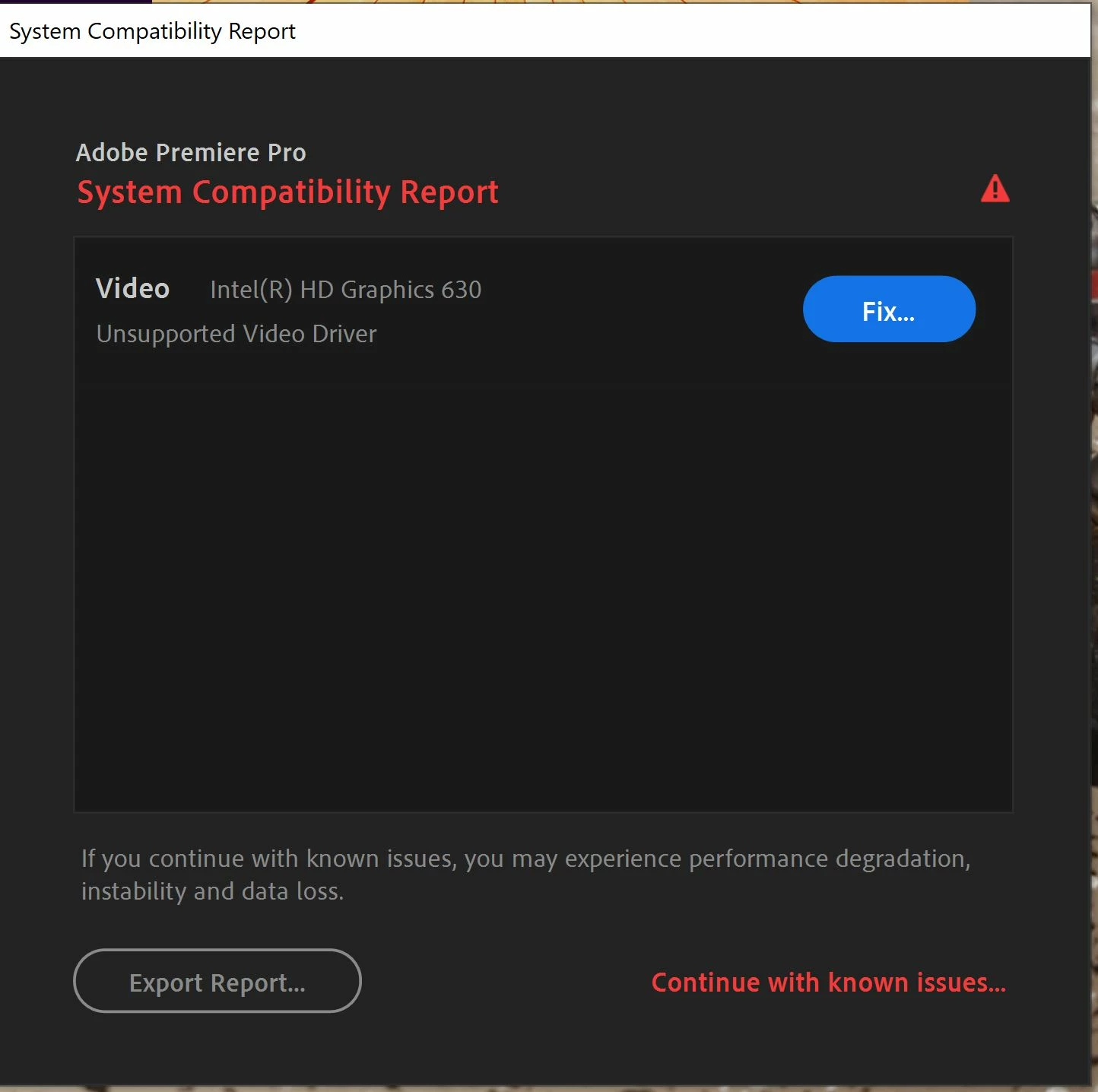
System Compatability Report: Unsupported Video Driver Intel(R) HD Graphics 630
  • April 17, 2020
  • 1 reply
  • 1223 views


So I keep getting this message. I will start up Premiere, and this will pop up every day. Every day I will install the driver that the "Fix" button leads me to and then things will work fine. However if I shut my computer off for the night when I start things back up the next day BAM "System Compatability Report: Unsupported Video Driver Intel(R) HD Graphics 630." This is getting really annoying and if I just click "Continue with Known Issue" Premiere doesn't really work. It sometimes shows up with After Effects as well.

This topic has been closed for replies.

1 reply

Legend
April 17, 2020

The reason for that is that you still had the old drivers on disk in your system, and that Windows will revert back to that old or obsolete driver every time you restart Windows. This is the result of failing to completely uninstall the old drivers before installing the new drivers - in other words, you simply installed the new drivers on top of the old drivers, and Windows always backs up the configuration with and including the old drivers. So the next time you restart Windows, if the newer driver was deemed by Microsoft as not verfied for your computer, it will revert back to the old driver.

Participant
April 20, 2020

How do you uninstal the old drive?

Legend
April 20, 2020

If the original installation of Windows 10 installed the old, obsolete driver in your system, and that you are sure that you did not install that old driver version originally, then after you installed and are running the newer driver version, then run "Update driver" within the Intel HD Graphics 630 (get into Device Manager, then expand "Display adapters" so that "Intel HD Graphics 630" is displayed, then right-click on that Intel line and then click "Update driver"). That should clear up that problem. But if it insists on reinstalling the old driver version while completely removing all traces of the newer driver, then you will need to temporarily disconnect from the Internet and then run "Uninstall device," and then make sure that you check the box "Delete the driver software for this device." Do this after you had already downloaded and saved the newer driver; otherwise, if you turn the internet connection back on, Windows Update will download and install the "latest" driver version available that's been "verified" to work with your particular PC (which may still be an old and outdated driver).