

Inspiring
June 25, 2025
Question

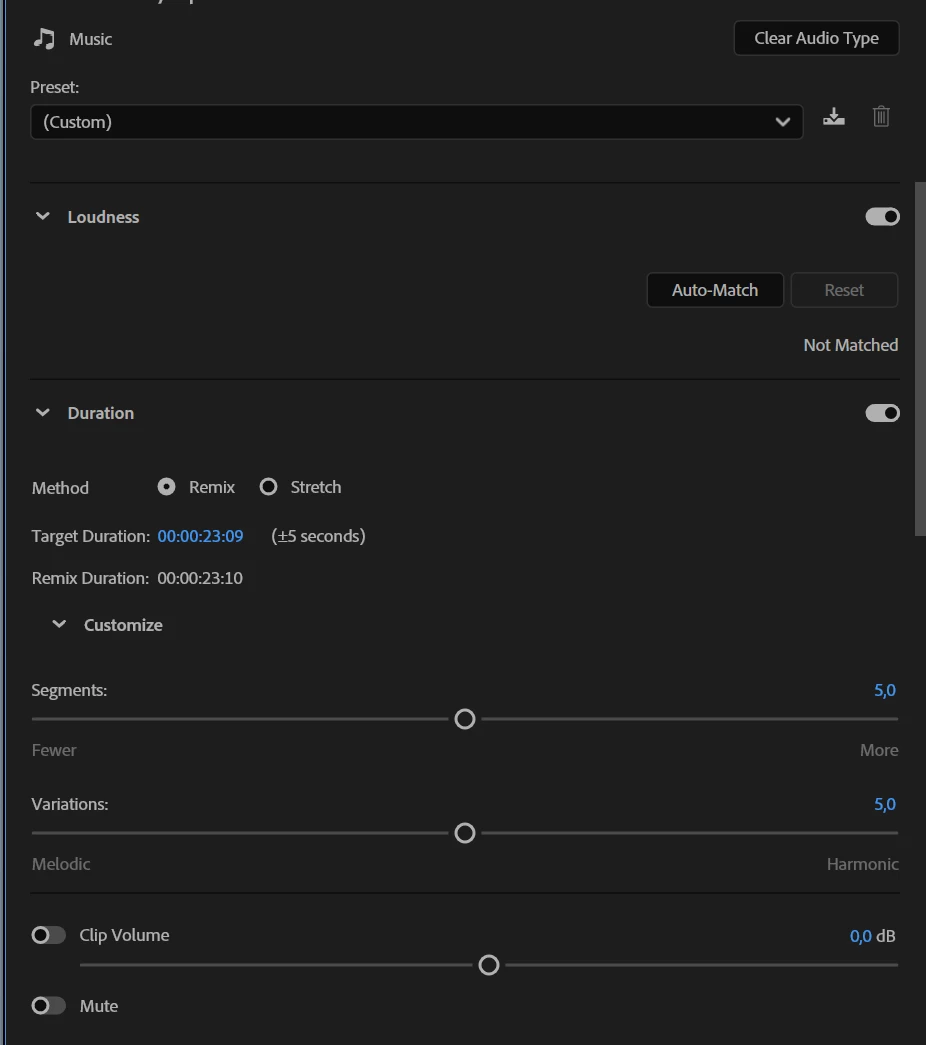
Target Duraion does not work correctly

  • June 25, 2025
  • 9 replies
  • 460 views

Now I can change only 5 seconds forward or back using the mouse.

There were no restrictions before. Why did you create them? It's stupid. 
9 replies

Community Expert
July 3, 2025

Is it possible that there's another clip further down the timeline on the same track? The Target Duration won't let you extend the remixed clip beyond the start of the next clip on the timeline.

Ann Bens
Community Expert
Community Expert
June 25, 2025

Its not a restriction of the duration. The end duration may vary +/- 5 seconds to the duration you set it to.


Inspiring
June 25, 2025

The problem in some tracks arises, I don't know what it depends on

Intel Core i7-14700K 3.4GHz/33MB s1700 BOX MSI MAG Z790 Tomahawk Max Kingston Fury DDR5-6400 65536MB PC5-51200 be quiet! MSI PCI-Ex GeForce RTX 5070 Ti Gaming Trio OC 16GB GDDR7 SSD Samsung 990 Pro 2TB M.2 PCIe 4.0 x4 NVMe 2.0 V-NAND 3bit MLC SSD Samsung 990 Pro 1TB M.2 PCIe 4.0 x4 NVMe 2.0 V-NAND 3bit MLC Toshiba MG Series Enterprise 20TB 7200rpm 512MB MG10ACA20TE 3.5 SATA III Windows 11 Pro 25H2
Ishan Y
Inspiring
June 25, 2025

Hey Paul,

Ann is saying that you can set the duration of the remixed track precisely but after processing the audio track remix, the resulting duration might be less than or exceed the initially set duration by 5 seconds. The Remix tool keeps the parts at the start and end of the clip and remixes the portion that is in the middle. If you want the music track to end or start at a specific point, place the cut there and then use the Remix tool. 

Community Expert
June 25, 2025

It's interesting that the Audition version of remix will let you stretch the remix to the exact time.
