
Inspiring
April 11, 2019
Answered

Text Layers Essential Graphics Panel Always on Top?

  • April 11, 2019
  • 3 replies
  • 1015 views

Hi,

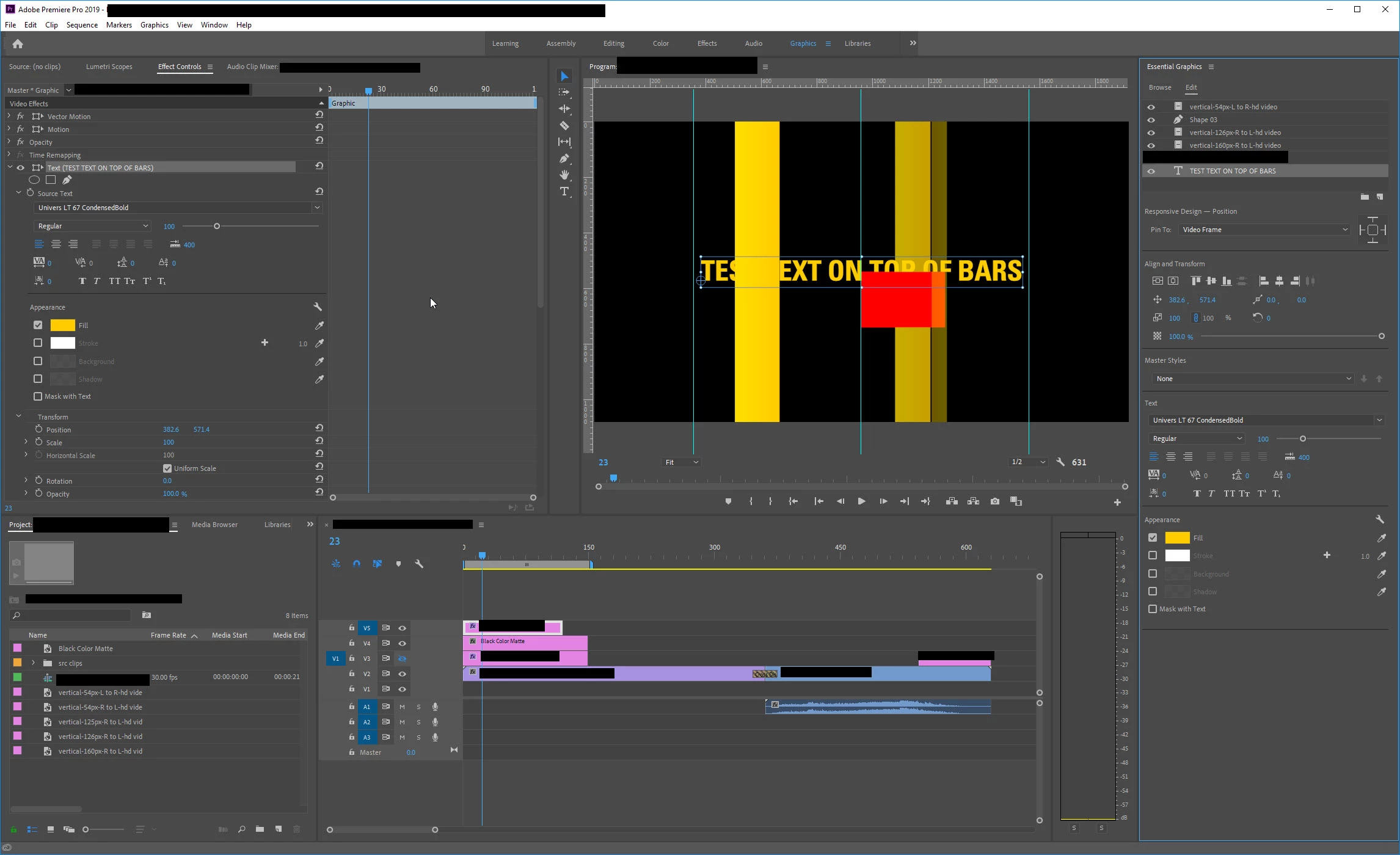
I'm using 13.1 build 193. I've created several layers from files and a text layer. No matter what the layer order is in the EGP, the text is always shown on top. I can create a shape layer and the text will correctly render either above or below the shape layer depending on the layer order as expected. The shape layer will also correctly render above or below the imported file layers depending on layer order too. It is just the text layer that will not do this; it always renders on top of everything. Is this a bug and can someone reproduce?

Also need a workaround if anyone thinks of one.

thx
    This topic has been closed for replies.
    Correct answer leejk

    The issues is the color of text I was using and it looks as if it is always on top. I experimented and changed the text color to red and the stacking order looked correct then. The same thing happens in AE unless you put the text in a separate comp versus a text layer in the original comp. Must be a problem with similar pixels and stacking order. Thanks for checking though guys.

    3 replies

    leejkAuthorCorrect answer
    Inspiring
    April 12, 2019

    The issues is the color of text I was using and it looks as if it is always on top. I experimented and changed the text color to red and the stacking order looked correct then. The same thing happens in AE unless you put the text in a separate comp versus a text layer in the original comp. Must be a problem with similar pixels and stacking order. Thanks for checking though guys.

    jstrawn
    Legend
    April 12, 2019

    Can you share a screenshot of what your app looks like in the problem state. Be sure the include the Timeline, Essential graphics Panel, and Program Mon in the shot so we can se what's going on with your Graphics + Layers.

    Inspiring
    April 11, 2019

    Working OK on my system, unless I don't understand your problem correctly:

    Have you tried restarting the app/computer?

    Tested in a new sequence?

    Trashing your preferences?

    FAQ: How to reset (trash) preferences in Premiere Pro?

    MtD