
Participant
September 9, 2022
Question

Text not showing up on timeline

  • September 9, 2022
  • 2 replies
  • 2088 views

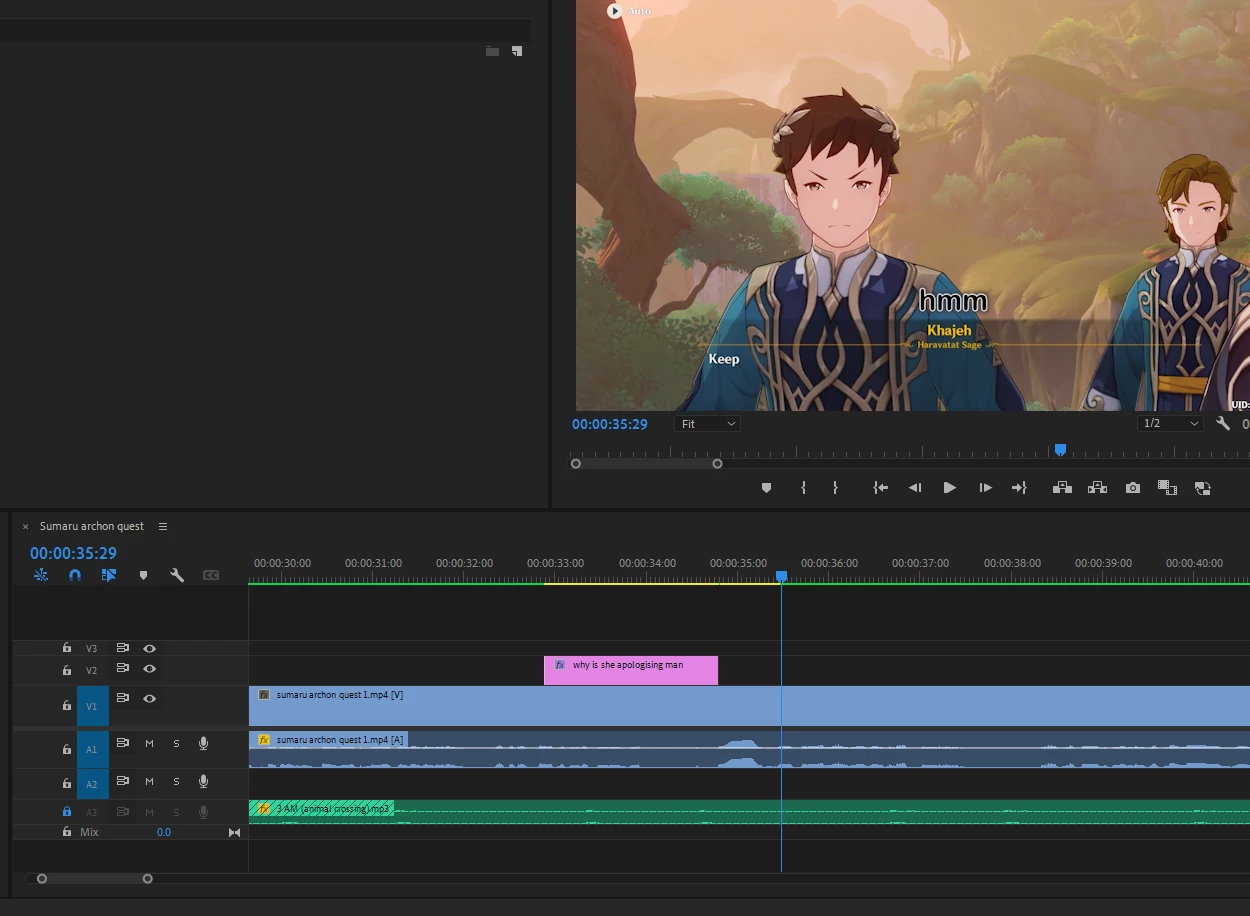
hello, im somewhat new to premiere pro and recently ive just ran into an annoying issue of text being in my video but not on my timeline, i saw a similar post to what im having an issue right now but their answer was to look at all the extra tracks they unknowingy had pilled up, but that isnt the case for me, so i really have no idea why this text is here and why it cant be clicked on, selected or seen anywhere
This topic has been closed for replies.

2 replies

MarekMularczyk
Community Expert
Community Expert
September 9, 2022

Are you referring to the text which says: "Khajeh"? Or "hmm"?

Maybe it's part of the video?


Adobe Community ExpertAdobe Certified Professional
Tripsy_Author
Participant
September 9, 2022

I'm referring to the "hmm". It was a line of text I added a while ago and then later changed to be mainly white text instead of black, plus some other little tweaks. But for some reason the original text is still somehow there

Inspiring
September 9, 2022

It could be a stuck frame. How many frames is this text showing up in? You can try clearing your media cache by going to Preferences > Media Cache, then clearing. Read the instructions for how to clear the cache for your current project. Relaunch Premiere and see if it's fixed.

Inspiring
September 9, 2022

Is the text part of your original video or did you create it? If you didn't create this text and it's part of the video, then it's baked in and you can't edit it.

Tripsy_Author
Participant
September 9, 2022

I created it, then edited it, and even later deleted and replaced it to try and fix the issue but it's still there