
Participant
November 7, 2022
Answered

Text won't appear in timeline and it is NOT in a higher track. Please help!

  • November 7, 2022
  • 2 replies
  • 995 views

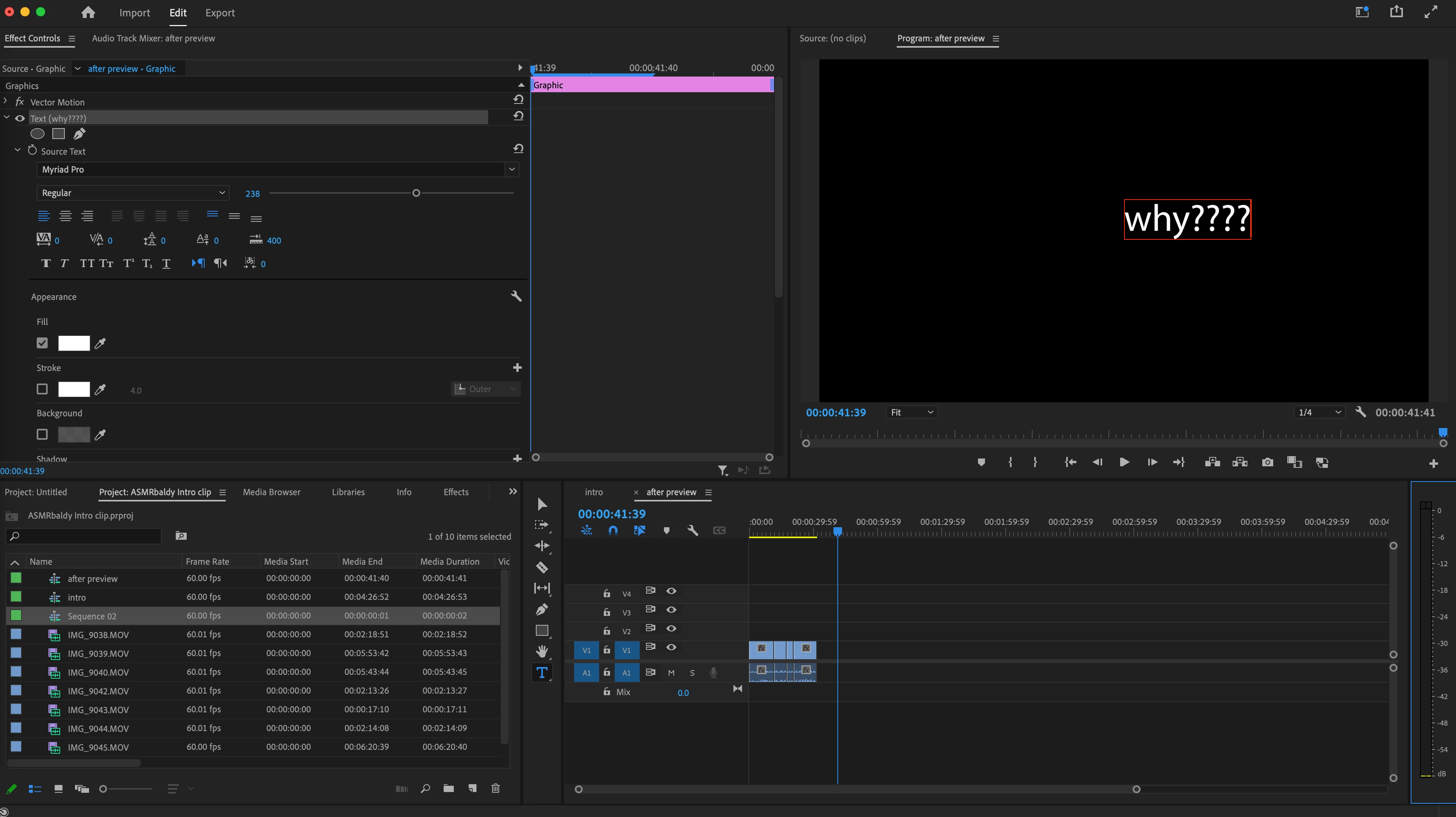
Hello everyone. Can someone please help. I am using Premiere Pro 2023 and when I add a text, it is not showing up in the timeline. I saw some other posts about it being found in a higher track but that's not the case for me. Does anybody know how to get text to the timeline? your help is much apprecaited!

This is what my screen looks like now. Thank you.
 

This topic has been closed for replies.
Correct answer Aidanchenwoski

OMG nevermind, the pink bar was just so thin that i couldn't see it. I zoom in on my timeline and they were right there. 

2 replies

Participant
March 14, 2024

what do you  mean zoom in?

i need help too

Ann Bens
Community Expert
Community Expert
March 14, 2024

Poster had a graphic that contained very little frames. Zooming in on the timeline revealed the graphic.

@luke36087725mht8 

Post a new thread with exact description of your issue also with some screenshots.

Also post comp specs, Premiere version and build.

AidanchenwoskiAuthorCorrect answer
Participant
November 7, 2022

OMG nevermind, the pink bar was just so thin that i couldn't see it. I zoom in on my timeline and they were right there.