


Participant
July 11, 2025
Answered

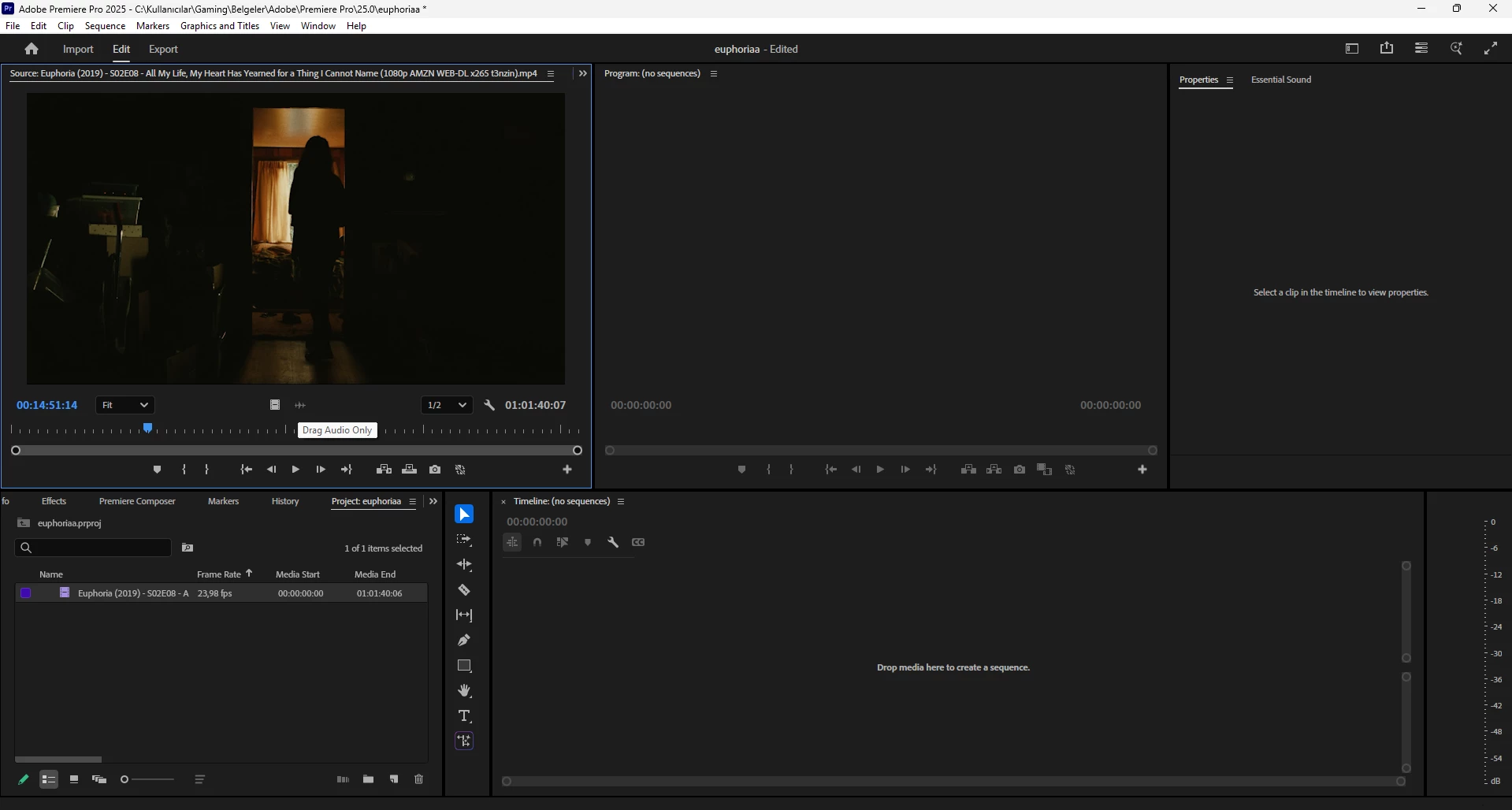
The Drag Audio section is not visible in my Premiere.

  • July 11, 2025
  • 2 replies
  • 460 views

When I watch the video in a player, I can hear the audio, but when I import it into Premiere Pro, I only get the video in the timeline or preview — no audio at all. I can't click on the drag audio section either; it's like it's offline or disabled. I can only drag and drop the video into the timeline.

Correct answer Ann Bens

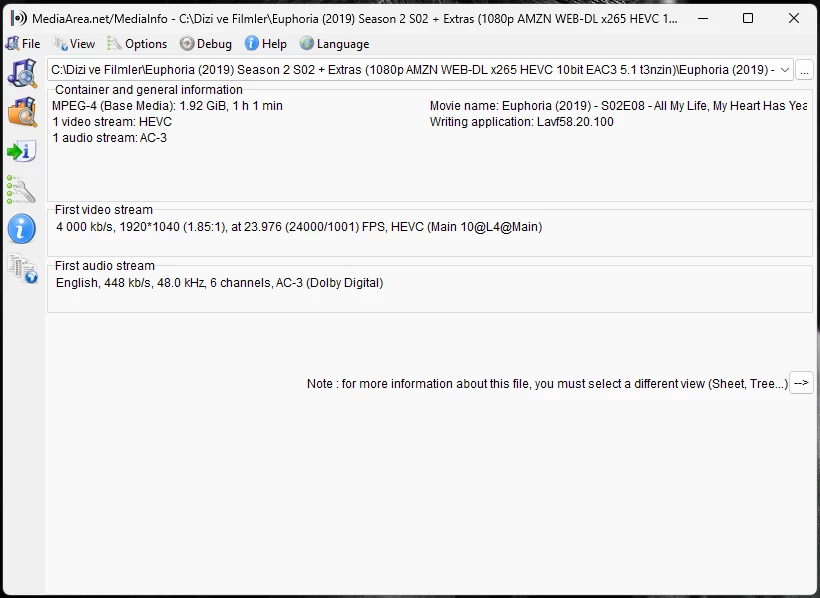
sorry for wrong photo....


The reason you have no audio is that you are probably using a clean installation of Windows 11 

AC3 is not supported by window 11 anymore you need to install the AC3 codec.

Please read this thread with link to codec.

https://community.adobe.com/t5/premiere-pro-discussions/no-ac3-codec-in-windows-11-24h2-solution-is-needed/m-p/14972524#M537744


2 replies

Community Expert
July 12, 2025

Your audio is Dolby Digital and all the decoding for this format is done by the Windows operating system. You could try checking Windows to see if there are any updates.

Ann Bens
Community Expert
Community Expert
July 11, 2025

It looks like Premiere imports the file as video only so there is no audio.

The icon in the Project window shows video only.

Post screenshot of clip in MediaInfo in TREEVIEW so we can have a look at the particulars.

enitoAuthor
Participant
July 12, 2025

enitoAuthor
Participant
July 12, 2025

sorry for wrong photo....