



peterkellner1
Inspiring
Feb 4, 2024 3:39 PM UTC
Question

The elusive "replace frame from bin" pull down

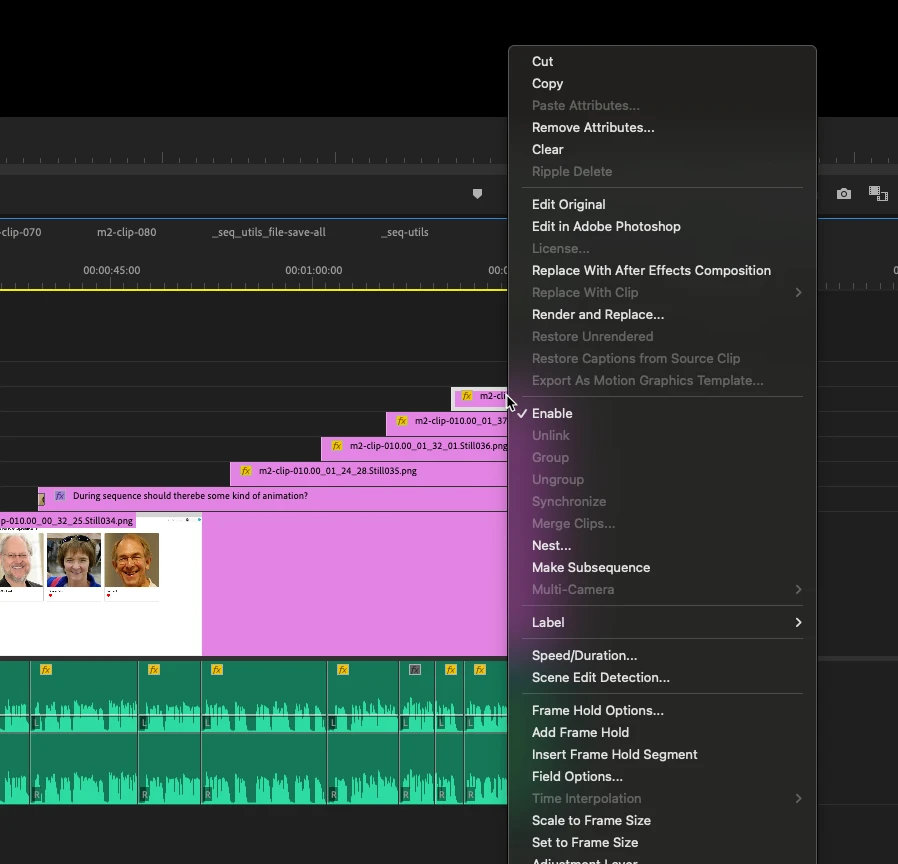
I often want to replace some image in a timeline without causing any effects on it to change. I'm 99% sure the way I always did it was I would right click on an image, then choose "replace from bin" or "replace from source monitor".  I can't seem to find those options any more. Is there some mode I'm not in or need to be in?


This topic is closed to new replies. Start a new post to keep the conversation going.

2 replies

Ann Bens
Community Expert
Community Expert
Feb 4, 2024 3:57 PM UTC

You need to highlight the clip in the bin or Source Monitor first.

Translate
peterkellner1
Inspiring
Feb 4, 2024 4:51 PM UTC

I swear I had it highlighted, otherwise I wouldn't be trying to replace it. Of course, now it's working :(.  I wish I had not economized on the screen clip I pasted in so it was clear it was highlighted. I have opened and closed PR since then (maybe I should have tried that). I often find that PR starts to get sluggish and I need to open and close it to make it right again (on my M3 MBPRO with 128GB).

Translate