Inspiring
December 20, 2018
Question

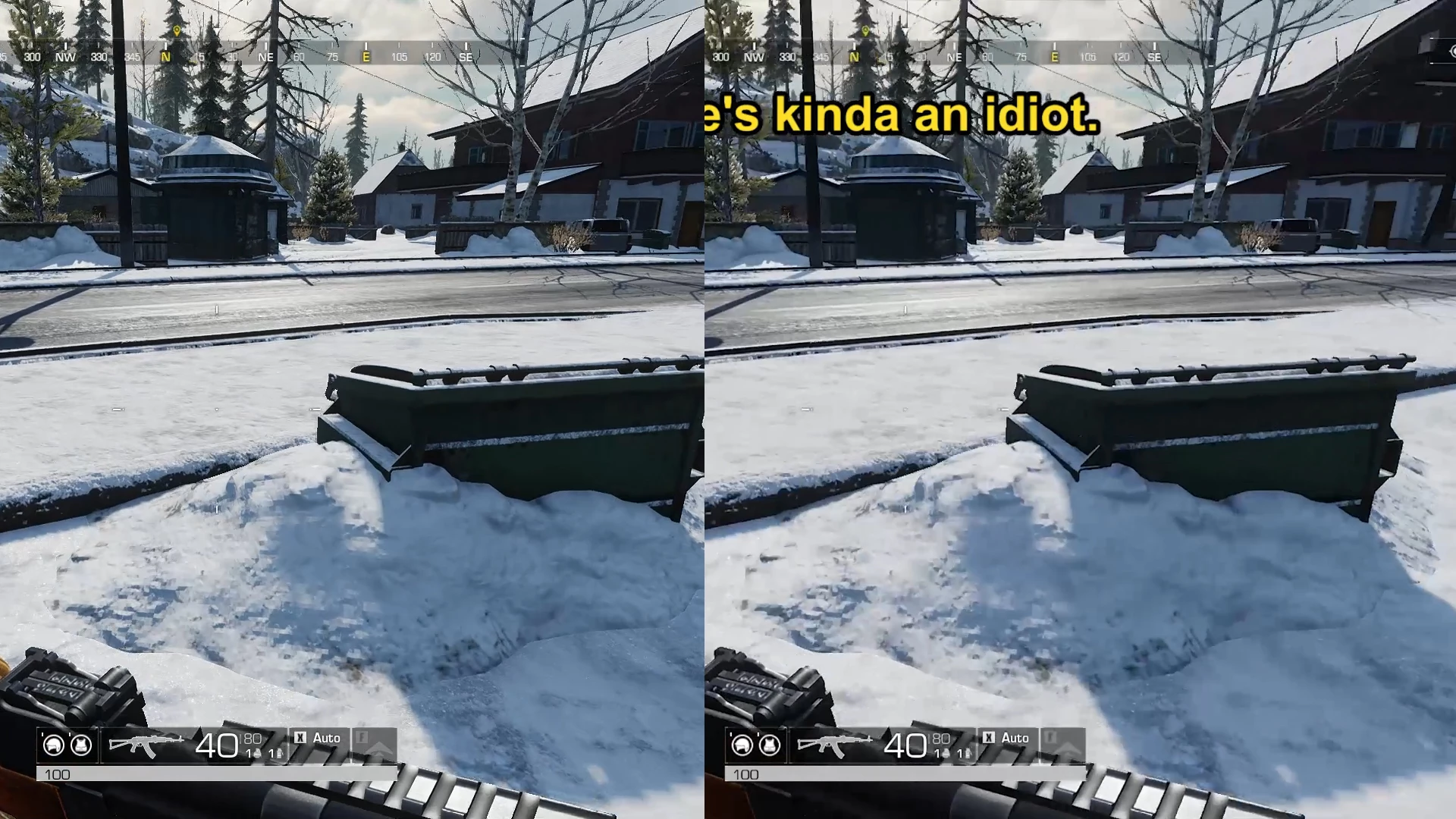
The output quality is worse than the source

  • December 20, 2018
  • 2 replies
  • 4604 views

It doesn't matter if I match the sequences  and settings or up them. I can't get the same result. It always gets blurred.

Here's the media info for both. yes the output is upscaled. But even if not it's still the same issue

The source<<<<

Video

ID                                       : 1

Format                                   : AVC

Format/Info                              : Advanced Video Codec

Format profile                           : High@L4.2

Format settings                          : CABAC / 2 Ref Frames

Format settings, CABAC                   : Yes

Format settings, ReFrames                : 2 frames

Codec ID                                 : avc1

Codec ID/Info                            : Advanced Video Coding

Duration                                 : 8 min 21 s

Bit rate mode                            : Constant

Bit rate                                 : 26.0 Mb/s

Nominal bit rate                         : 30.0 Mb/s

Width                                    : 1 920 pixels

Height                                   : 1 080 pixels

Display aspect ratio                     : 16:9

Frame rate mode                          : Constant

Frame rate                               : 60.000 FPS

Color space                              : YUV

Chroma subsampling                       : 4:2:0

Bit depth                                : 8 bits

Scan type                                : Progressive

Bits/(Pixel*Frame)                       : 0.209

Stream size                              : 1.52 GiB (99%)

Color range                              : Limited

Matrix coefficients                      : BT.709

The output<<<

Video

ID                                       : 1

Format                                   : AVC

Format/Info                              : Advanced Video Codec

Format profile                           : Main@L5.1

Format settings                          : CABAC / 4 Ref Frames

Format settings, CABAC                   : Yes

Format settings, ReFrames                : 4 frames

Codec ID                                 : avc1

Codec ID/Info                            : Advanced Video Coding

Duration                                 : 3 min 12 s

Bit rate                                 : 30.1 Mb/s

Width                                    : 2 560 pixels

Height                                   : 1 440 pixels

Display aspect ratio                     : 16:9

Frame rate mode                          : Constant

Frame rate                               : 60.000 FPS

Standard                                 : NTSC

Color space                              : YUV

Chroma subsampling                       : 4:2:0

Bit depth                                : 8 bits

Scan type                                : Progressive

Bits/(Pixel*Frame)                       : 0.136

Stream size                              : 691 MiB (99%)

Language                                 : English

Encoded date                             : UTC 2018-12-18 18:30:30

Tagged date                              : UTC 2018-12-18 18:30:30

Color range                              : Limited

Color primaries                          : BT.709

Transfer characteristics                 : BT.709

Matrix coefficients                      : BT.709
    This topic has been closed for replies.

    2 replies

    Christian.Z
    Community Expert
    Community Expert
    December 21, 2018

    Your source file is Full HD, your export is at 2K.
    Try exporting in full HD (1920 x1080)

    Dunno NoAuthor
    Inspiring
    December 21, 2018

    Yeah If I do that youtube doesn't slap VP9 codec on my vid and it will look like crap. If you could advise how to better upscale it, it would great.

    Christian.Z
    Community Expert
    Community Expert
    December 21, 2018

    Let's go step by step. Try exporting in Full HD first, let's see if that solves your main problem

    R Neil Haugen
    Legend
    December 20, 2018

    Drag/drop a screen-grab of your Export dialog box settings onto your reply ... that will be more helpful.

    Neil

    Everyone's mileage always varies ...
    Dunno NoAuthor
    Inspiring
    December 20, 2018

    R Neil Haugen
    Legend
    December 20, 2018

    That's a screen-capture of a game, it seems of course. H.264 media.

    What if any effects have you applied? And how are you comparing the two, within Pr or in some other viewer?

    You might try going to the Lumetri workspace, in the Creative tab, and set Sharpen up just a bit.

    Neil

    Everyone's mileage always varies ...