
Inspiring
April 21, 2023
Answered

This is probably a simple multicam question

  • April 21, 2023
  • 2 replies
  • 482 views

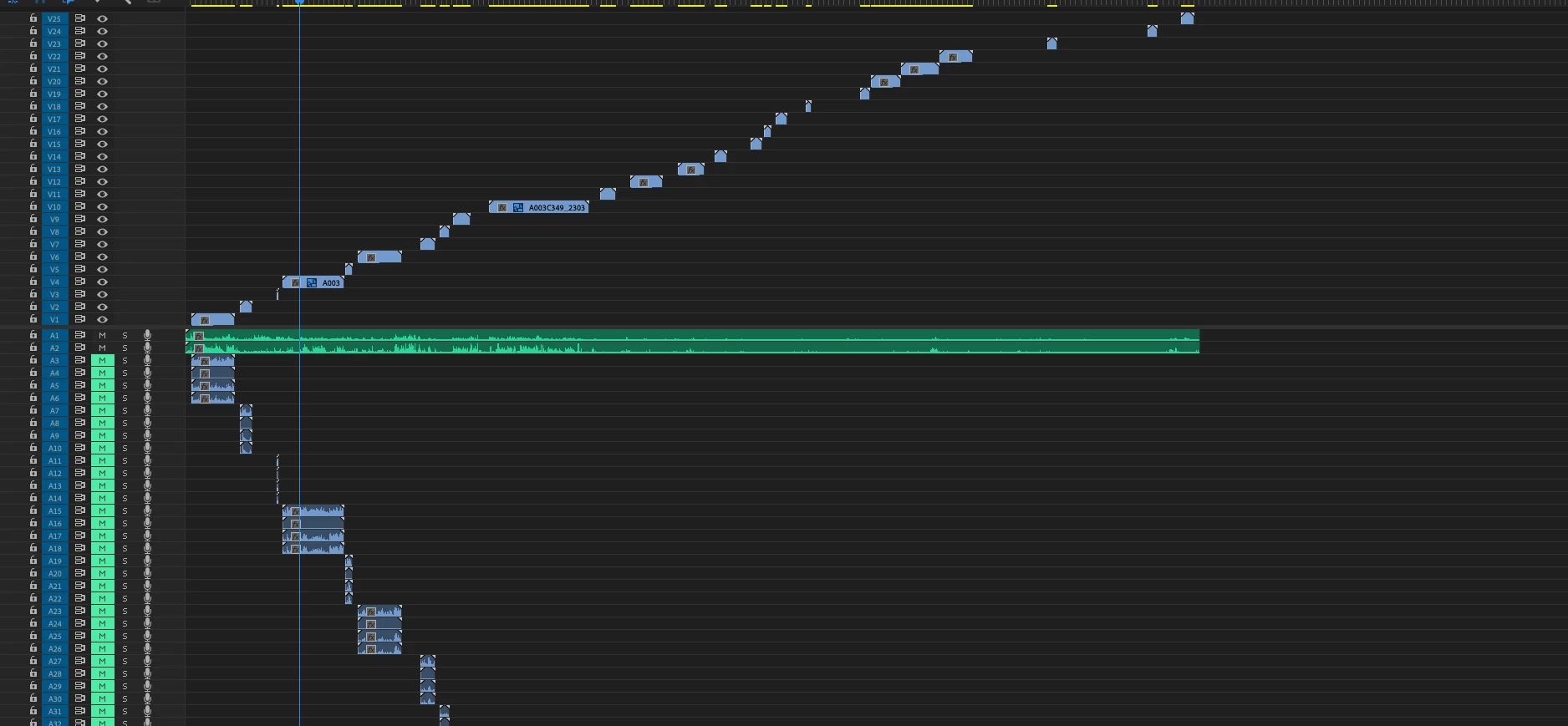
Have one camera, two lav mics, all timecode synched. I made a multicam sequence from them and the attached recording is what I get. Anyway to fix that so all the video clips are on V1, possibly get the audio tracks collapsed as well? OR is this the incorrect way to go about this and I'm missing something?  
This topic has been closed for replies.
Correct answer FilmnMsc

Figured it out, wanted to post in case it might help others. 
Highlighted all video clips and gave them camera label of "1."


Next, highlighted all clips from lav mic 1 and gave them a camera label of "2."


Did the same with lav mic 2 with a label name of "3." 


In the "Create Multi-Camera Source Sequence" box, set Synchronize Point to Timecode, check on Create single multicam source sequence, change Track Assignments to Camera Label. In Audio settings, change the Sequence Settings to All Cameras and it worked!

2 replies

FilmnMscAuthorCorrect answer
Inspiring
April 21, 2023

Figured it out, wanted to post in case it might help others. 
Highlighted all video clips and gave them camera label of "1."


Next, highlighted all clips from lav mic 1 and gave them a camera label of "2."


Did the same with lav mic 2 with a label name of "3." 


In the "Create Multi-Camera Source Sequence" box, set Synchronize Point to Timecode, check on Create single multicam source sequence, change Track Assignments to Camera Label. In Audio settings, change the Sequence Settings to All Cameras and it worked!

FilmnMscAuthor
Inspiring
April 21, 2023

I've never had a problem with creating a multi-cam when there are two cameras. I'm just wanting to synch the video with the two audio tracks in a sequence, is there a better way of doing this?