


Neko nyan
Participating Frequently
March 5, 2026
Question

This project was saved from a previous version of adobe premiere pro and must be converted
  • March 5, 2026
  • 1 reply
  • 74 views

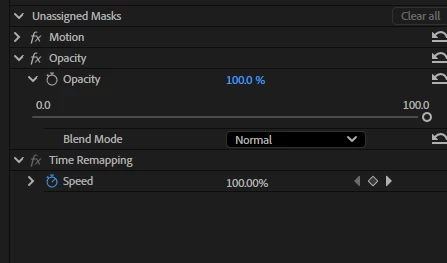
“this project was saved from a previous version of adobe premiere pro and must be converted” even though I saved it yesterday, yet, I have other projects that still open with no problem and this seems to happen in random situations. How is it than a file older than a year still opens but a saved file I did a few days ago must be converted, and opens another premiere (One says “Adobe Premiere” another says “Adobe Premiere 2025”) and in “Adobe Premiere” I can’t use a mask on Opacity?!?!?!

It’s extremely annoying.

    1 reply

    Ann Bens
    Community Expert
    Community Expert
    March 5, 2026

    Mask feature has been revamped.

    https://helpx.adobe.com/premiere/desktop/whats-new/whats-new.html

    Please read the Help on how this new feature works.

    Use object masking in Premiere Pro


    Neko nyan
    Neko nyanAuthor
    Participating Frequently
    March 8, 2026

    I just want to crop something the same way it used to be on OPACITY. How do you do that now? Those links only talk about how to use it but it’s not cropping anything, it just makes a red square. 

    Ann Bens
    Community Expert
    Community Expert
    March 8, 2026

    If you double-click on the mask you get a bounding box, double click again you get the points.