


Answered
Time Remapping Greyed out and Disabled In Effect Controls
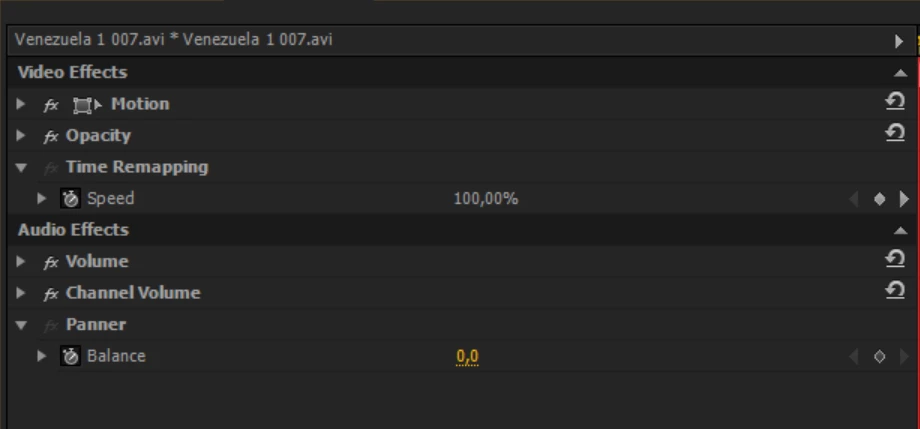
I can't toggle on or off the Time Remapping function in the effects panel. I can still manipulate things through the timeline functions, but I much prefer using the Effect Control panel for efficiency and accuracy, its also handy to choose the type of speed ramping effects like bezier through that interface.
I've tried rolling back to older versions of PP, all the way back to 2019, AND I've held down the Option key while booting up PP to reset my preferences, and neither of these methods have resolved my problem. This appears to be a glitch from Adobe. Has anyone found a way to solve it?
(Also, it appears that the Panner function is victim to the same issue, but I just don't use that tool).

 AdChoices