
Answered
Time Ruler missing/invisible?
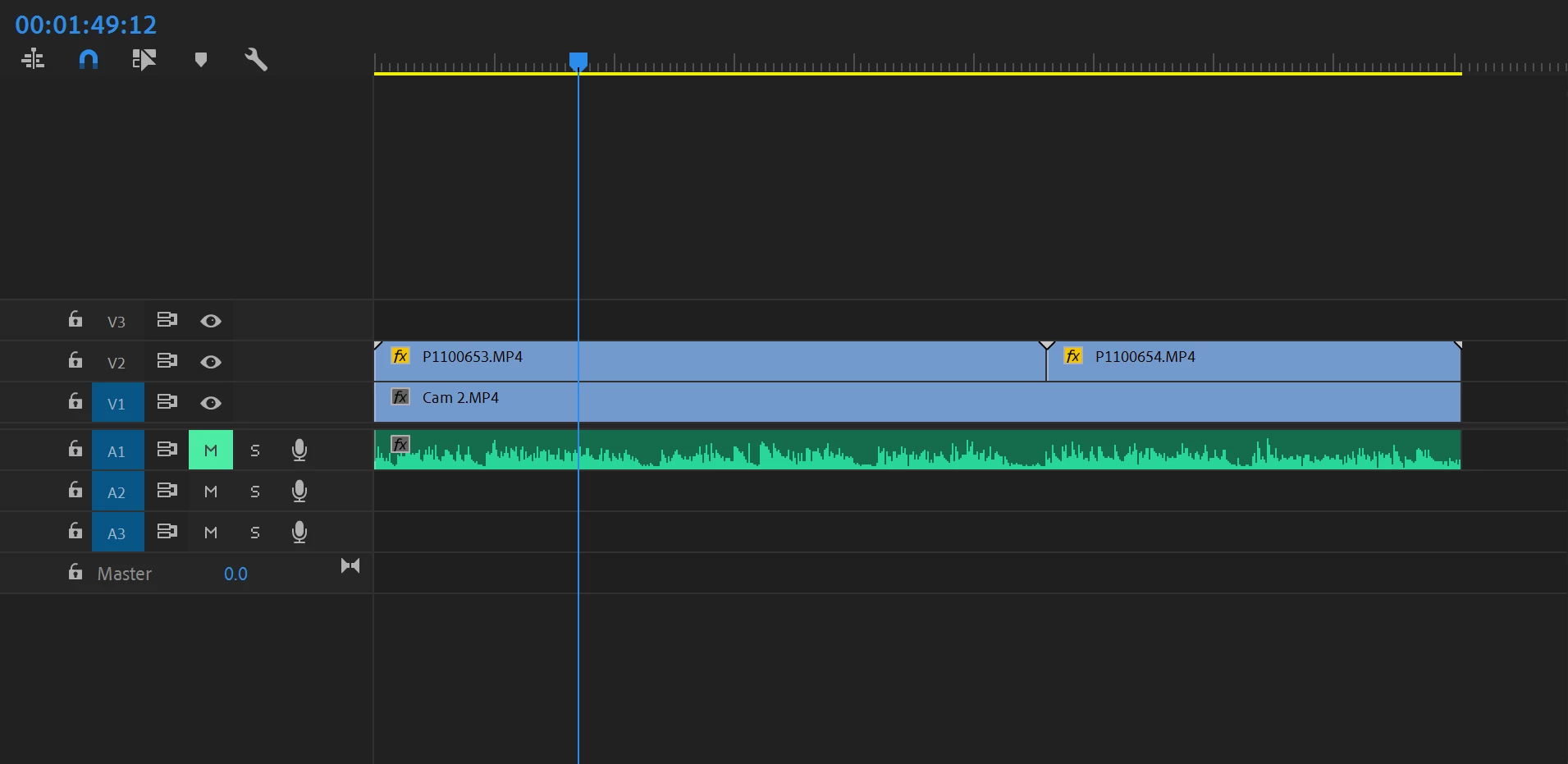
For the last week or so, I noticed that the time ruler on my sequence timelines isn't displaying time intervals as it normally should--just its hash marks. Here's a screenshot of what I mean. You can see that the time ruler is there at the top of the timeline, but without numbers. I can't figure out for the life of me how to turn them back on. I'm running the latest version of Premiere Pro CC 2019, but had this issue even before updating to the latest version
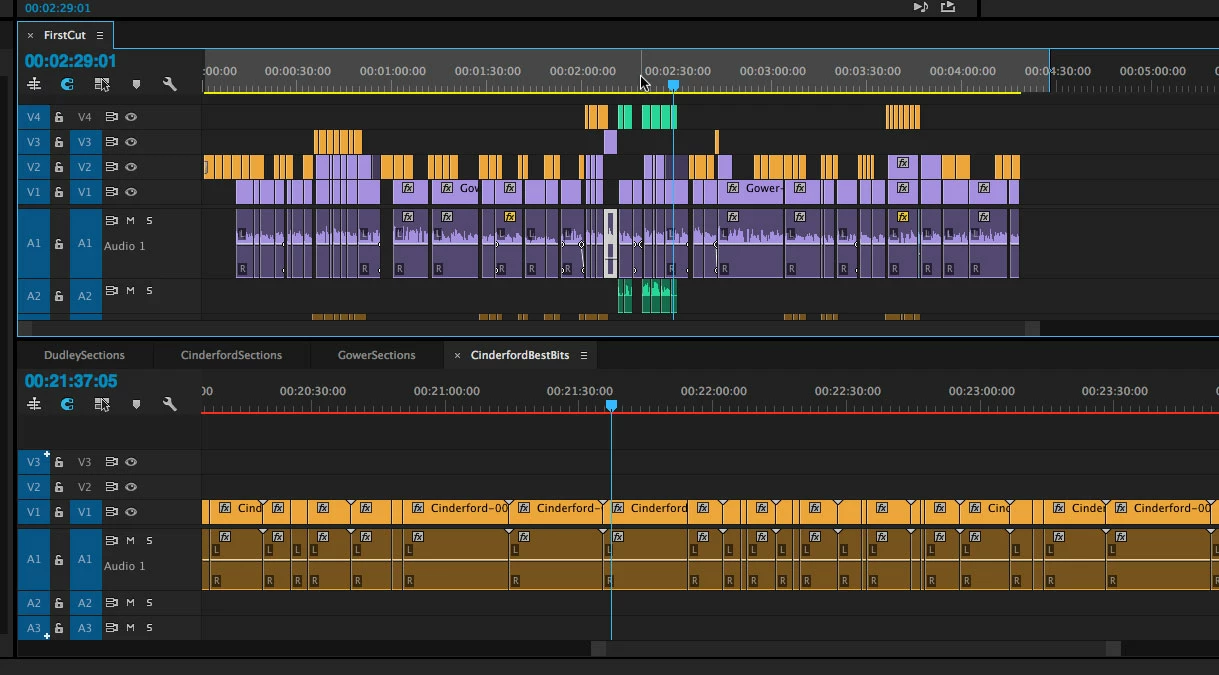
For reference, here's what the time ruler normally looks like (with the numbers):
Any help is appreciated. Thanks!
--Nick


 AdChoices