
Participating Frequently
March 8, 2022
Question

Timeline glitch when scaling video, layer below disappears

  • March 8, 2022
  • 1 reply
  • 1050 views

When I have a video, scaled up, the layer below disappears after it reaches a certain scale. Why is this happening how do I fix it?

Below I've recreated the steps to duplicate the issue. I've created a new project using different combinations of footage and color mattes. It seems to happen around the 123-130 scale range.


Step 1 
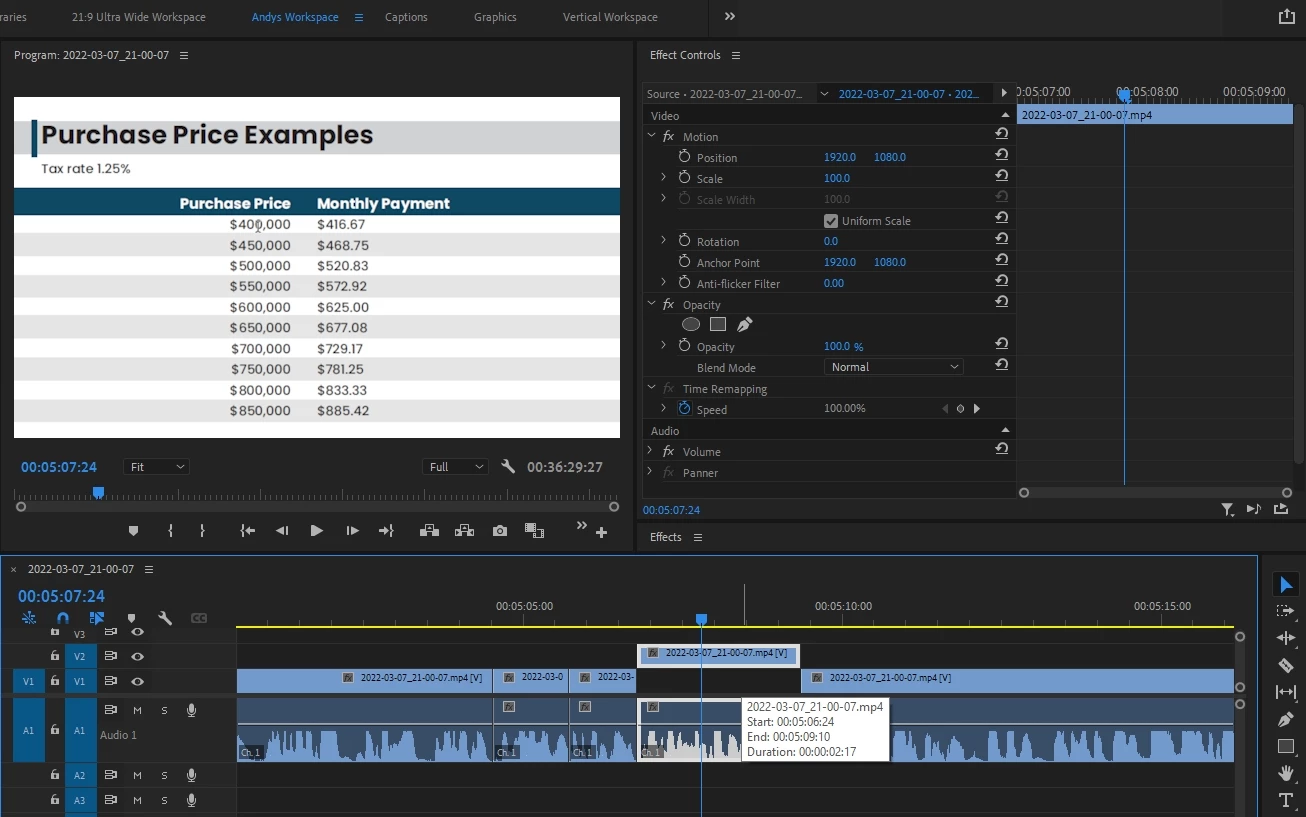
Step 2
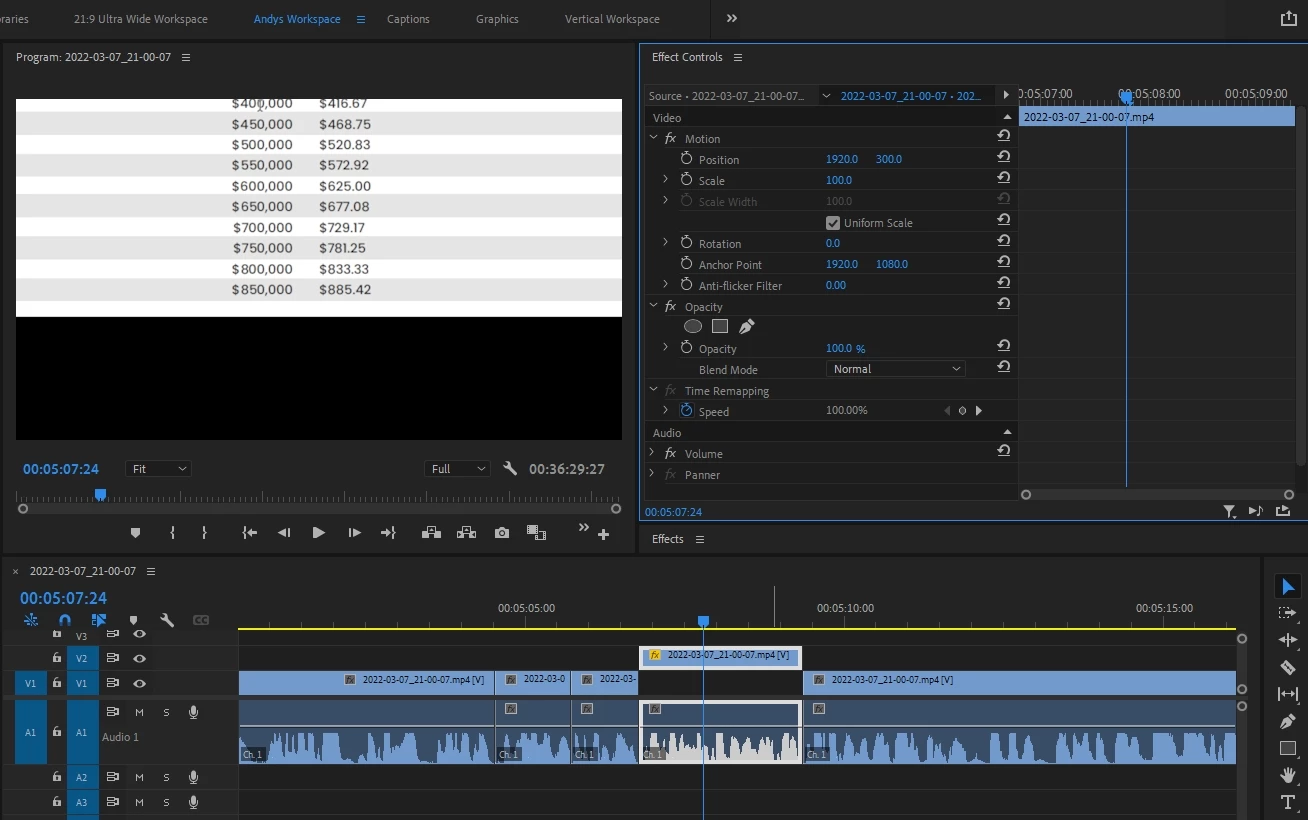
Step 3
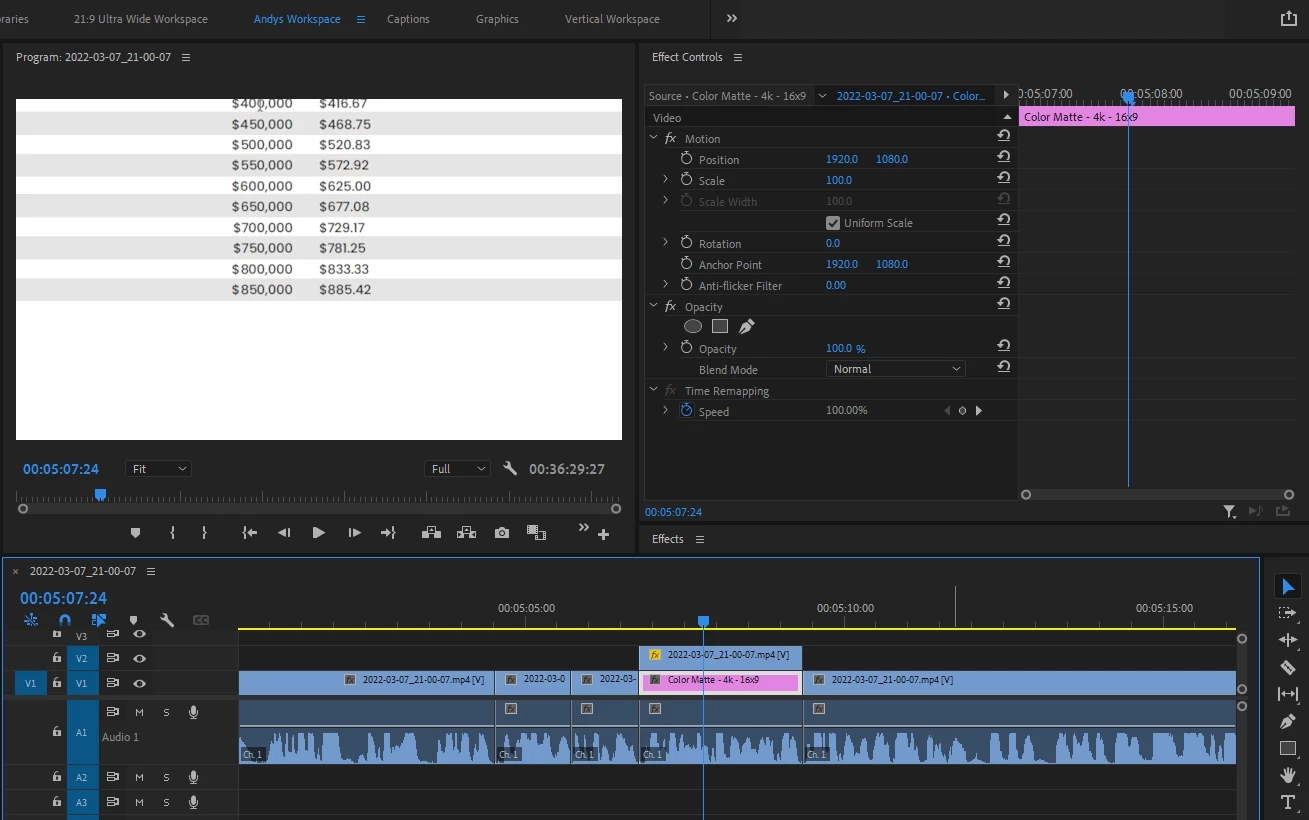
Step 4
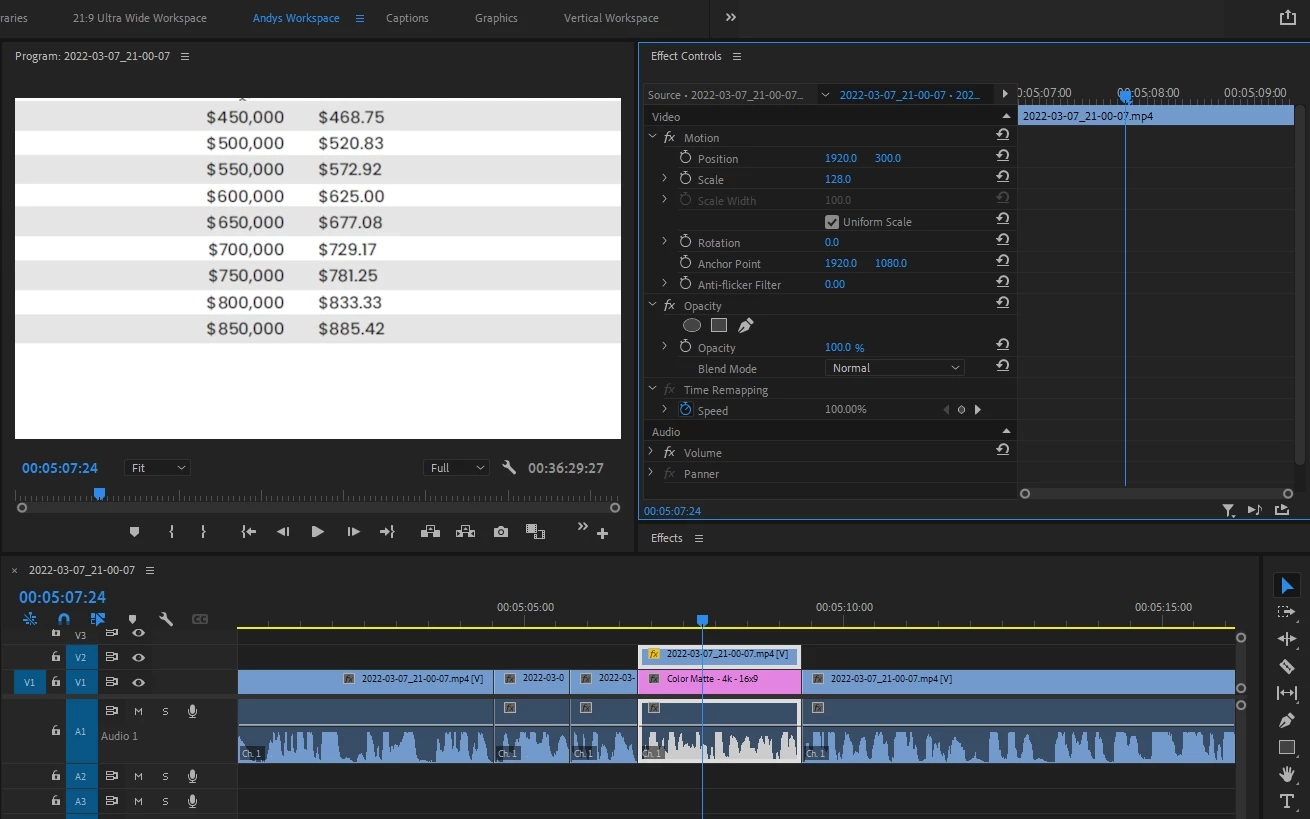
 

Step 5
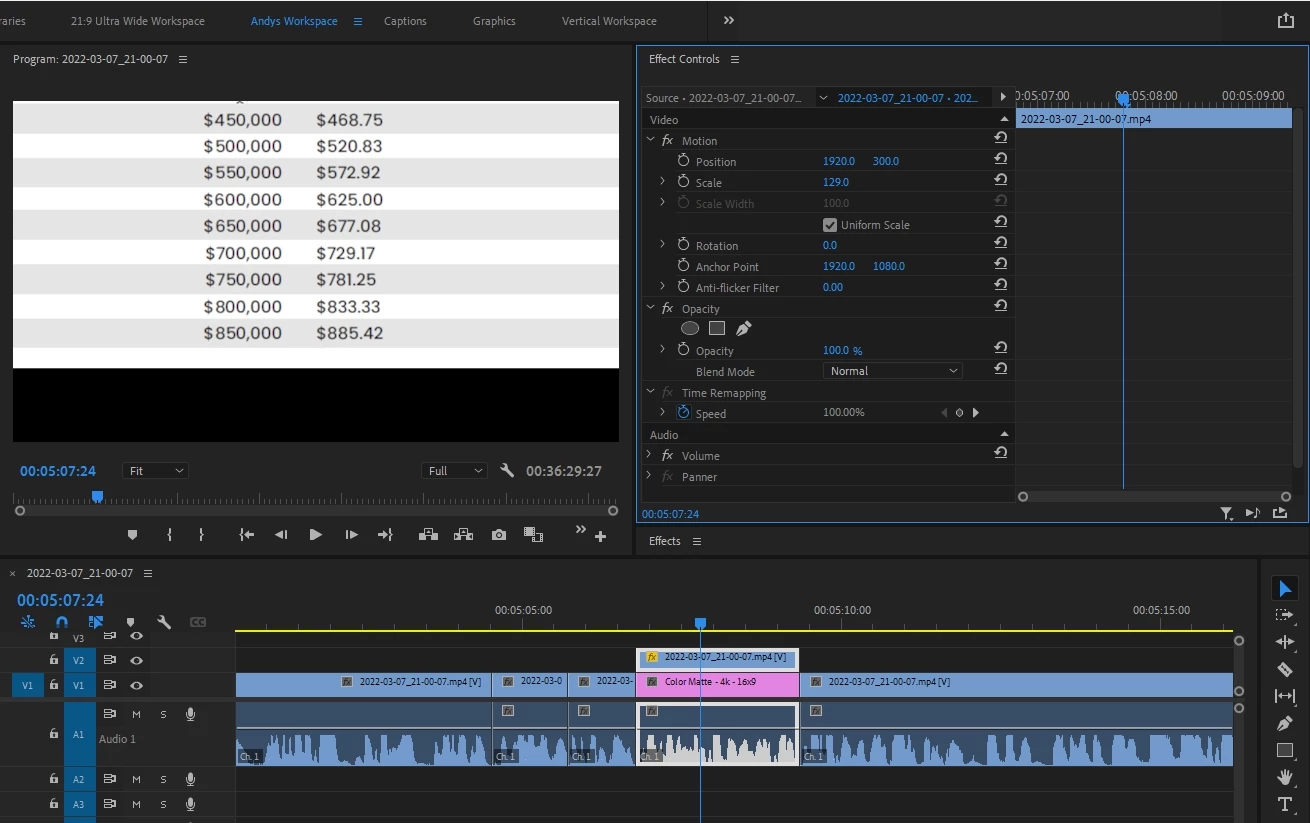
 

Adobe Premiere Pro 2022 version 22.2.0 (Build 128)

PC: i9 9900k, 2080ti, 64g ram, hard drives are set up with separate program drive, storage drive, export drive. 

This topic has been closed for replies.

1 reply

Participating Frequently
March 9, 2022

Step 1 - My timeline scenario
Step 2 - Moved selected video clip up a video layer/track

Step 3 - Place color matte/video clip on the layer/track below

Step 4 - Begin to scale on video layer/track 2, stopped at 128 to show its visible at this scale

Step 5 - Scales past 128 to 129, to show when the layer below disappears 

Known Participant
August 15, 2024

I'm having this exact problem. Did you ever discover a solution?
I placed a bright yellow color matte layer below my footage to use as reference. This allows me to scale and move my footage around and if I see any yellow showing through, then I know I've moved or scaled my footage smaller than the frame. If I scale my footage to 110 then move its position up, the yellow color matte doesn't appear until the footage's y position is about 803. This only seems to happen if the footage is centered horizontally. If I move the footage left 24 pixels or right 193 pixels when the color matte isn't visible, the color matte will become visible 


When the color matte isn't visible (black) and I select it on the timeline, it becomes yellow in the Program Monitor. Additionally, if I rotate the footage when the color matte isn't visible, it becomes yellow. Hopefully the video will better explain it. I used the color bars as my sample footage, and I selected "Anchor Point" so you can see the outline of the footage layer.

Adobe Premiere Pro 2024 version 24.5.0 (Build 57)
Windows 11 Pro, Intel Core i9-9900K CPU @ 3.60GHz, 3600 Mhz, 8 Cores, 128GB RAM, project and video files are on separate SSDs

Ishan Y
Inspiring
August 16, 2024

Hi there,

I'm sorry to hear about this. Do you see this issue with all projects? If you export with the color matte not visible in the preview, is it also not visible in the exported file? Please try temporarily disabling your plugins and clearing your Media Cache (https://adobe.ly/3AB2XSu) and check if you're still experiencing this issue.


Thanks,

Ishan

Please tag me (@) in your replies so that it notifies me and helps me respond promptly.