Inspiring
May 31, 2019
Answered

Timeline only shows thumbnails

  • May 31, 2019
  • 2 replies
  • 1223 views

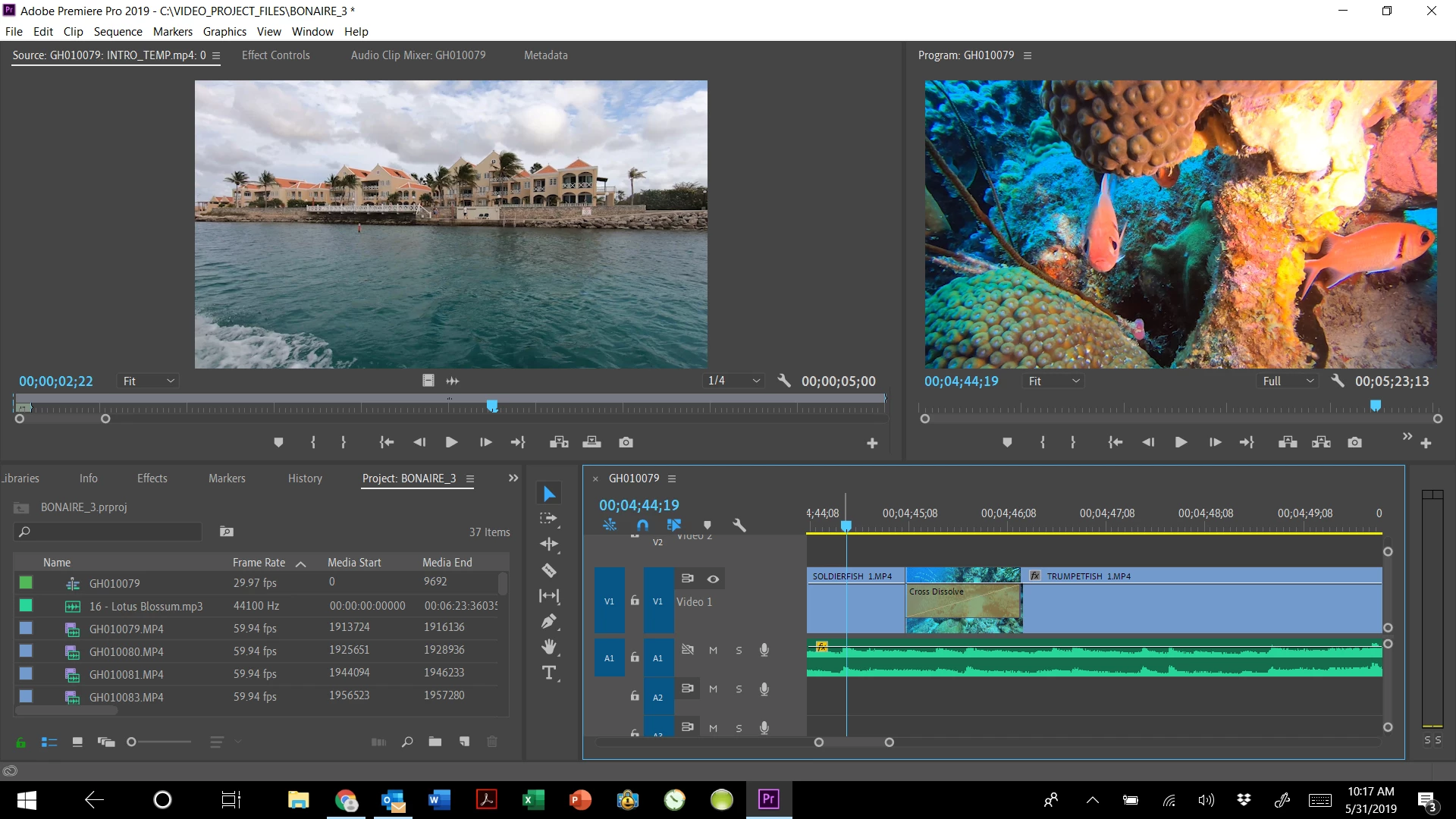
Adobe Premiere Pro v 13.1.  All I see on my timeline is a thumbnail for each clip.  I cannot get back to the filmstrip view showing individual frames.  Makes trimming really hard. See lower right corner of screenshot below

Suggestions?

Thx
This topic has been closed for replies.
Correct answer Meg The Dog

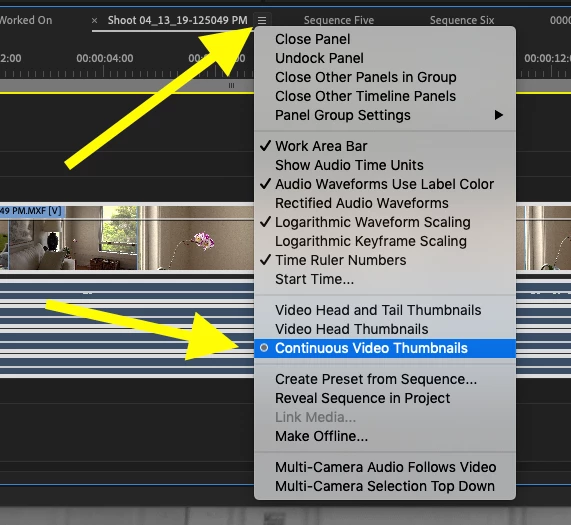
Click on the stack of three lines next to the Name of your sequence in the tab on the timeline, from the drop down menu choose Continuous Video Thumbnails:

MtD

2 replies

R Neil Haugen
Legend
May 31, 2019

You set them in the Sequence menu of the 3-bar menu next to the sequence name ...

Neil

Everyone's mileage always varies ...
Meg The DogCorrect answer
Inspiring
May 31, 2019

Click on the stack of three lines next to the Name of your sequence in the tab on the timeline, from the drop down menu choose Continuous Video Thumbnails:

MtD

chemsafAuthor
Inspiring
May 31, 2019

THANK YOU!!!!!