Answered
Timeline tracks problem
- October 13, 2020
- 3 replies
- 302 views
To expand/contract tracks horizontally (zoom in/out): You can press the +/- keys. The \ key will expand to show you the full timeline. You can also use the modifier key Alt/Option and your mouse scroll wheel to zoom in/out horizontally in the timeline.
To expand/contract tracks vertically: You can hold Shift and use your mouse scroll wheel over to the left side of the Timeline in the track controls area as seen in this gif:
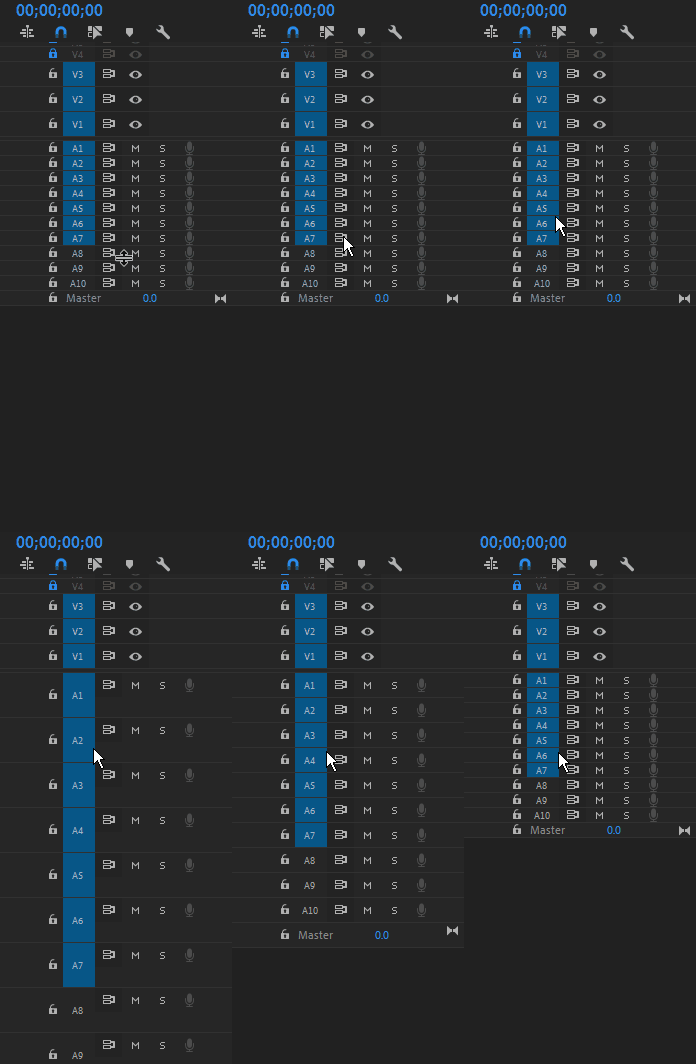
You can also manually expand/contract the tracks in this area with your mouse.
Already have an account? Login
Enter your E-mail address. We'll send you an e-mail with instructions to reset your password.
 AdChoices