


Timeline turns black, corrupts project
Hello Adobe community,
My editing team and I are experiencing the strangest issue that proves to be detrimental to our progress. I haven't seen this reported anywhere.
We are running Adobe's production feature across 2 computers. Whenever I open up multiple projects and multiple timelines (usually around 6-8 timelines open simultaneously), one of my timeliness prodcues these black bars as pictured below:
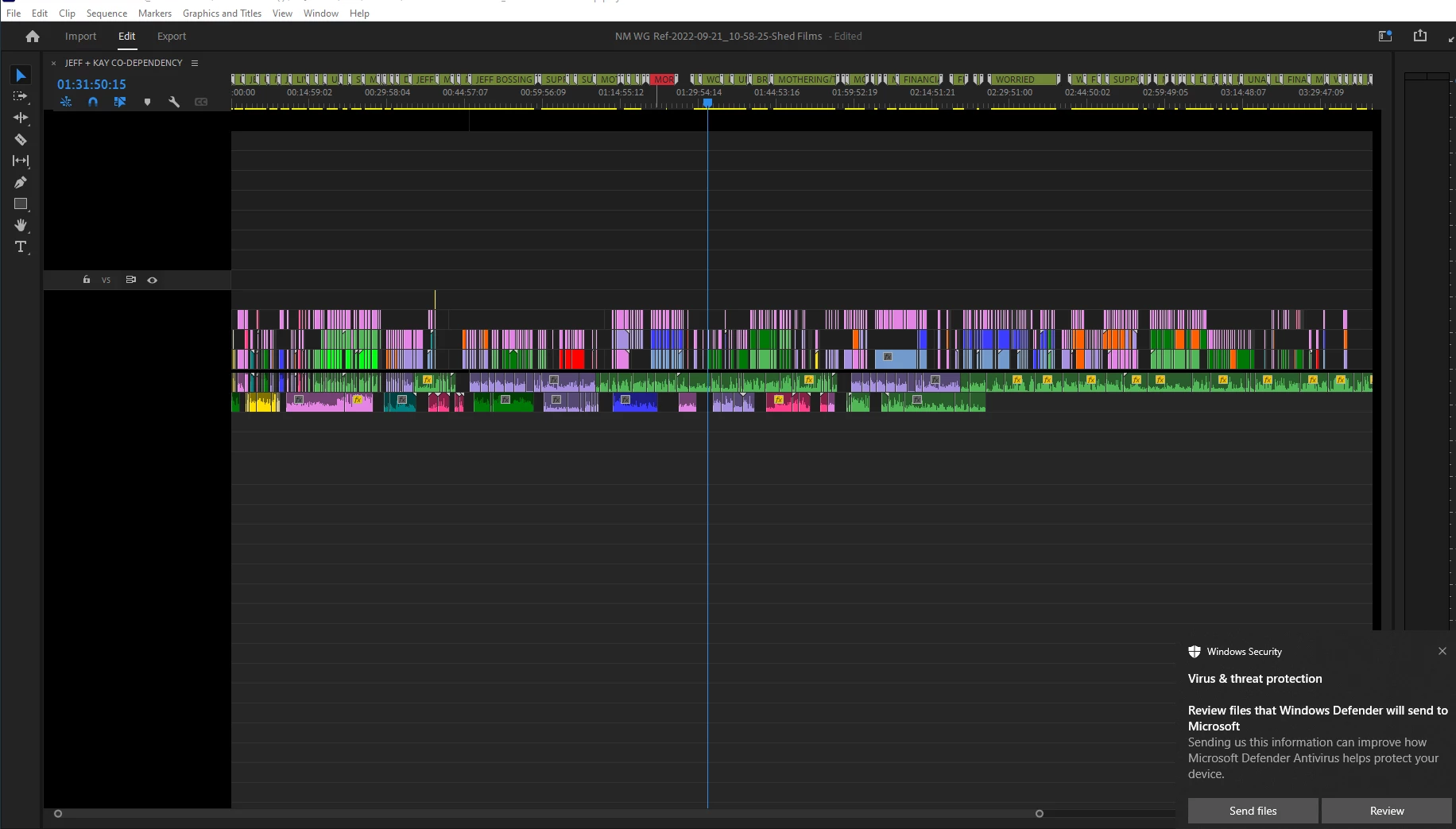
Anytime I zoom in/out of the timeline, the whole timeline window goes black. When I scrub the playhead back and forth, it will reveal the clips underneath the black as pictured below:
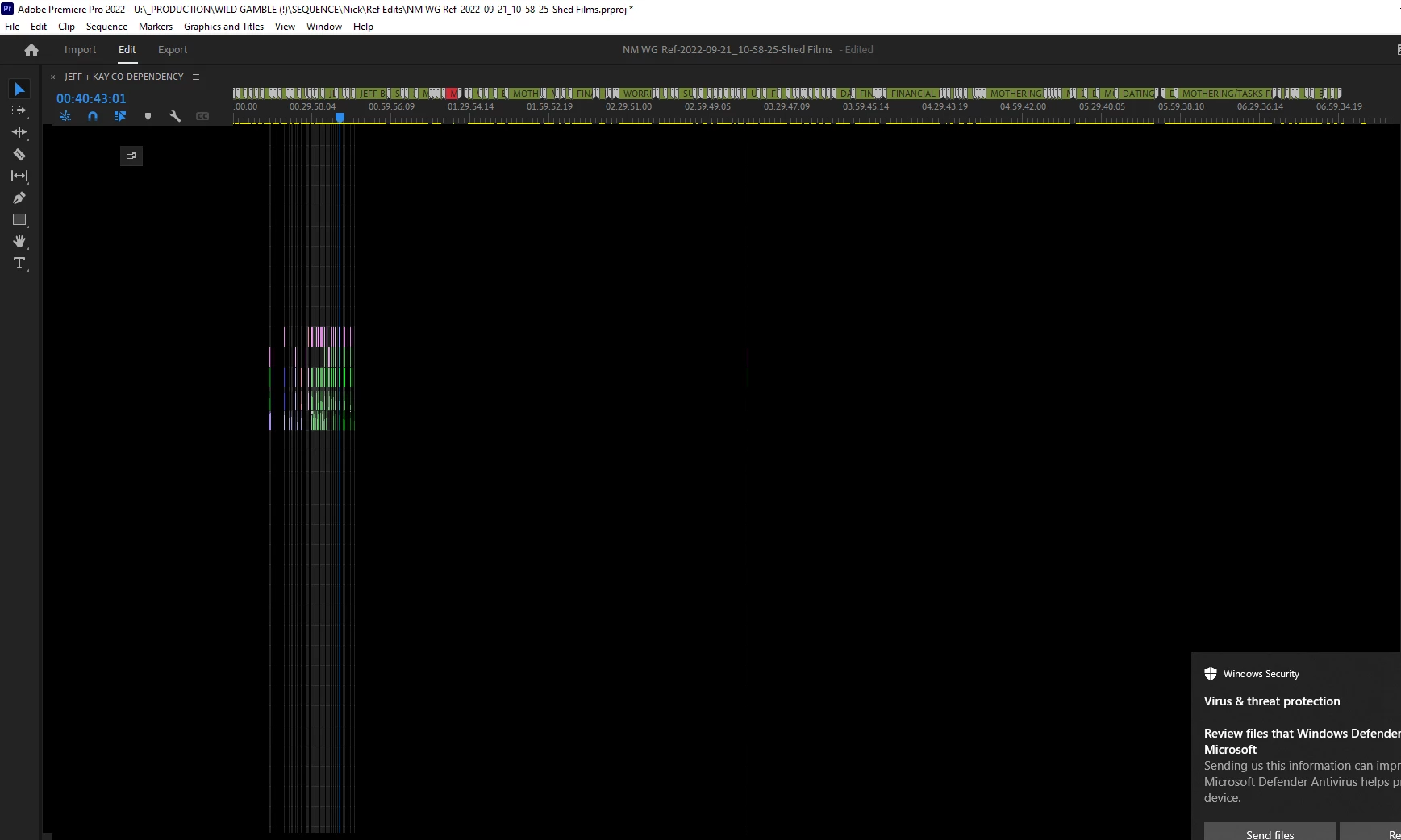
I cannot play any of the media when this glitch happens, so I am forced to save my work and restart premiere. However, this is where the issue becomes catastrophic. Whenever I try to re-open my saved work, I am faced with the "Project could not be loaded, it may be damaged or contain outdated elements" message. Where it gets weirder is that when I try and go back to my autosaves, every autosave from the entire day has become "damaged."
This glitch truly leaves me baffled. I have been using premiere for quite some time now and I have never seen anything like this. We are desperate for this to be resolved. Below, I have included the steps we have taken to rectify this issue as well as our computer's specs.
What we've tried:
-Contacted the Adobe tech support for a remote session
-Downgraded to previous versions of Premiere
-Changed the renderer
-Cleared media cache
-Manually saving progress to multiple drives to avoid the projects corrupting- no luck
-Changing the RAM reserved for Premiere
-Updating graphics card
Computer Specs:
Computer 2 Specs:
AMD Ryzen 9 5900X 3.7GHz Processor
NVIDIA GeForce RTX 3070 10GB GDDR6X
64GB DDR4-3200 RAM
2TB Solid State M.2 Drives x2
4TB Solid State drive
Microsoft Windows 11 Pro
10/100/1000/10000 Network
Intel Wireless AC-9260
Bluetooth 5.0
 AdChoices