Inspiring
December 23, 2017
Answered

Too bright image! Premiere CC 2018 to Encore CS6 DVD

  • December 23, 2017
  • 2 replies
  • 1660 views

I have PAL 16:9 video looks OK on Premiere and also on Encore preview, but final DVD is too bright. 

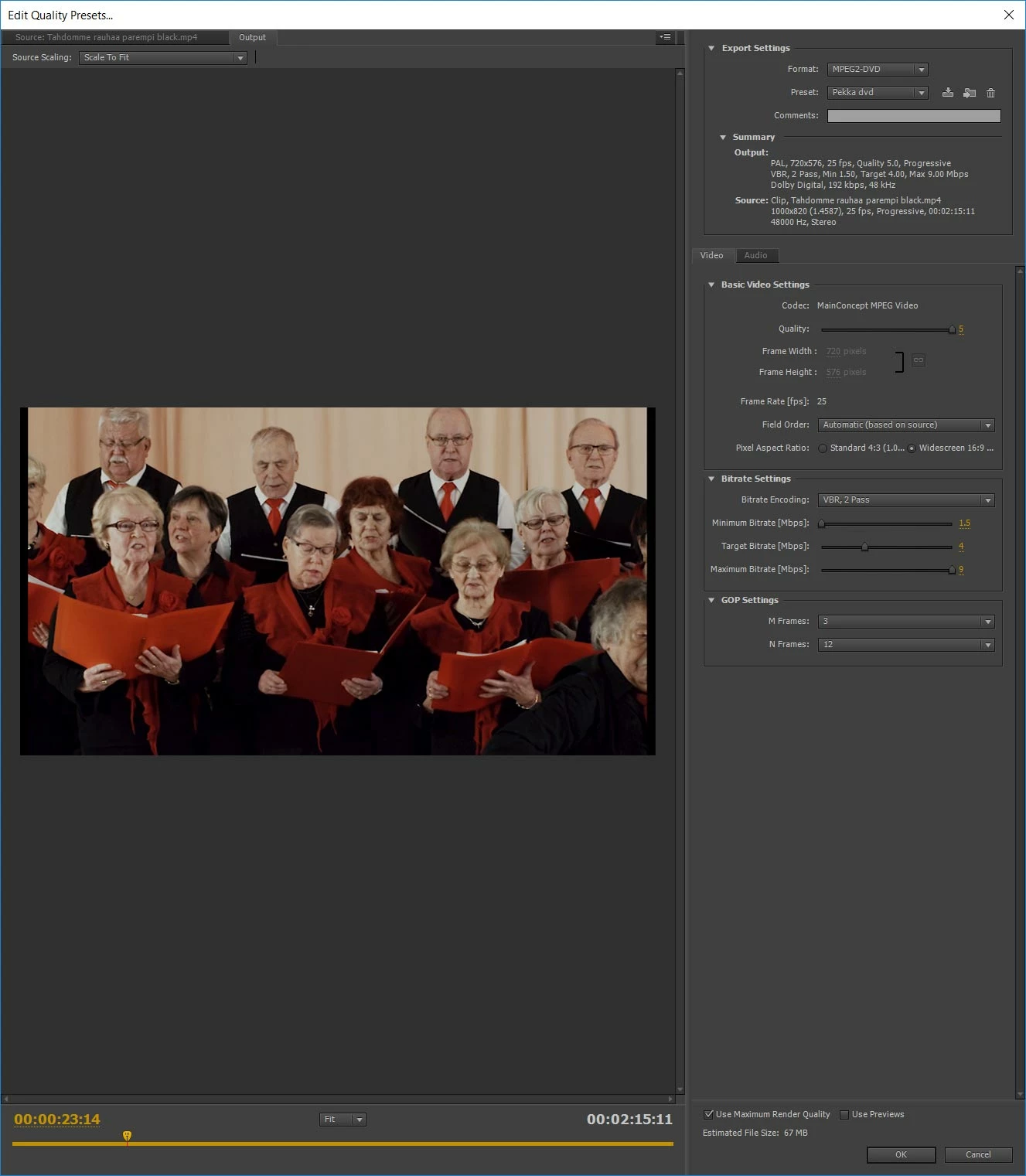
See here my settings:
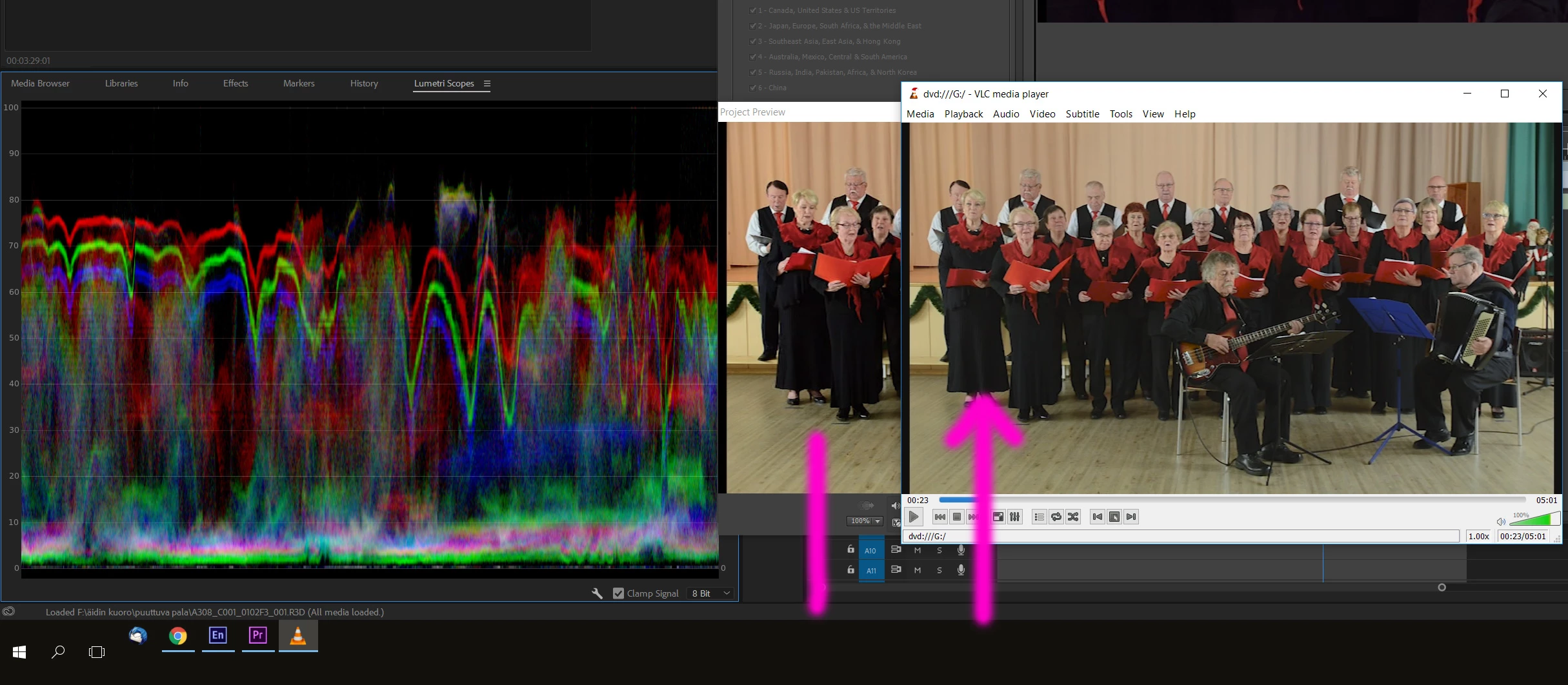
On far left you can see on Premieres monitor that black is OK. Then on center is preview window of Encore, still OK.

On Far right there is DVD playback on VLC media player and you can see the black is too bright. Same problem is when DVD is viewed on DVD player.

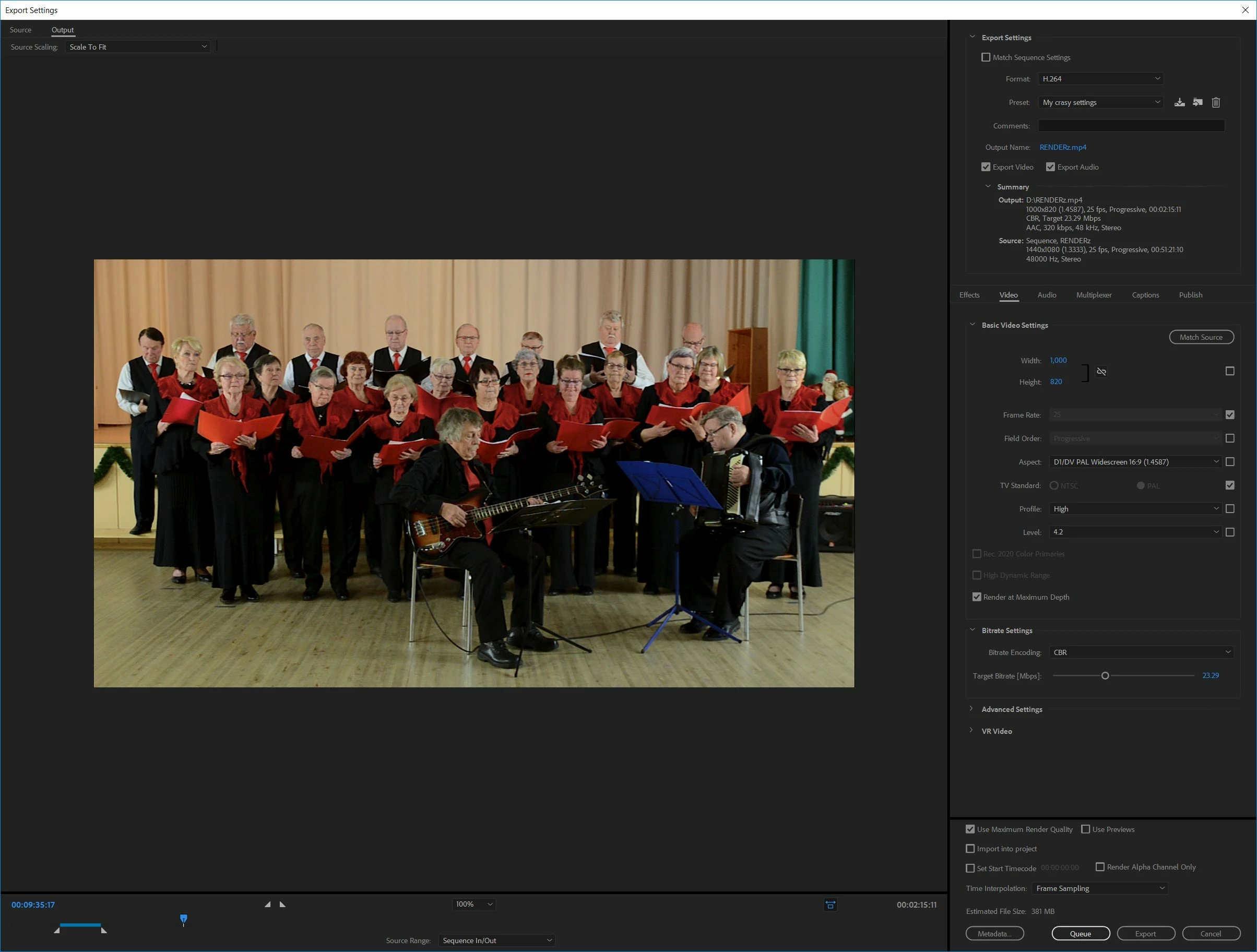
On Premiere, here are my export settings:
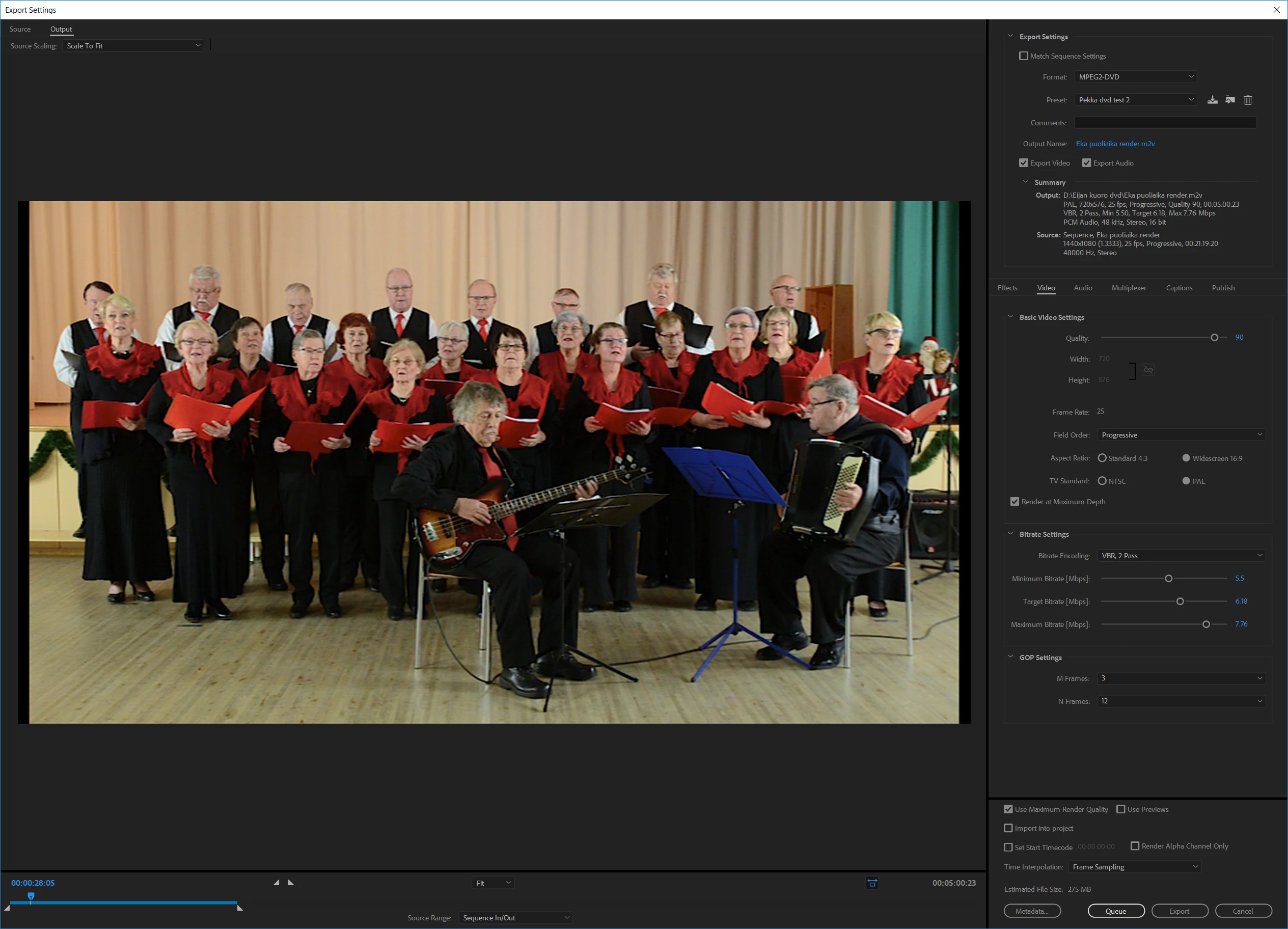
Something wrong here? I cannot see...

Finally, here is my encore settings:
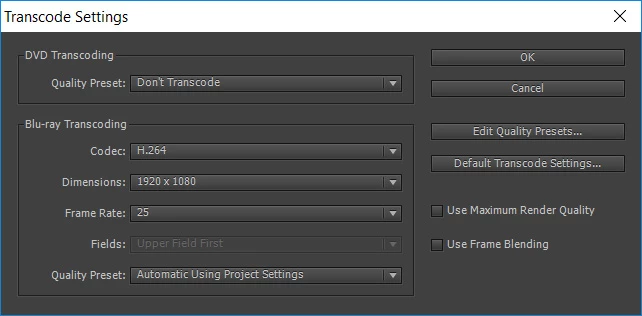
As you see I do not transcode the video on Encore.

What can I do? Please help, deadline is sooooon here!!

Yours,
Pekka
This topic has been closed for replies.
Correct answer Pekka Varis

I made this finally this way:

Then on encore, like this:

This way the blacks & overall gamma was decent. There was not actual answer to this question.. My way is more like a workaround. But dvd shall be coooool!!

Pekka

2 replies

Pekka VarisAuthorCorrect answer
Inspiring
December 29, 2017

I made this finally this way:

Then on encore, like this:

This way the blacks & overall gamma was decent. There was not actual answer to this question.. My way is more like a workaround. But dvd shall be coooool!!

Pekka

Stan Jones
Community Expert
Community Expert
December 29, 2017

A very different method. Glad you got it to work!

Stan Jones
Community Expert
Community Expert
December 23, 2017

The project preset does not tell us whether Encore accepts your video without transcoding. what do you see in the Encore project panel under the DVD Transcode status column?

Not part of your issue, but you can remove the thin black lines on the sides of your video by setting to "scale to fill" in the PR export settings (in the left).

Inspiring
December 24, 2017

I see there "Don´t transcode" there.

I try the "scale to fill" option, thanks!

Anyway that is a minor problem, and this wrong gamma / black level is the main problem. I sure hope I can find a solution from this forum!

Stan Jones
Community Expert
Community Expert
December 24, 2017

Thanks. Yes, that looks like Encore should not be transcoding.

Really no idea what could cause this.

Copy a vob from the DVD (build to folder works ok for this purpose) to your harddrive and import to Premiere. What do the scopes show?