


Answered
Tools gone missing!!!
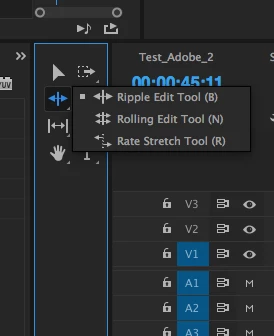
I opened up Premiere pro to edit a video and half of my tools are missing, most importantly Rate stretch. How to you add/remove tools to the toolbox??
I am using Windows.
Thanks!

I opened up Premiere pro to edit a video and half of my tools are missing, most importantly Rate stretch. How to you add/remove tools to the toolbox??
I am using Windows.
Thanks!
Already have an account? Login
Enter your E-mail address. We'll send you an e-mail with instructions to reset your password.
 AdChoices