alynh78009053
Participant
July 1, 2020
Answered

Track matte key affecting text size/position

  • July 1, 2020
  • 2 replies
  • 5550 views

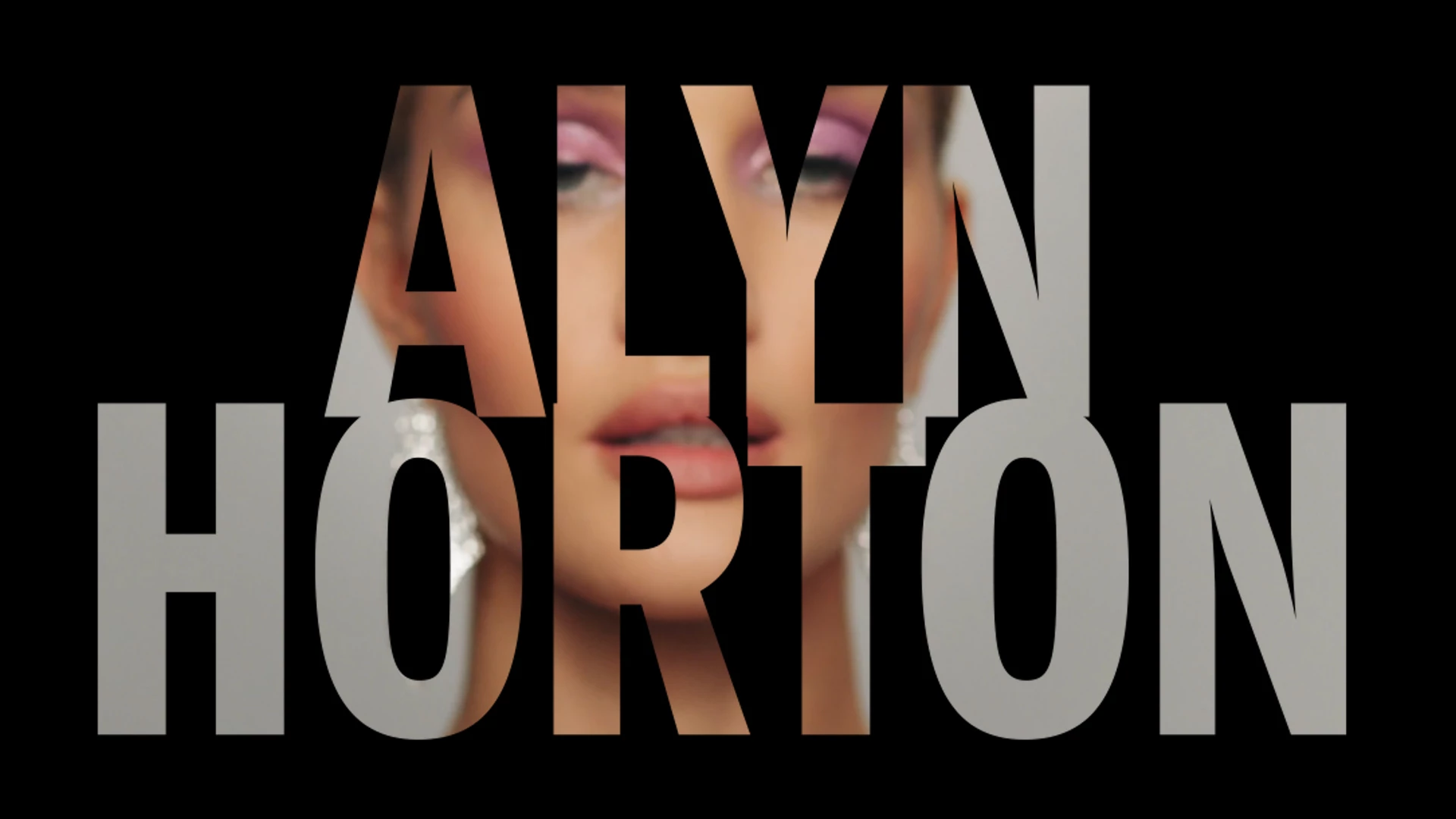
HELP! I've been creating a sequence of clips with a large text title and the track matte key applied to the clips so they can bee seen through the text. The problem is whatever I do to the clip (ie enlarge it/ reduce it, reposition it) it also does to the text title. This happens whether I have applied the text before or after the track matte key - very frustrating. Any advise on how to modify the clip without modifying the text would be hugely appreciated.
 

This topic has been closed for replies.
Correct answer Ann Bens

Yes that is how the track matte works, its solved by nesting the clip and scaling within the nest.

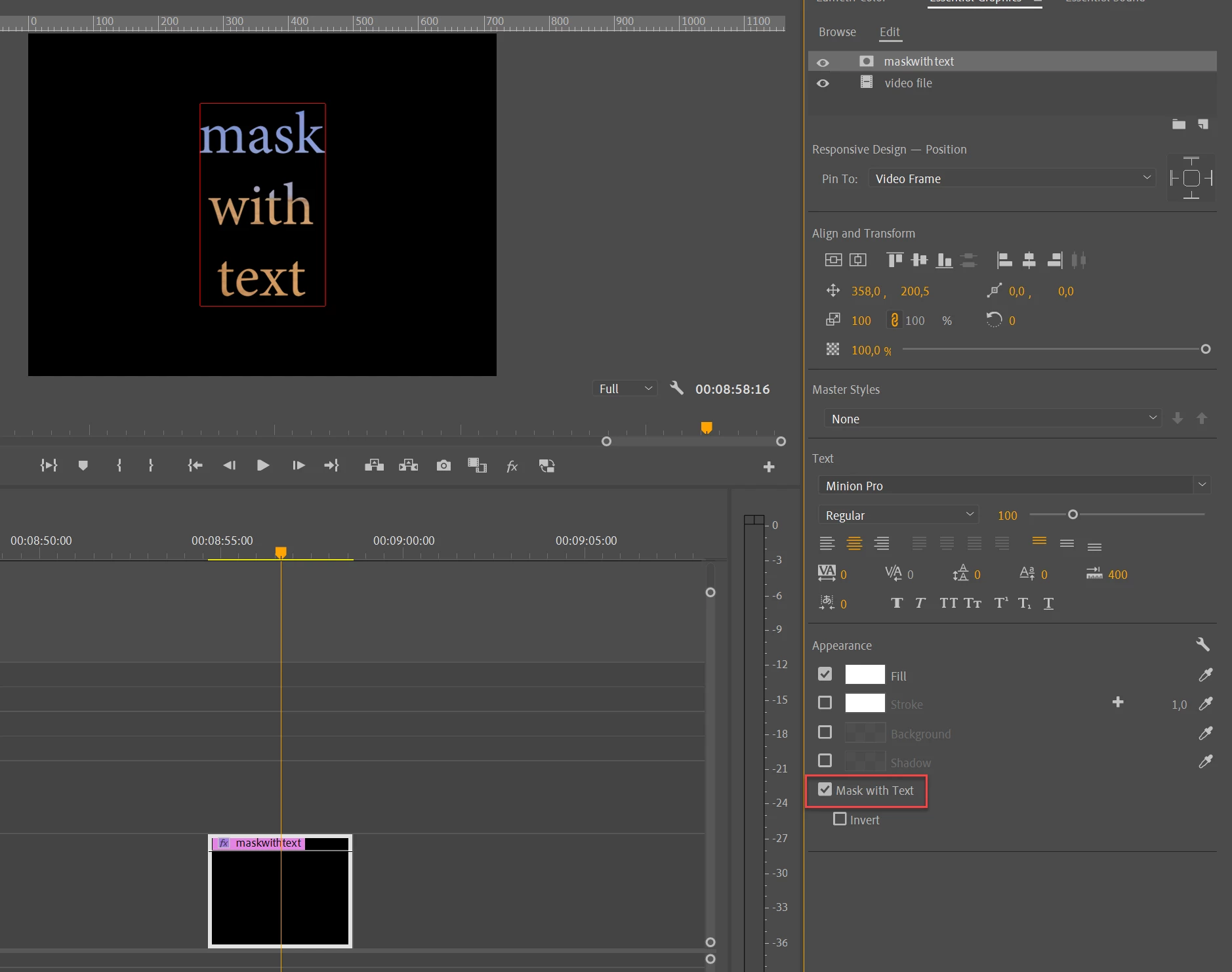
Use the Ess Graphics instead. Much easier and scalable.

2 replies

Inspiring
July 1, 2020

Adjusting the size of the video clip will give a different result than adjusting the size of the matte. That being said there is a track matte bug with the old legacy titler. The video in the link might be worth watching.

https://youtu.be/LiXEhP8TH7c  

Ann Bens
Community Expert
Ann BensCommunity ExpertCorrect answer
Community Expert
July 1, 2020

Yes that is how the track matte works, its solved by nesting the clip and scaling within the nest.

Use the Ess Graphics instead. Much easier and scalable.