



Track Matte Key does not respect effect order
I have a Track Matte Key effect on a video layer. I have a matte on another layer, and I have the track matte set up to reference the matte layer - which is all working as expected. But if I then change the Position of the video layer, the track matte also moves with it. “OK” I thought. “Obviously the Track Matte Key effect is being applied before the clip’s Transform. I know a way around this!” So I duly applied the Transform effect before (above) the Track Matte Key effect, so the position change happens first then the matting happens next. But imagine my disappointment to see that regardless of the effect ordering, the matte is also moved!
This is most definitely a bug, because if I rotate, skew or scale the clip (using the Transform effect), it all behaves as expected: if I do the Transform after the matting, everything - including the matte - is transformed. If I do the Transform before the matting, the video is transformed, then the (untouched) matte is applied, as you’d expect.
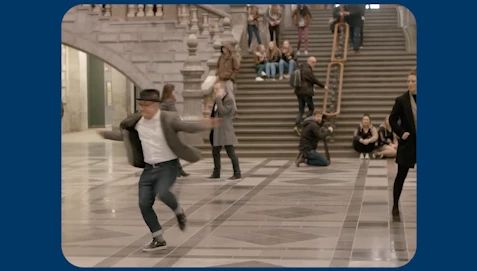
This is the scenario...I want this guy in the centre of frame:
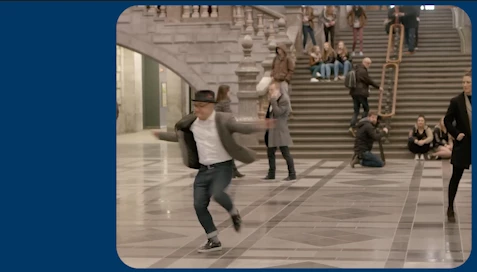
...but if I change the Position (in the Properties panel) I get this:
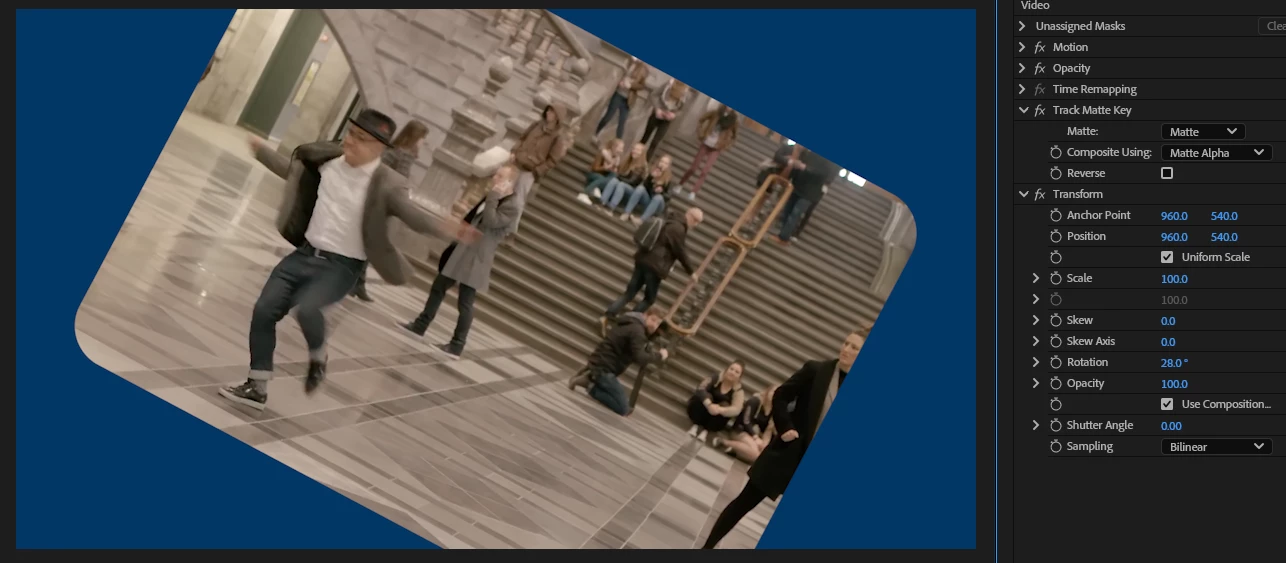
If I add a Transform effect: Rotation, Skew and Scale work as expected; here it is applied after the Track Matte Key, affecting the matted video, as expected:
...and here it is before, affecting only the video and not the matte, as expected:
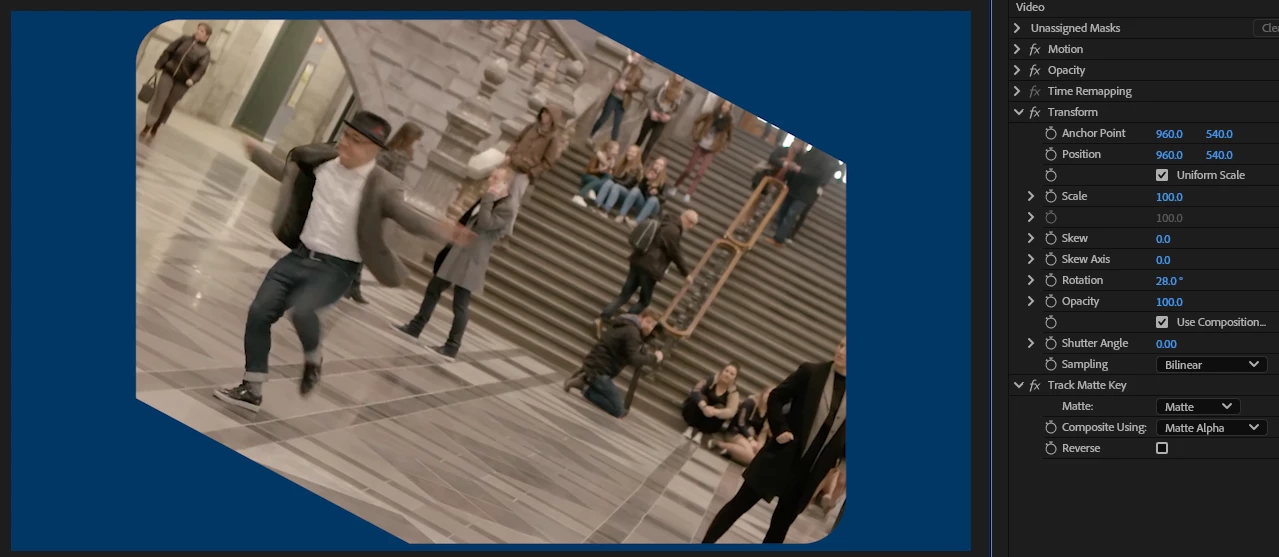
But regardless of effect ordering, Position always affects the matte, too:
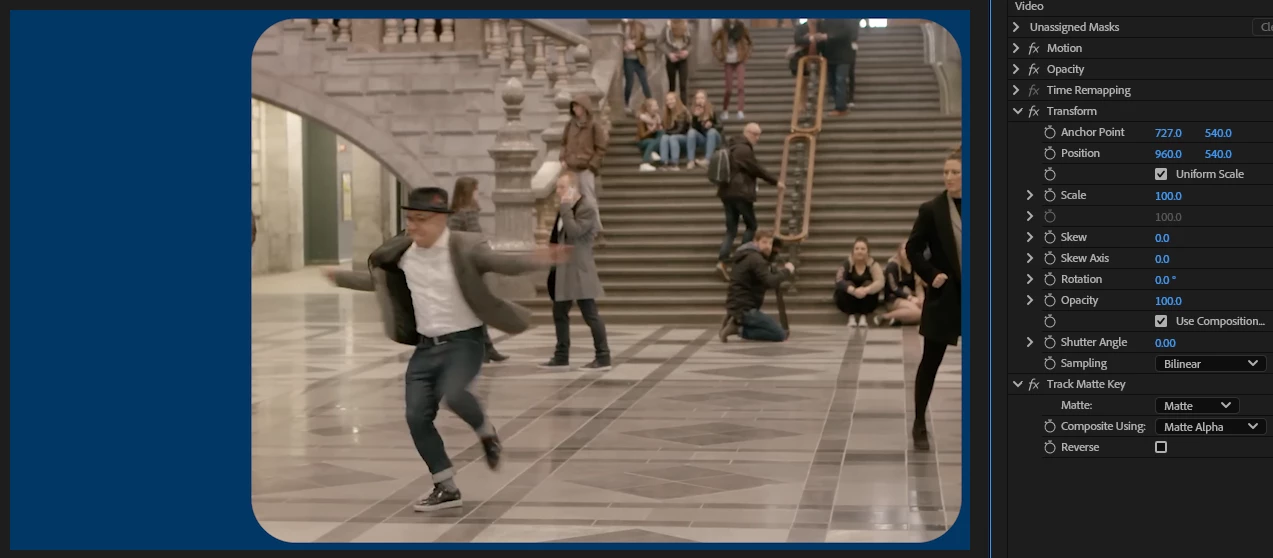
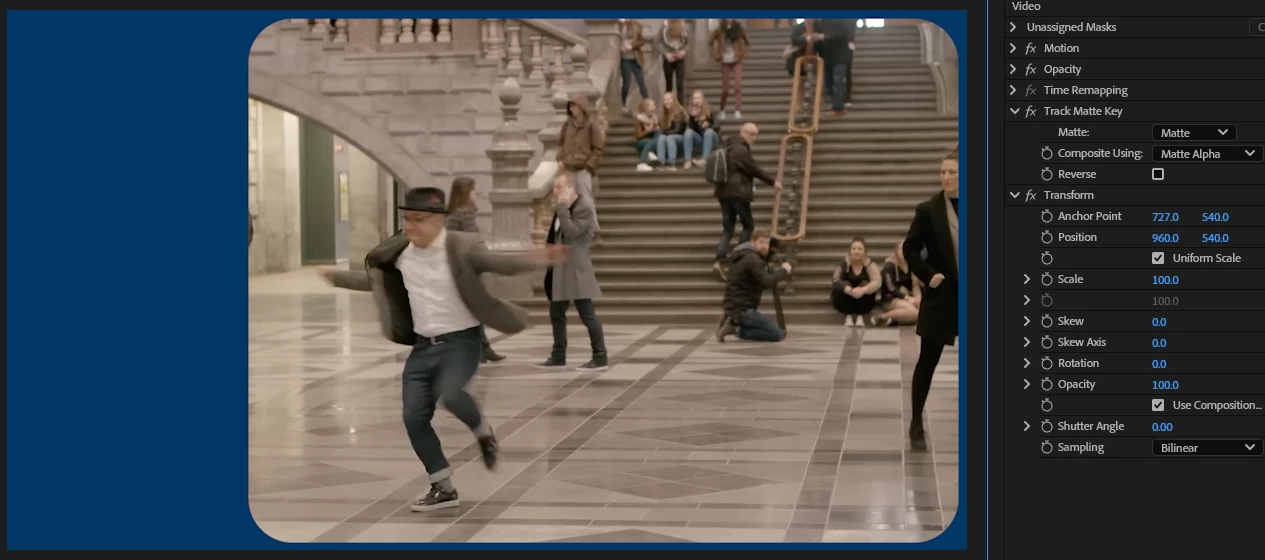
Please fix this! I want to be able to move my video independently of the matte.
 AdChoices