Answered
Transcoding correctly when footage is frame rate is interpreted.
Hi guys,
So I'm trying to create proxies for a drone video. 4K/60 with h.265 codec is just a bit too choppy for my 16-core workstation.
I have already cut the selects. I interpreted the footage from 59.94 to 23.976 so that everything would be automatically slowed down.
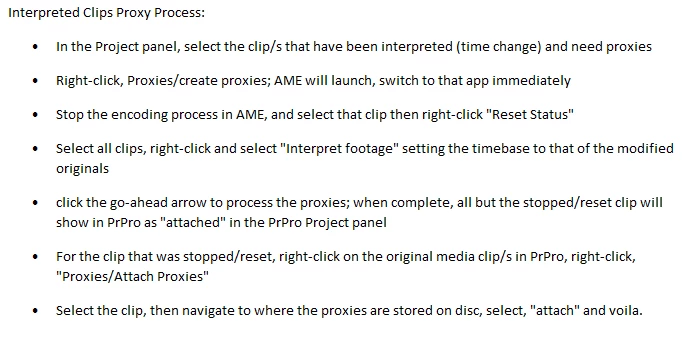
Now, after the fact, I am hoping to make 720p proxies. I have tried in Premiere (right click>create proxies) and also through Davinci (after settings clips to 40% speed in timeline and exporting at 23.976).
After 4 tests with various settings, the timecode is completely off (in the same way) every time when I use the toggle proxy switch in Premiere.
Any ideas? It would be annoying to have to restart my edit. Thank you in advance!
 AdChoices