@KazuTa,
Thanks for the response.
> It may not be that I need a better machine, but perhaps Premiere's transcription tool isn't 100% tested the M4 Pro chip yet.
Sorry; I was just reacting to your comment. I forgot to come back and comment further. Even though many users are transcribing without problems, there are a variety of reports about transcription issues. The ones I experienced are part of the D2D drawbot threads; I'm Win10. But I would work on getting the transcription problem sorted.
> I opened the project with the transcriptions on it, opened an audio clip that's been transcribed in the source monitor, then went to the Text tab. It says "No content found".
This is with just his project copied to your drive? Is it "No content" or "No dialogue." I won't be able to work on this till later.
> I tried creating a new sequence with the audio clip. When I click on the three dots in the Text tab, my Export options are greyed out:
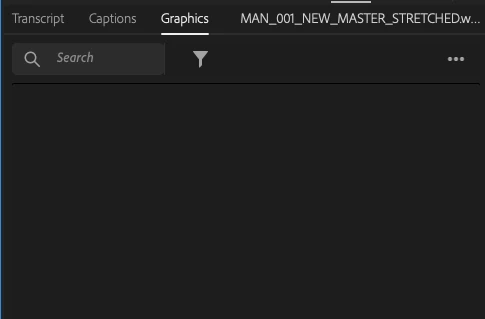
I need to look at this further. A screenshot of the whole Text panel might help.
Stan
@Stan Jones Your request to see the whole Text panel was the key! The Text panel was on the "Graphics" tab. When I clicked on the "Transcript" tab, I was able to export a static transcript from my editor's project and import it onto my source clips. Thanks for hanging in there with me, Stan!




 AdChoices