


Participant
Jun 4, 2024 5:27 PM UTC
Question

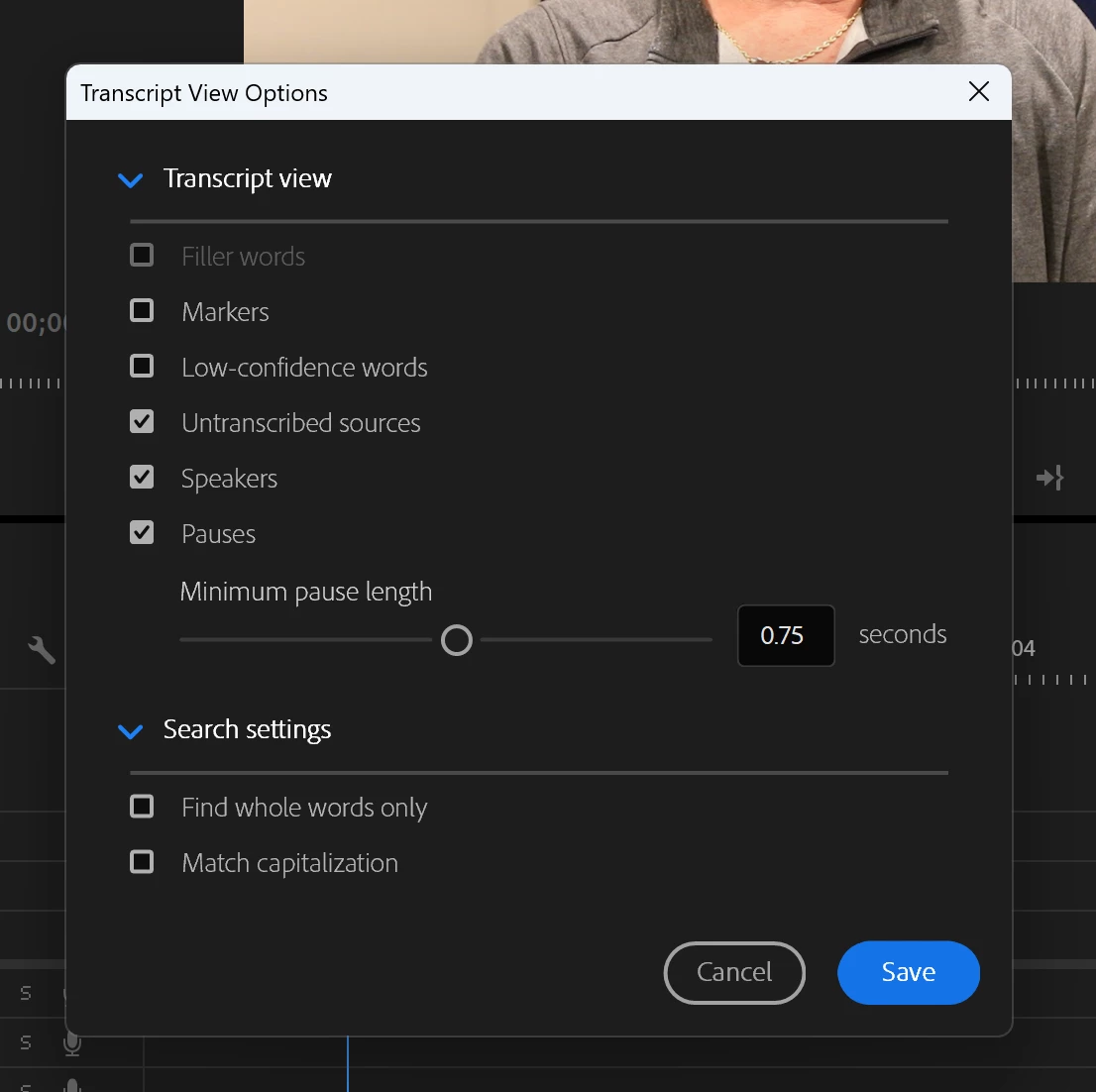
Transcript feature not allowing me to select filler word

I've used this feature in the past and had no issues. However, in my latest project I can't seem to check the "filler words" box when editing my transcript. I have restarted and updated Premiere and nothing seems to work. Has anyone else run into this issue and how did you fix it? TIA


12 replies

Stan Jones
Community Expert
Community Expert
Jun 11, 2024 3:05 AM UTC

Any chance either of you transcribed these clips before filler words were added to PR? Try re-transcribing if you have not edited the transcription.


In PR 24.4.1, filler words is an option in the Transcript view options, even if there are no filler words. But if the option did not exist in PR when transcribed, it is not an option (greyed out).


Stan


Translate
Participant
Jul 10, 2024 7:35 PM UTC

I am having the same issue. My goal is to delete and extract all filler words and the delete button is disabled when trying to do so. I think this is related to what is going on here. Help!


Eileen

Translate
Stan Jones
Community Expert
Community Expert
Jul 10, 2024 8:34 PM UTC

Eileen,


The actual delete button is only available in Sequence view. The issue in this thread was not being able to check the Filler words in the transcript view options.


Stan


Translate
Kevin J. Monahan Jr.
Legend
Jun 11, 2024 1:57 AM UTC

Hi @Ivette37836609941v and @linda_CG,

Sorry you're experiencing trouble. @Stan Jones might be able to help. He's our top Adobe Expert on this topic. I hope the community can help you.


Take Care,
Kevin

Translate
Kevin Monahan - Sr. Community and Engagement Strategist – Adobe Pro Video and Audio
Inspiring
Jun 10, 2024 5:06 PM UTC

I am having the same problem and Iam not allow to highlight the words that I want to ripple out also.  

Translate