


Participating Frequently
September 25, 2026
Answered

Transcript to Captions - Second audio track

  • September 25, 2026
  • 5 replies
  • 29 views

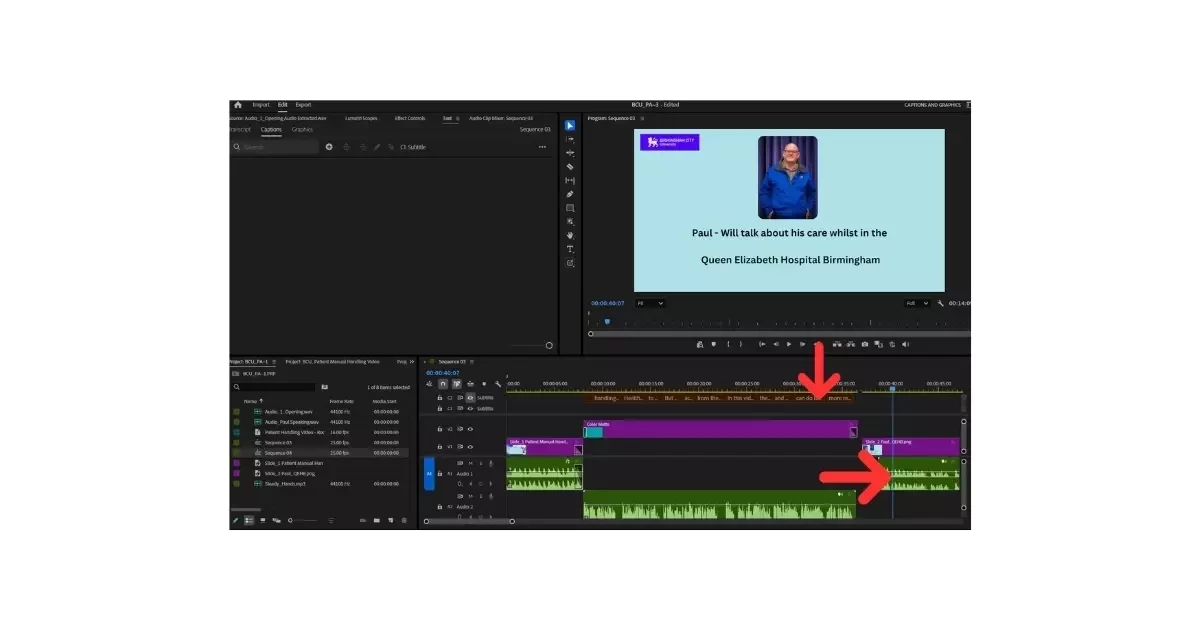
Hi all - I am new to Adobe Premiere Pro and on a very steep learning curve but enjoying it. Could someone help me with creating a second transcript to captions please. I have created captions for one audio track and would like to do a second set of captions from another audio track which I have included in the same video. I have attached a screenshot with arrows showing what I mean. I don't know how to do a second set of captions. I have attached screenshot with some arrows. Again thank you so much for all your help. Paul
 

    Correct answer Sumeet Kumar Choubey

    If the second audio file hasn’t been transcribed yet, you can right-click it in the Project panel and select Transcribe. Once the transcript for the second audio is available in the Transcript tab of the Text panel, click Create Captions (CC) to create a new caption track containing the captions from the second audio. Hope this helps! Let us know if you have any questions.

    Thanks,
    Sumeet

    5 replies

    Community Manager
    September 25, 2026

    Glad it helped! Feel free to reach out if you experience any issues or have any questions. We’re here to help.

    Thanks,
    Sumeet

    Community Manager
    September 25, 2026

    Hi Paul,

    Just to better understand your query, are you trying to transcribe the audio from the second track you added to the sequence and add it to the existing caption track, or would you like to transcribe the second audio track separately and have it on a separate caption track?

    Thanks,
    Sumeet

    PAUL129Author
    Participating Frequently
    September 25, 2026

    Hi Sumeet, I am not sure to be trueful. I have created captions for the first audio track and then there is a space in my videos for images. I have then put the second audio file on the timeline and want to create captions from it. I cannot see where to create a second set of captions. 

    Sumeet Kumar ChoubeyCommunity ManagerCorrect answer
    Community Manager
    September 25, 2026

    If the second audio file hasn’t been transcribed yet, you can right-click it in the Project panel and select Transcribe. Once the transcript for the second audio is available in the Transcript tab of the Text panel, click Create Captions (CC) to create a new caption track containing the captions from the second audio. Hope this helps! Let us know if you have any questions.

    Thanks,
    Sumeet