
Transcription fails on all projects after latest Premiere Pro update (worked perfectly before)
Prologue:
The Report Bug option was seemingly unavailable because it wouldn’t load even when I signed in to Chrome via Incognito mode with no browser extensions active and the cookies deleted.
So now I am forced to report the bug in Ask A Question section of the community. My apologizes.
This same issue was happening in an early post that was “resolved” with no actual answer. So I am reposting it here WITH SOME EXTRA CHANGES concerning my own problems with the feature including screenshots.
Title:
Transcription fails on all projects after latest Premiere Pro update (worked perfectly before)
Issue:
The transcription (speech-to-text) feature is no longer working at all after updating to the latest version of Premiere Pro.
I have been using Premiere Pro for many years, and the transcription feature has always worked reliably for me in previous versions. I have never had any issues with it until now. It is really wasting my time!
Since updating, transcription fails every single time across all projects.
Steps to Reproduce:
-
Open Premiere Pro
-
Open any project (existing or new)
-
Select a sequence with clear audio
-
Go to the Text panel
-
Click Transcribe Sequence
Expected Result:
The sequence should transcribe normally, as it has consistently done in previous versions.
Actual Result:
The transcription does not work.
-
It fails to generate a transcript
-
The feature does not behave as expected
-
This happens across all projects
Additional Context:
-
This issue began immediately after updating Premiere Pro to the latest version
-
Transcription worked perfectly prior to the update
-
The problem affects all projects, not just one
-
It also occurs in new, empty projects
-
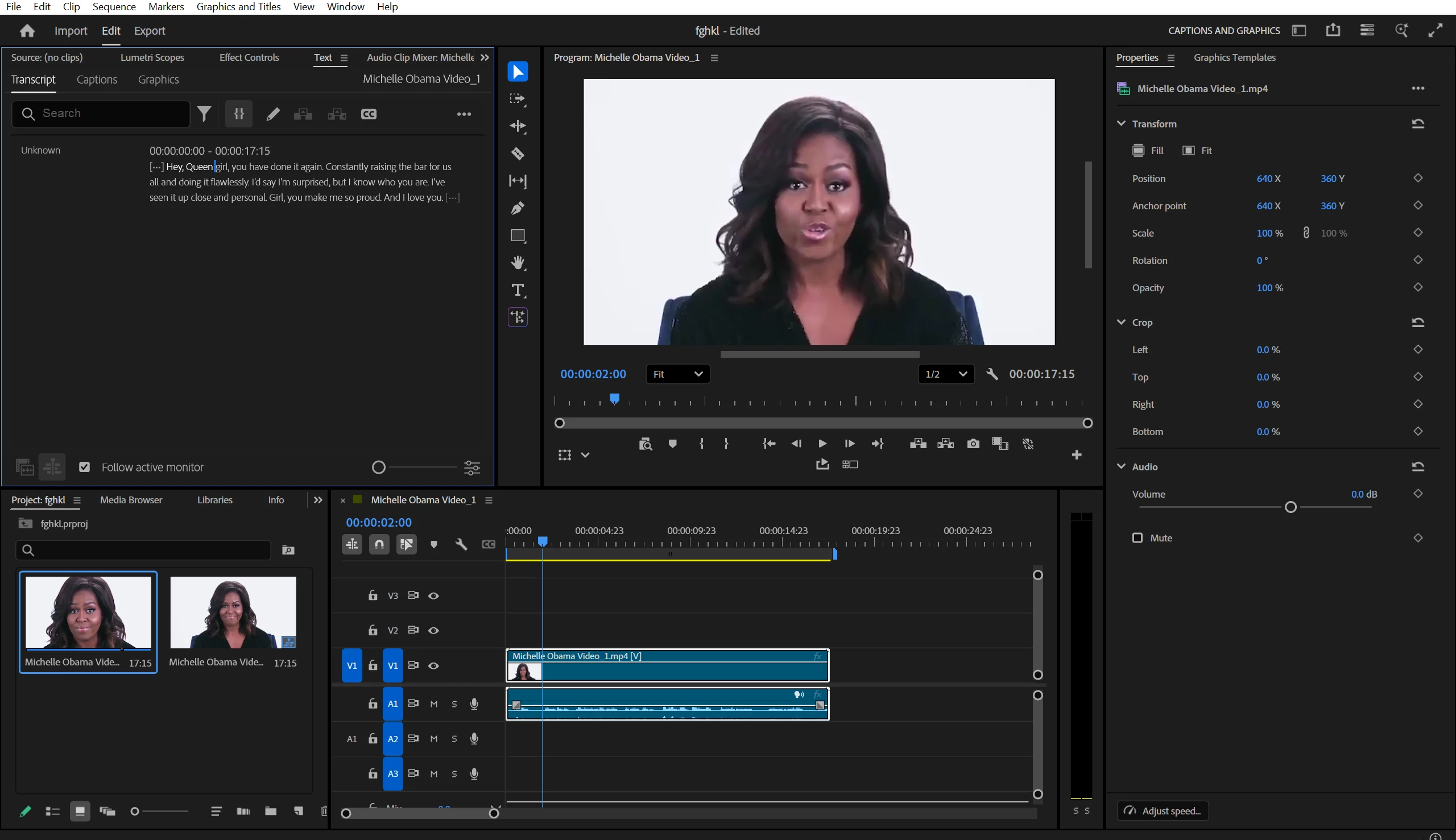
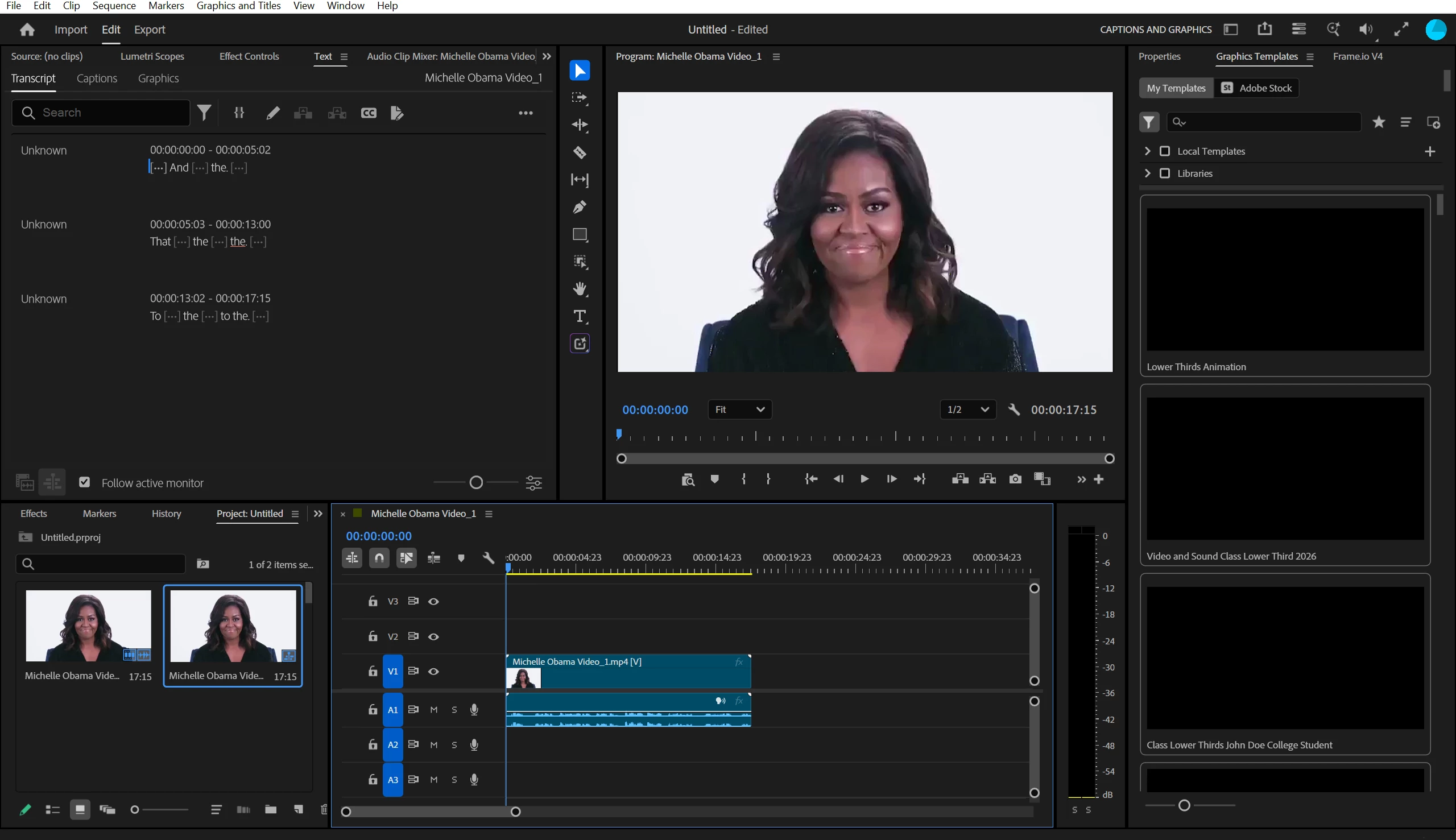
ODDLY ENOUGH, when I downgrade to an earlier version (v. 25.6.6) the Transcription feature works perfectly with the same exact clip that was giving 26.5.2 (Newest Version) so many problems.
I am very familiar with how this feature works, as I have used it extensively in earlier versions. This is not a workflow issue — something has clearly changed or broken in the current version.
At this point, I am unable to use transcription at all, which is a major part of my editing workflow.
Premiere Version:
- 26.5.2 (Newest Version)
Operating System:
- Windows 11
Processor:
- 11th Gen Intel(R) Core(TM) i7-1165G7 @ 2.80GHz (2.80 GHz)
System:
- 64-bit operating system, x64-based processor
Graphics Card:
- Intel(R) Iris(R) Xe Graphics (128 MB)
Request:
- Could someone please advise what has changed in the latest version, and what needs to be done to restore the transcription functionality? At the moment, it is completely unusable on my system. Thank you in advance for your help.
Attachments:
- First Screenshot: Premiere Pro 25.6.6 (Old Version / this version WORKS)
- Second Screenshot: Premiere Pro 26.5.2 (Newest Version / this version DOESN’T Work)


 AdChoices