Participant
April 21, 2024
Question

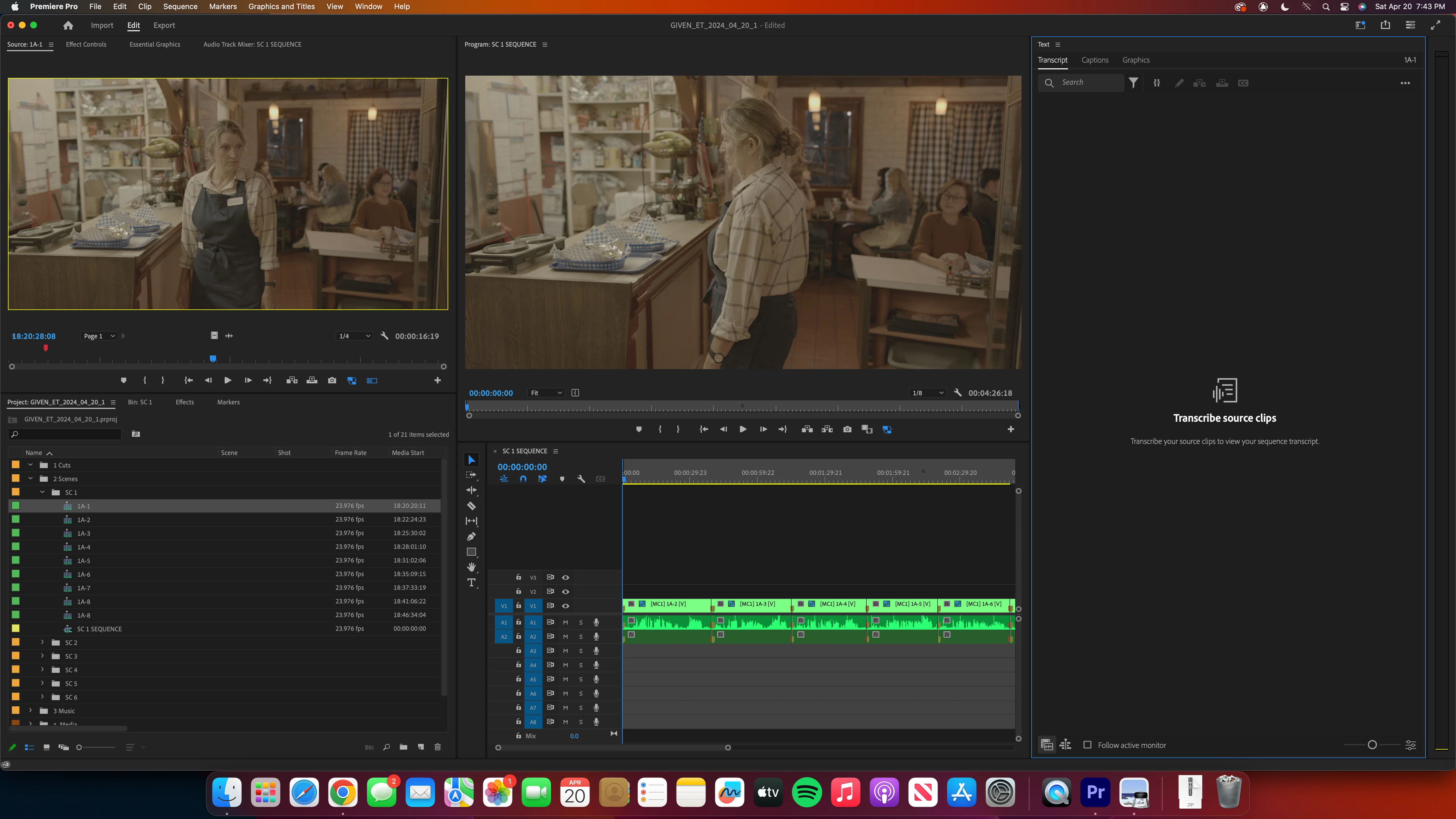
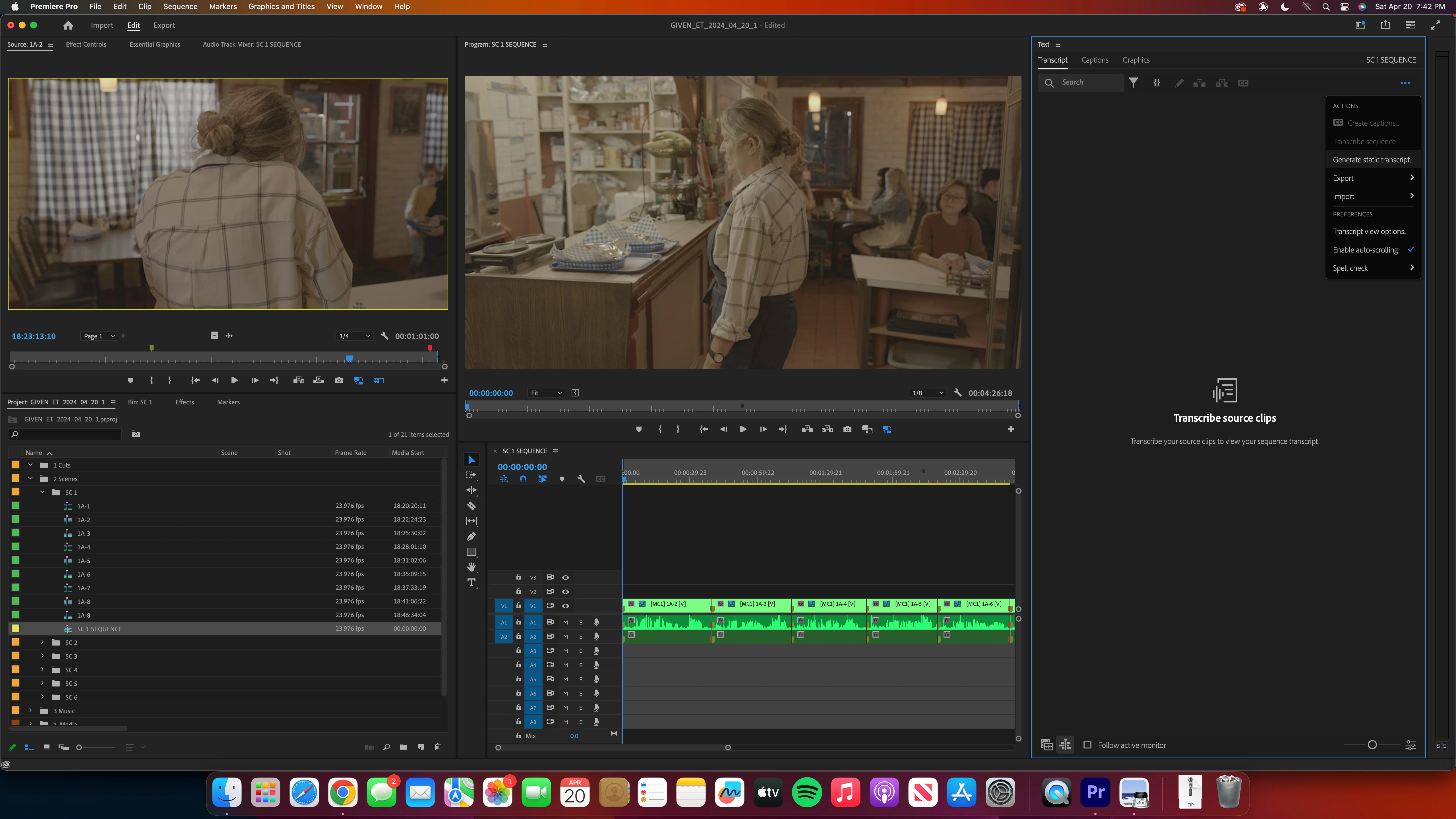
Transcription Tool Not Working

  • April 21, 2024
  • 2 replies
  • 190 views

PP version 24.1.0 build 85


For some reason, I am unable to access any buttons to transcribe a sequence or source clips. Not sure how to proceed or what to do differently. Screenshots attacehd! 
 

This topic has been closed for replies.

2 replies

Community Expert
April 21, 2024

Hello, 


  • Open Premiere Pro: Launch Adobe Premiere Pro on your computer.
  • Navigate to Preferences: Go to the top menu bar and click on Edit.
  • Access General Preferences: From the Edit menu, select Preferences, and then click on General.
  • Reset Preferences: Within the General Preferences window, locate and click on the Reset Preferences on Restart button.
  • Confirm Reset: A dialog box will appear asking you to confirm the reset. Check all the boxes to reset all preferences.
T-Sal
Stan Jones
Community Expert
Community Expert
April 21, 2024

Emily,


If you are using version 24.1 because you have an issue with the new update, what is that issue? If not, I would upgrade to the latest release (24.3). There are some bugs that have been fixed.


To test your transcription issue:

  • Create a new test project,
  • In the create new project screen, be sure that "auto-transcription" is turned OFF.
  • Add one clip,
  • In the Project Panel, right-click and pick Transcribe
  • Click Transcribe


What happens?


Stan