Transform Effect Confusion
Hi There, we get unpredictable results when using the Transform effect so hoping someone can shed light. Graphcs are rendered PSD stills, so not native Premiere text if that makes sense.
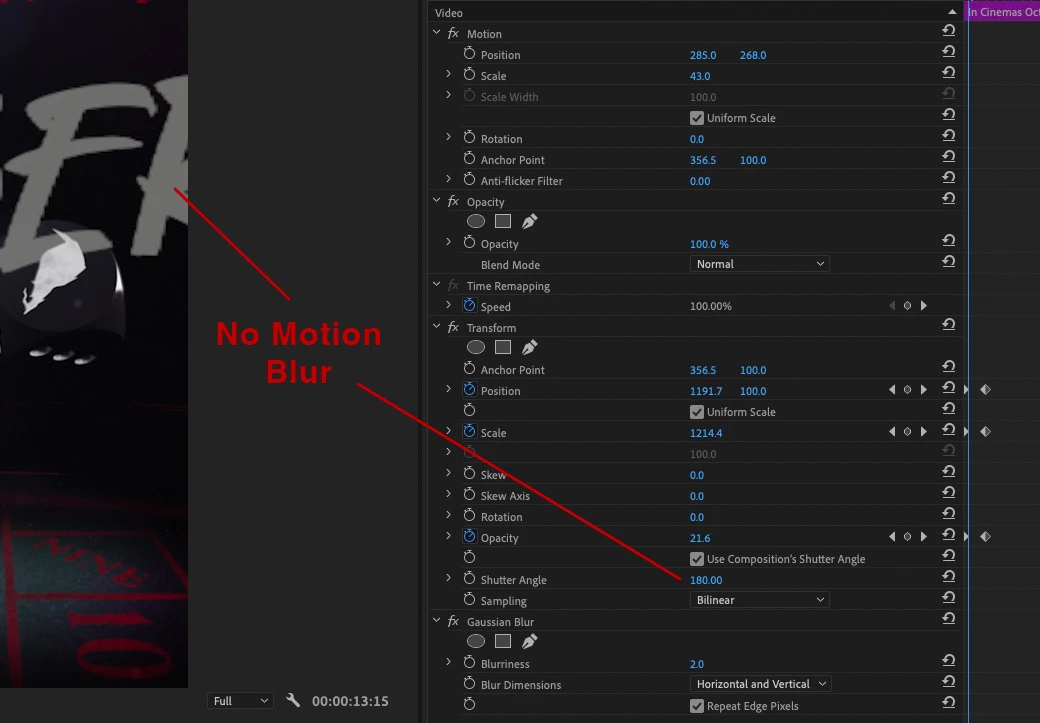
1. No Motion Blur
When starting with large graphics and scaling down, Motion Blur sometimes doesn't show. What causes this? Have tried scaling and a mix of scaling and position (within the effect). Often it works but here's a current example - hopefully I'm missing something basic here...
2. Graphics Move Wildy If Replaced
Like a lot of people, we often need graphics change-outs. Replacing clips works great unless the Transform Effect is applied as often, graphics move wildly - even when PSDs are the same size. What causes graphics to move like -3000px after replacing a clip? Sometimes this happens when not replacing clips at all?
Totally confused, any help much appreciated. Cheers, Ben
 AdChoices