
Participating Frequently
March 29, 2017
Question

Transition Glitches after File Export

  • March 29, 2017
  • 4 replies
  • 5878 views

Software:

Premiere Pro CC 2017

System/Processor/Memory:

Windows 7 Professional (I know)

Intel Core 2.60GHz

16GB RAM

Issue: Transition glitch (as seen in attached image) when using dip to black transition centered (between) cuts.

Where a clip ends and one begins but with a video transition applied. In my videos, most of the time, I typically have 3-5 video transitions. Usually it is only one of those transitions that produces a glitch. They are very inconsistent. The glitch only presents itself appears for a frame or two and at the end of the transition.

Please see the attached image examples that show the issue, settings and attempts to correct the issue. If you can offer help I would greatly appreciate it.



Image 1: Transition issue using dip to black between two cuts.
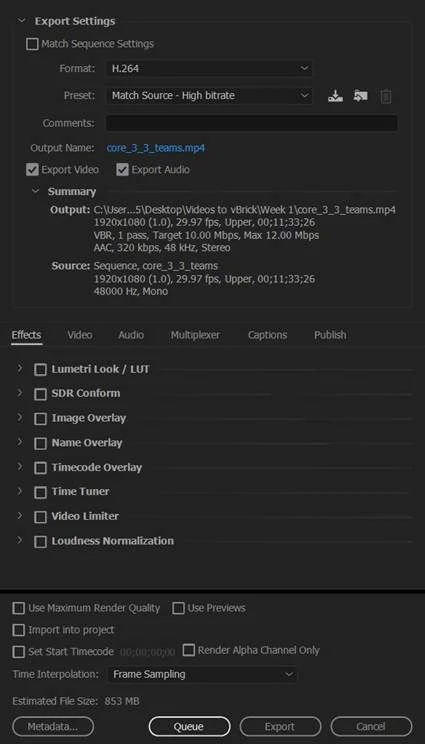
Image 2: Original Export Settings. It was suggested that I try a lower maximum data rate (6-8Mbps) and/or use two-pass variable bit rate. This did not resolve the issue. 
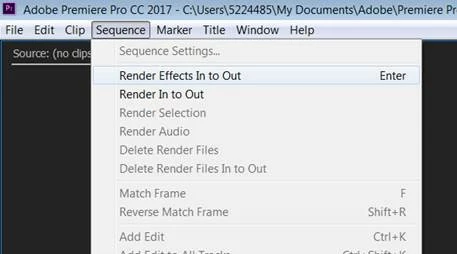
Image 3: Initially, I did not do this. It was suggested I render the clip before exporting using Sequence>Render Effects In to Out and choose Render Entire Work Area when exporting. Neither resolved the issue.

This topic has been closed for replies.

4 replies

Participant
June 16, 2022

Little late to the party, but make sure your sequence framerate is the same as your export. Mine did the same thing, then I noticed the sequence was set at 50+fps and export was 23.978. After changing it the glitches resolved

Participant
July 6, 2018

I am also having a similar issue. Has anyone got any ideas why transition effects would be causing this strange colour glitch on still images? The images that I've applied the effect to have transparency (if that helps any further). I've tried using both png and psd versions for this - but neither makes a difference to the glitch.

Legend
March 29, 2017

One thing that concerns me is that you're shooting and delivering interlaced video for web or computer viewing.  I don't know that's at all related here, but I do recommend changing your production pipeline to 24p instead.  It's just better in every way over 30i.

Run a test as such and see if the issue still occurs.

Inspiring
March 29, 2017

I've always shot 50i and then exported as 25p or more recently 50p for smooth movement.

Inspiring
March 29, 2017

You say you are using CC2017. Is this 2017.0 or the bug fixed 2017.0.2 ? This may help to fix your problem.

Participating Frequently
March 29, 2017

Thanks for suggesting this. I am running 2017.02, V11.0.