
Answered
Trim cutting
Hello (sorry for the mistakes, I don't speak good English).
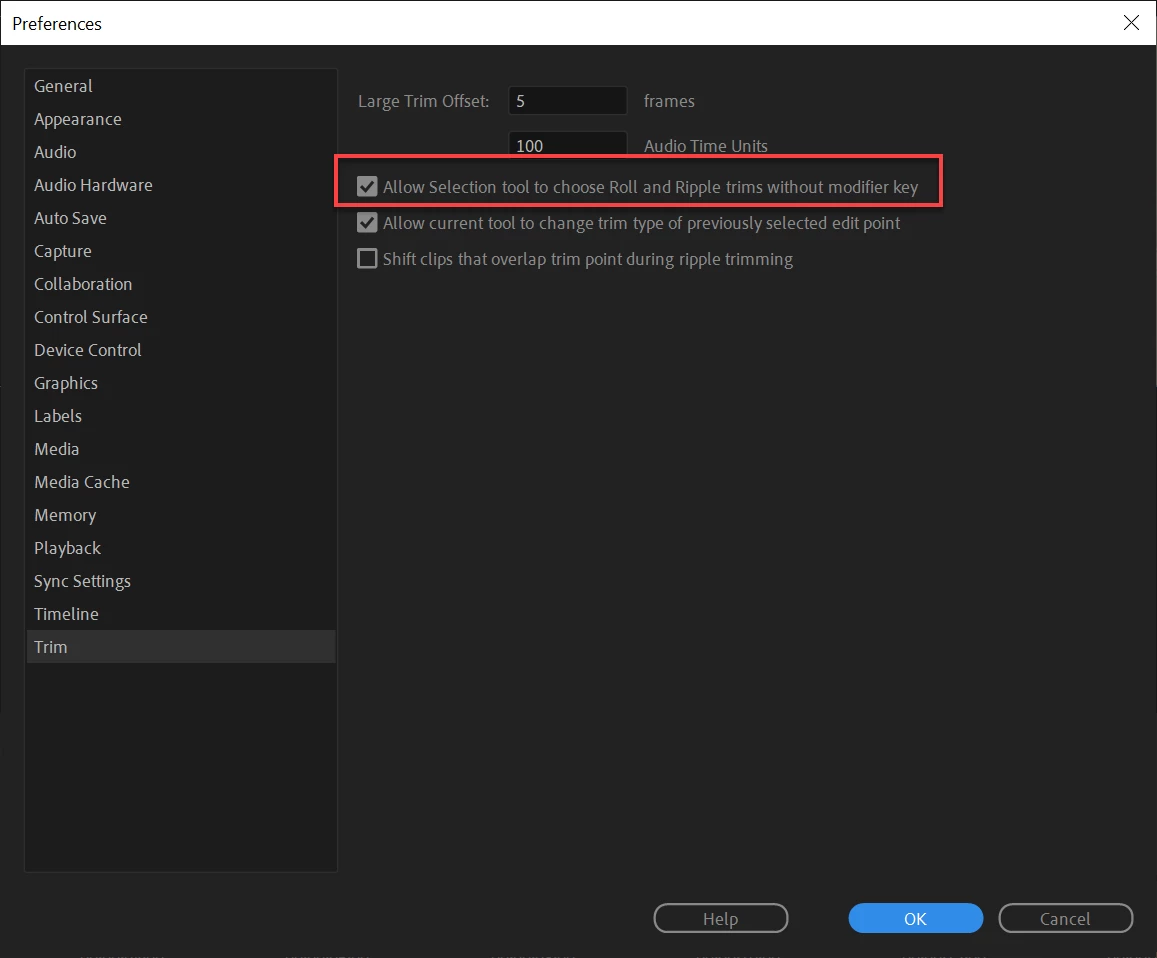
When I want to increase or decrease the videos in the timeline, I had before the red pointer for the trim cutting (like that: https://www.premiumbeat.com/blog/cut-clips-premiere-pro-tools/ ).
But now I have the yellow pointer for the compensated modification for the selection tool, and I have to do "ctrl" to have the classic red pointer for trim cutting. How do you not have to do "ctrl" all the time just to do classic trim cutting ?
Thank you!
 AdChoices