

Answered
Trouble bringing After Effects files into Premiere
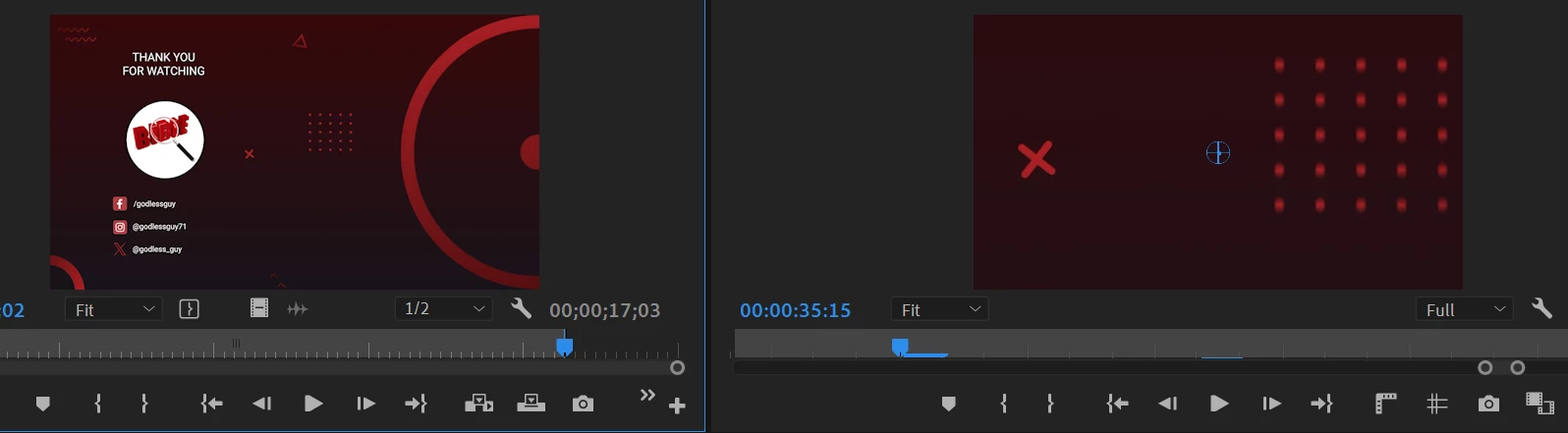
I have an end screen created in After Effects, but when I bring it into Premiere, only the background and animated background elements show up - the logo, social handles, etc, are not appearing. I've imported the AE file several different ways to no avail. I've even exported it as an mp4, and it plays just fine outside of Premiere, but again, only the background shows inside Premiere. Any ideas? I've restarted and cleared the media cache and neither helped. Attached is a screenshot of what is appearing and what SHOULD appear. It looks like it may be zoomed in somehow? So maybe everything is there and I just can't see it. Thanks in advance.


 AdChoices