
Participant
December 7, 2020
Question

Trouble exporting proxies to full resolution media

  • December 7, 2020
  • 3 replies
  • 686 views

Hi!


My sequence is ready to export,  the clips I want to export are all proxyfiles, so now I'd like to export them with the orginal files that's of higher resolution. I've understood I'll have to click the file( sequence) in the project panel, then:  Proxy —> Reconnect Full Resolution Media. But they're all greyed out in my project panel, I've been trying to solve this for hours and days, in other words; still an amateur to these settings, so please advise and tell me what I should do like I'm a five year old:)


Thanks in advance!
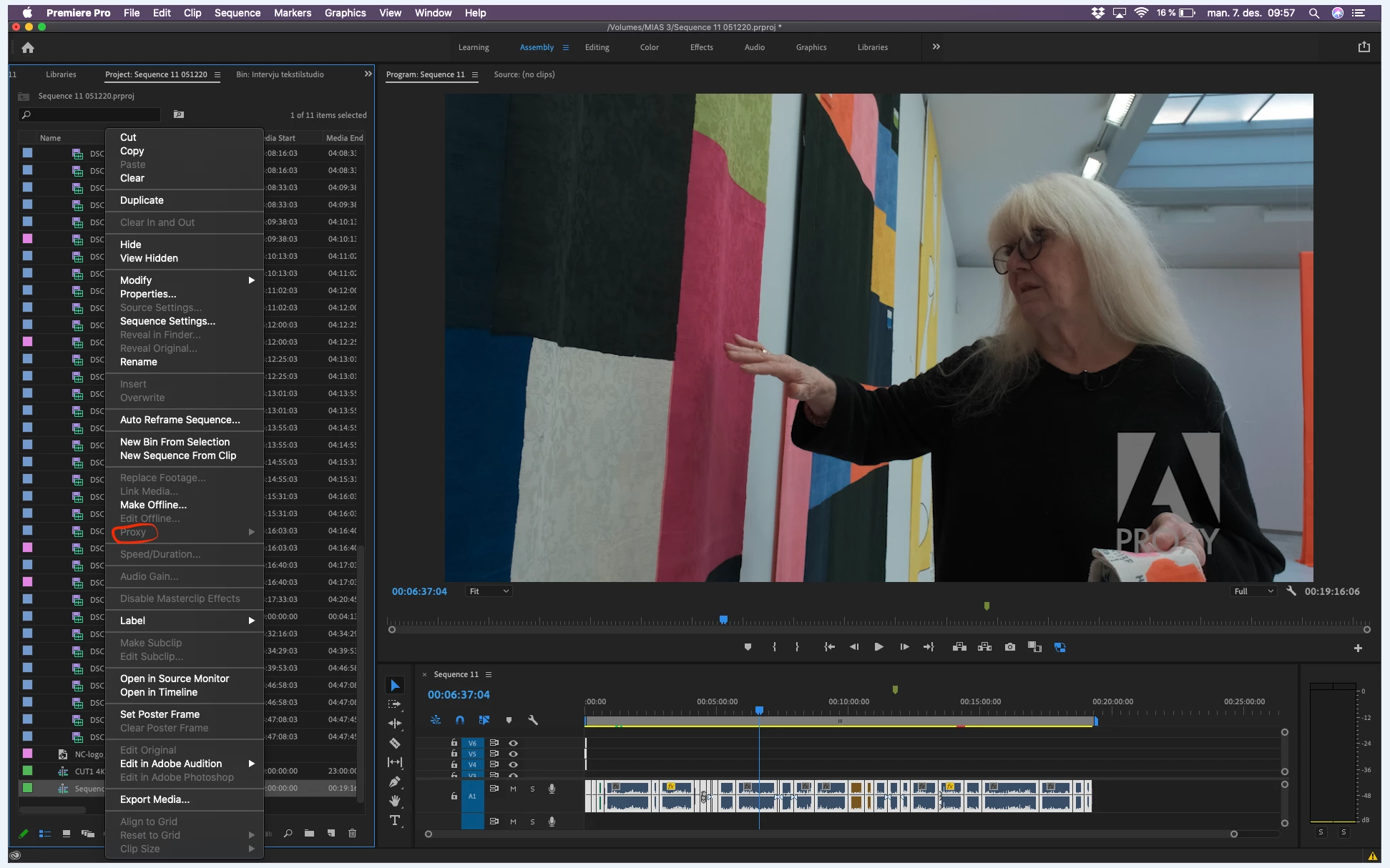


Please next time embed your screenshot instead of the drag and drop attachment option so people dont have to dowload unkown files.

Did it this time for you. MPD

This topic has been closed for replies.

3 replies

Ann Bens
Community Expert
Community Expert
December 7, 2020

Even if the original media needs to be reconnected you dont select clips on the timeline but rather in the Project Window.

Alberto Casanova
Participant
December 7, 2020

Hello, Mia.  If you generated Proxy files within Premiere / Adobe Media Encoder, your full resolution media is already connected and that's why the option is greyed out, because it is not necesary in your case.

Just export your timeline, If a full resolution clip is missing Premiere will let you know so you can reconnect before exporting.

Inspiring
December 7, 2020

Proxies are created from the clips, not the sequence, that's why Proxy is greyed out, because you right clicked on the sequence.

If you created the proxies using Premiere, and your original media is still where it is, you don't need to do anything, Premiere will automatically use the original media for exporting.