Participating Frequently
October 27, 2017
Question

Trouble Importing MP4 into Premiere Pro After Upgrade

  • October 27, 2017
  • 1 reply
  • 1368 views

Hi,

After installing the new Premiere Pro I haven't been able to drag and drop MP4 files into the software like I had been able to in the past. Files that worked just fine for me in previous projects now look like the picture below when I try and play them.
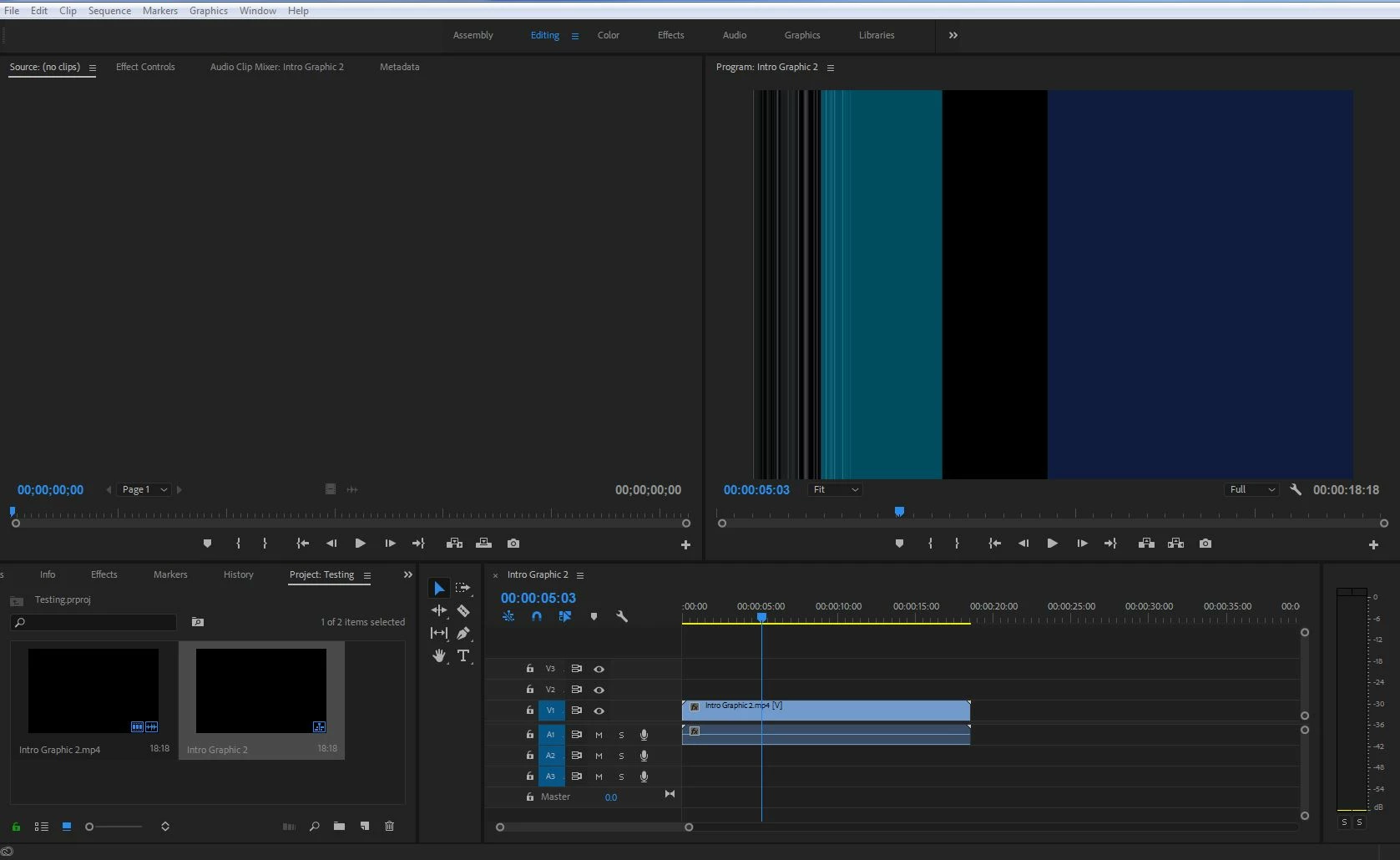
Has anyone else run into this problem or know a solution?

Thanks

    This topic has been closed for replies.

    1 reply

    R Neil Haugen
    Legend
    October 28, 2017

    What's your OS? Video card and setup?

    What's that media from ... camera, screen-capture, phone/device, what?

    Neil

    Everyone's mileage always varies ...
    Participating Frequently
    October 30, 2017

    I am using windows 7

    My Adapter Information is...(not sure if this is the right information you're asking for)

    Chip Type: Intel(R) HD Graphics Fmaily

    DAC Type: Internal

    Adapter String: Intel(R) HD Graphics 4600

    Bios Information: Intel Video BIOS

    The media is an mp4 file that I downloaded from youtube.

    Thank you,

    Dan

    R Neil Haugen
    Legend
    October 30, 2017

    How about downloading the free MediaInfo app, and after you've got the icon for that on your desktop, drag/drop one of these files on that icon. When it pops up, go into that app's "Tree View" ... make a screen grab, and post that in your reply. Curious what this is ...

    Neil

    Everyone's mileage always varies ...