Participant
December 17, 2017
Question

Trouble playing samples, sequences, crashing

  • December 17, 2017
  • 1 reply
  • 376 views

I've worked with sample files provided in the Premiere tutorials, as well as created an audio cut without much trouble. However, today I opened the Premiere and it wouldn't play the media samples I was trying to use, even on the audio project I had played earlier. The play button in the top-right window would turn into a square and was unresponsive when I tried to change it back, while the media itself would not play. Premiere has been freezing when I try to exit the program, even after saving the project. I've tried rebooting my computer (Intel Core i7 w/12 gb RAM, plenty of hard drive space, latest version of Windows 10), reinstalling Premiere, scanning my computer for viruses (no issues detected), and continue to have various issues of unresponsiveness in the program. Please help
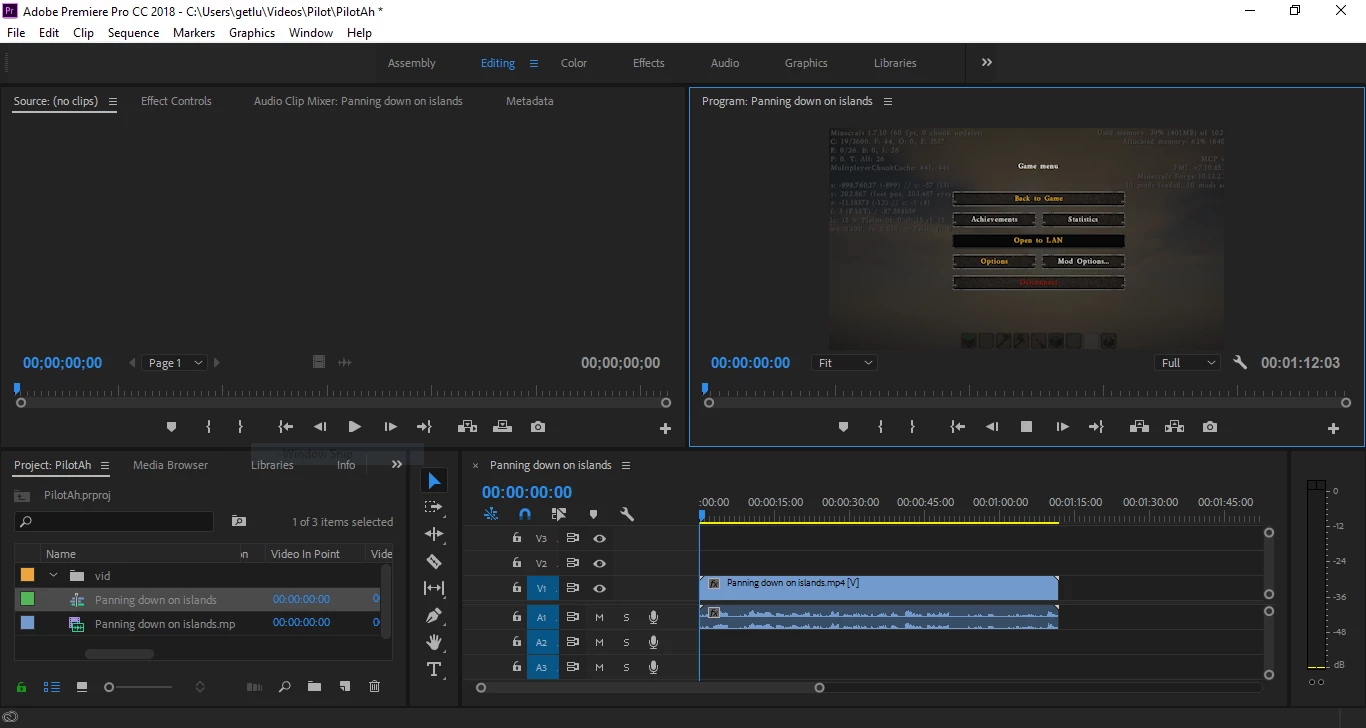
    This topic has been closed for replies.

    1 reply

    John T Smith
    Community Expert
    Community Expert
    December 17, 2017

    Do not count on Windows to be fully up to date when it comes to device drivers

    Go to the vendor site to be sure you have an updated driver for your graphic adapter

    •nVidia Driver Downloads http://www.nvidia.com/Download/index.aspx?lang=en-us

    •ATI Driver Autodetect http://support.amd.com/en-us/download/auto-detect-tool

    There are also intermittent reports that the newest driver is not always the best driver due to driver bugs or compatibility issues, so you MAY need to try an earlier driver version

    TimMaximilian
    Participating Frequently
    December 17, 2017

    Got the same Problem, after 10 or 15 min of using premiere pro i scroll down in my Browser and the Videos must be reload and then there is coming the yellow screen, no media.

    Playback from my project is only with sound no video.

    Now i can Save the Project and then i will close the Programm but nothing happend.

    I have to close it with the Task Manager.

    If i open Premiere now, my Project is loading but no Playback.

    I must Restart the PC and then it Works for a few Minutes.

    Windows 10 64bit 16GB

    Participant
    December 18, 2017

    How did you switch the output from hardware to software? Can you provide the steps to do this?