
TaranVH
Inspiring
September 26, 2017
Answered

Trying to create a "partial preset"

  • September 26, 2017
  • 1 reply
  • 424 views

I'm trying to modify a .prfpset file, (of .r3d source settings) to NOT USE any values for Kelvin, Tint, and ISO. I want these values to remain the same as they were BEFORE the preset is applied to a clip.
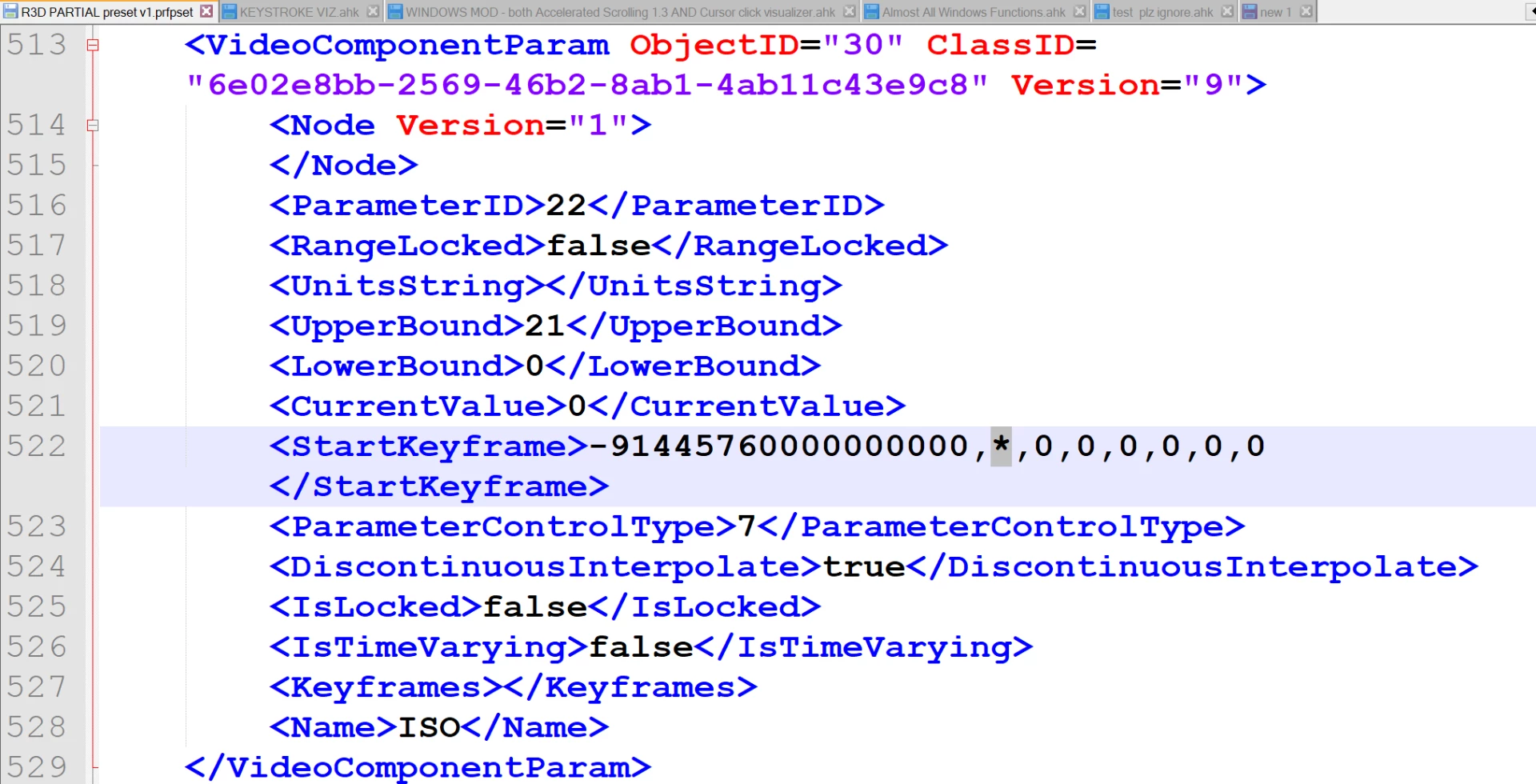
I've found the exact location(s) where I need to make this change. I just don't know what character(s) to put here! I've tried:

0

""

X

<CurrentValue>

<>

null

none

*

But, either the preset will refuse to import, or the value will be set to the lowest possible value. Does anyone know the correct text to use here?

Or, is there ANY way to specify that I DON'T want a specific value to change, when a preset is applied?

(Here's the long version: Taran is distraught over color grading .R3D footage in Premiere - YouTube )
This topic has been closed for replies.
Correct answer TaranVH

HAH, I think I may have actually figured it out!

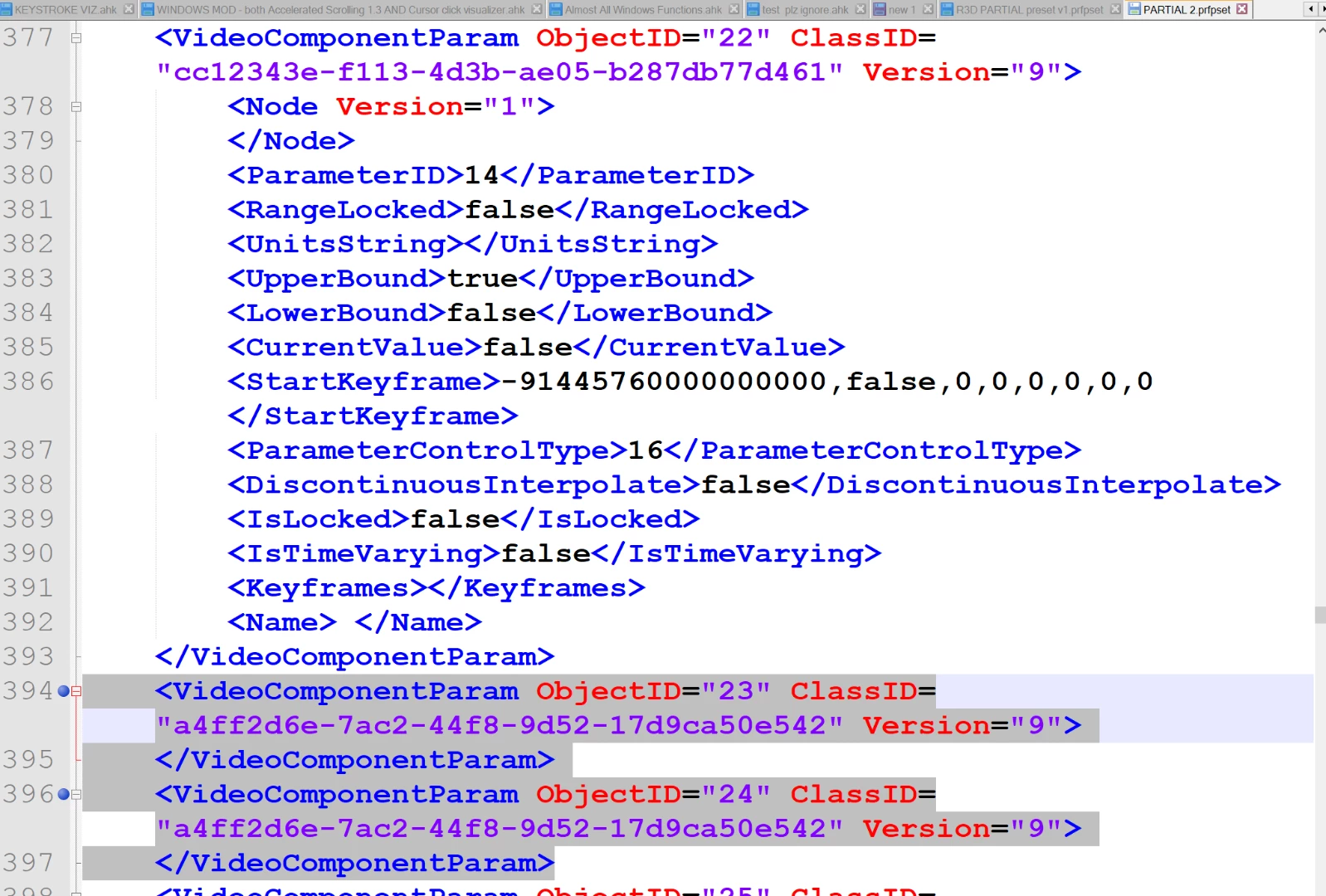
I just deleted everything on the inside of the <videocomponentparam> for each of them. See here:

Haha, YES, I just tested it again... it's only changing the color Space and Gamma Curve, and it's not touching the Kelvin, Tint, and ISO.

Brilliant. I can make partial presets.

1 reply

TaranVH
TaranVHAuthorCorrect answer
Inspiring
September 26, 2017

HAH, I think I may have actually figured it out!

I just deleted everything on the inside of the <videocomponentparam> for each of them. See here:

Haha, YES, I just tested it again... it's only changing the color Space and Gamma Curve, and it's not touching the Kelvin, Tint, and ISO.

Brilliant. I can make partial presets.