
Answered
Trying To Export Natively (ProRes HQ), But it's telling Me I'm in MPEG I Mode
Hi folks,
Brand new here, and I appreciate your help.
I edited my ProRes 422 HQ footage in Premiere, but now it won't let me export it without conversion. As we're about to grade it, that's a problem.
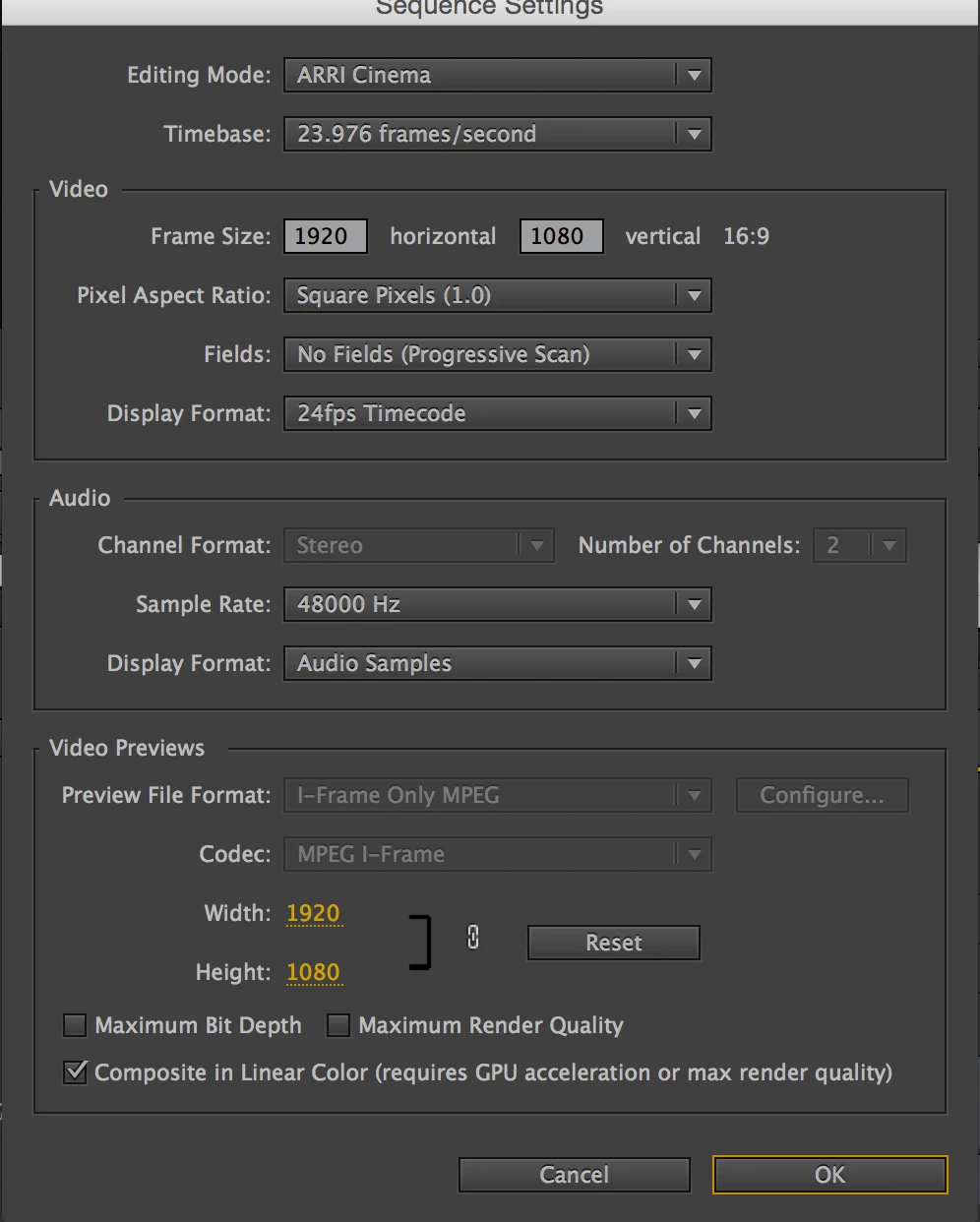
I just cut a trailer for my first feature, my first major project on Adobe. All the forums said to simply open a new sequence, and when I drag over the first clip, it would automatically change the timeline to let me edit it natively, even though it wouldn't say it. Attached are my sequence settings.
When I try to export to "match settings" – wanting everything full rez, essentially untouched – it says it's in MPEG I mode. Again, attachment.
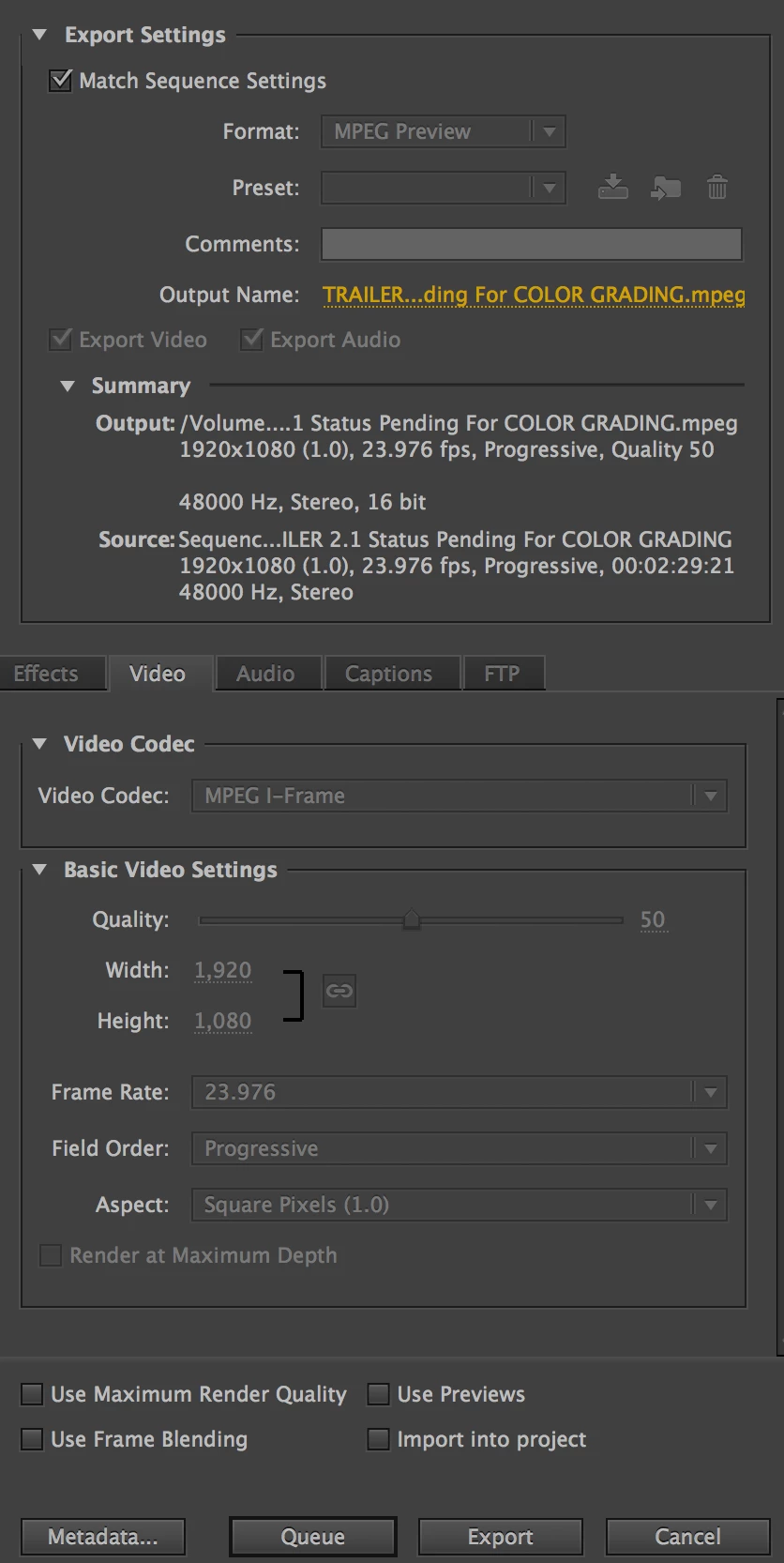
I've never heard of MPEG I, and just want to make it normal, in ProRes HQ mode. 
Thoughts?
Thanks
 AdChoices