Participant
April 8, 2021
Answered

Trying to insert a logo to multiple videos and exporting them individually.

  • April 8, 2021
  • 2 replies
  • 2759 views

I've trying for a while to find a solution to a workflow problem i encountered.

In my work i need to edit many videos with the same exact paremeters and even including a logo and then have them exported individually.  Does anyone know a way to automatize this?


I know that in Photoshop there is a way to add the same effect to a folder filled with photos, but i want to know if that is possible with Premiere.


I have researched a bit and found an alternative way to export the videos by nesting them one by one and then batch export them from the list, but doing that each time would make me to waste too much time.


Is there anyone out there who knows how to solve this?
This topic has been closed for replies.
Correct answer Warren Heaton

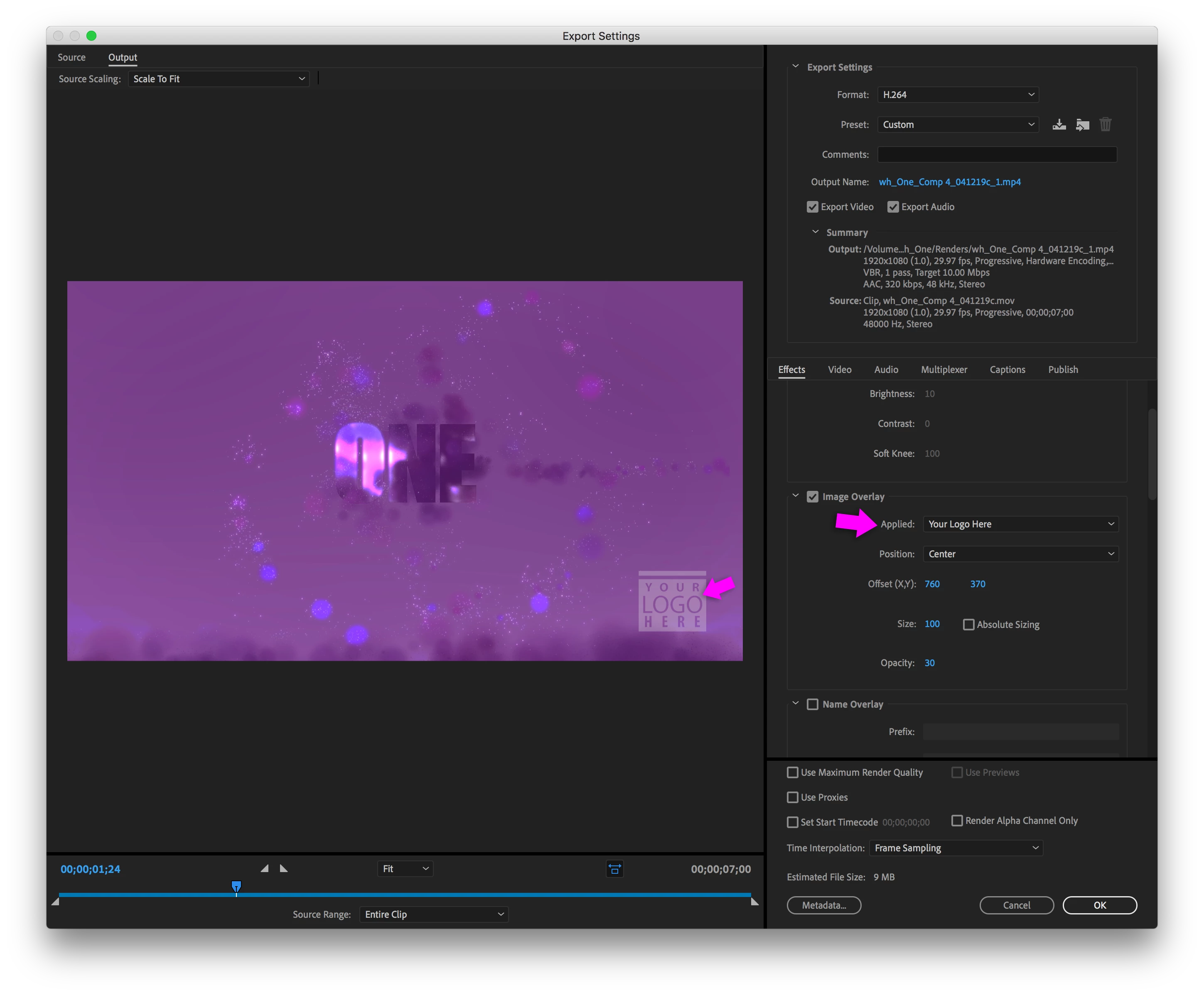
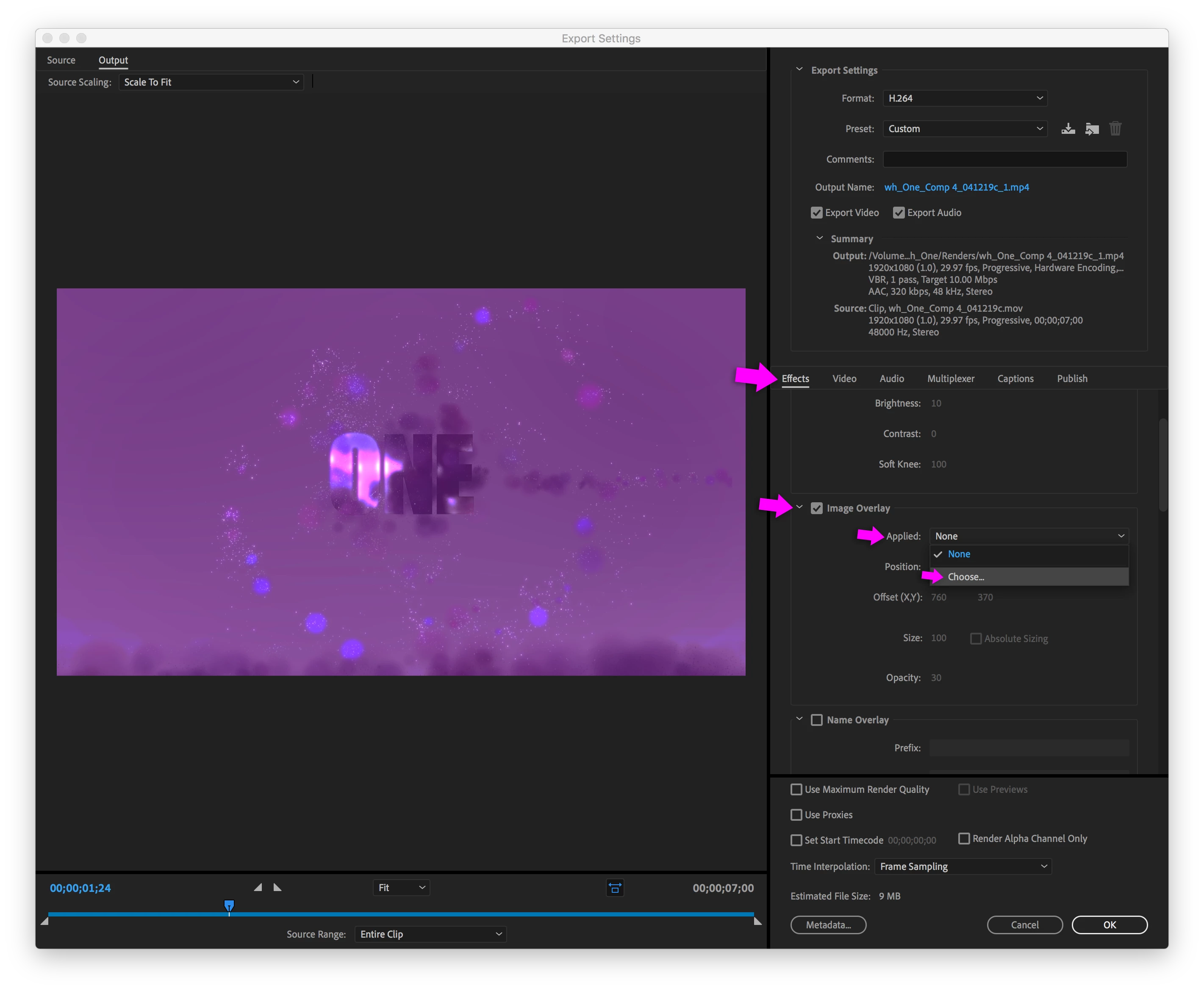
In Adobe Media Encoder, create a custom preset that uses an Image Overlay (Effects tab > Image Overlay > Applied).


Then create a Watch Folder that uses that custom preset.


Any video files you drop into the Watch Folder will get enocoded with the Image Overlay applied by custom preset.


2 replies

Warren Heaton
Community Expert
Warren HeatonCommunity ExpertCorrect answer
Community Expert
April 8, 2021

In Adobe Media Encoder, create a custom preset that uses an Image Overlay (Effects tab > Image Overlay > Applied).


Then create a Watch Folder that uses that custom preset.


Any video files you drop into the Watch Folder will get enocoded with the Image Overlay applied by custom preset.


Participant
April 9, 2021

This is what i was looking for, Thanks!

R Neil Haugen
Legend
April 8, 2021

If they all have the same frame-size/rate, and each is a separate sequence, try selecting them all in a bin, then right-click/export media/queue. MediaEncoder should then open, and if you set off the queue, each should be it's own file after export.


Neil

Everyone's mileage always varies ...