

theTallest77
Inspiring
October 20, 2025
Answered

Trying to roll back my Premiere install to 25.1....

  • October 20, 2025
  • 2 replies
  • 218 views

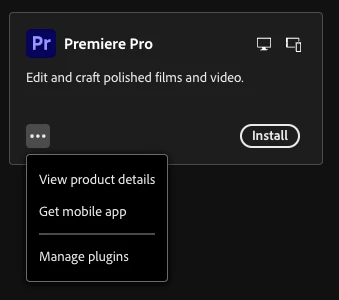
I just uninstalled v25.5 as it was having some performance issues on my machine. I want to roll back to 25.1, but after uninstalling, I don't see the "install other versions" option anymore.  I have a MacBook Pro with an M2 Pro chip running Sequoia 15.5. Any suggestions?


Correct answer theTallest77

Fixed by forcing a service restart.

2 replies

theTallest77
theTallest77AuthorCorrect answer
Inspiring
October 21, 2025

Fixed by forcing a service restart.

Ann Bens
Community Expert
Community Expert
October 20, 2025

If premiere is not installed, you won't see all the version.

So install 25.5 and the select the preferred version.

theTallest77
Inspiring
October 20, 2025

Did that, same issue.


I saw something on the Adobe site that if you're an enterprise or teams customer (and I'm pretty sure I'm one of those), you need to make those older versions available in the admin console, which I don't have access to. On the horn with IT.

Stan Jones
Community Expert
Community Expert
October 20, 2025

In the cloud desktop, try Preferences -> Apps -> Show older versions.


Stan